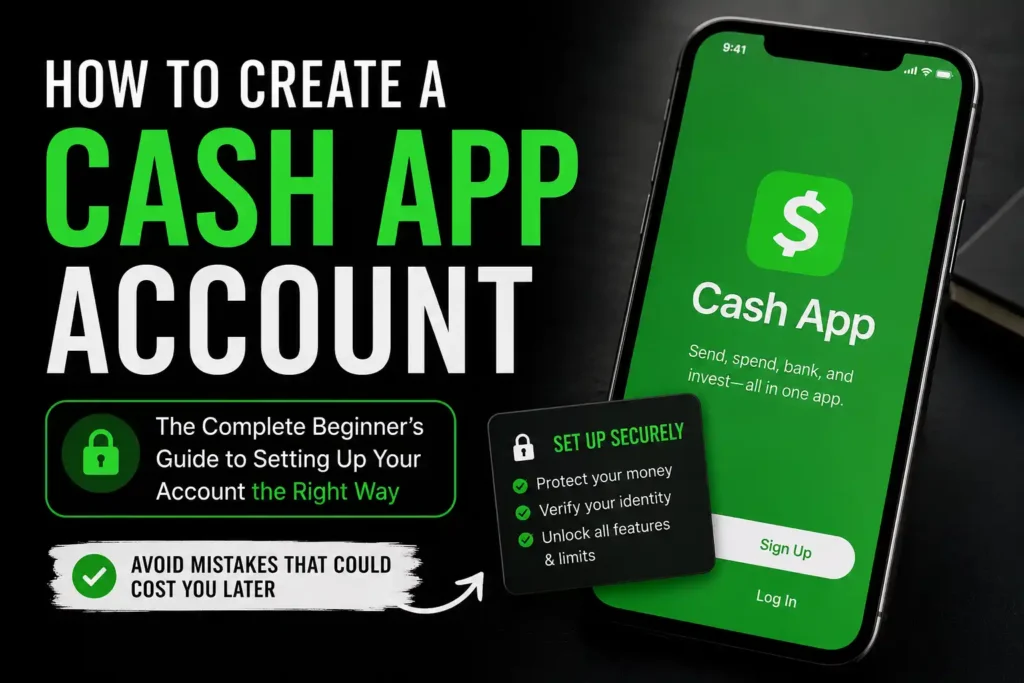
Most people think creating a Cash App account is as simple as downloading the app, entering a phone number, and sending money.
It is—but only if everything goes perfectly.
One small mistake during setup can lead to identity verification problems, payment failures, missing verification codes, limited account features, or even an account that becomes difficult to recover. Many new users don’t realize this until after they have already linked their bank account, added money, or tried to receive an important payment.
The good news is that almost every one of these problems can be avoided.
This guide walks through the entire Cash App account creation process from start to finish. It covers everything from downloading the official app and choosing the right signup method to linking your bank account, creating your Cashtag, verifying your identity, securing your account, and avoiding the mistakes that prevent thousands of users from enjoying the full benefits of Cash App.
More importantly, this guide goes beyond simply explaining how to create a Cash App account. It explains why each step matters, what happens after you complete it, and how to set up your account correctly the first time so you don’t have to fix avoidable problems later.
Whether the goal is sending money to friends, receiving payments, ordering a Cash App Card, setting up direct deposit, buying Bitcoin, investing in stocks, or simply managing everyday finances more conveniently, this guide provides everything needed to start with confidence.
Table of Contents
Quick Setup Summary
For readers who want a quick overview before diving into the details, here’s the entire process at a glance.
| Step | What to Do |
|---|---|
| 1 | Download the official Cash App from a trusted source |
| 2 | Sign up using your phone number or email address |
| 3 | Enter the verification code |
| 4 | Enter your legal information accurately |
| 5 | Choose your unique Cashtag |
| 6 | Link your debit card or bank account (optional during setup) |
| 7 | Review your profile information |
| 8 | Verify your identity when prompted |
| 9 | Enable security settings |
| 10 | Start using your Cash App account safely |
The entire setup process usually takes only a few minutes. Identity verification may require additional time if Cash App requests extra information or documents.
Before starting, it helps to understand exactly what is needed.
Before You Create a Cash App Account
Taking two minutes to prepare before opening the app can save hours of frustration later.
Here’s a simple checklist.
Cash App Account Setup Checklist
✅ A smartphone or tablet
✅ Internet connection
✅ A valid mobile phone number or email address
✅ Your legal first and last name
✅ Your date of birth
✅ A secure password for your email account
✅ A debit card (recommended)
✅ A bank account (recommended)
✅ Government-issued identification if verification becomes necessary
Having everything ready makes the signup process much smoother.
What Is Needed to Create a Cash App Account?
Cash App is designed to make registration simple.
Unlike opening a traditional bank account, there is usually no lengthy paperwork or branch visit.
However, Cash App still needs enough information to create an account that belongs to a real person.
Most users will need:
- A supported mobile device
- Internet access
- A valid email address or mobile phone number
- Their legal name
- Date of birth
Depending on how the account will be used, Cash App may later request additional information such as:
- Residential address
- Social Security Number (SSN)
- Individual Taxpayer Identification Number (ITIN)
- Government-issued photo identification
These additional requirements usually appear when unlocking features such as higher transaction limits, direct deposit, Cash App Card, Bitcoin services, investing, or other regulated financial products.
Providing accurate information from the beginning makes future verification much easier.
Readers who are unfamiliar with how the platform works should first read Cash App Explained: What It Is, How It Works, Features, Fees, Safety, and Everything Beginners Need to Know before continuing.
Can Anyone Create a Cash App Account?
Not everyone can open the same type of Cash App account.
Eligibility depends on several factors.
These include:
- Age
- Country of residence
- Identity
- Account type
- Intended use
Understanding these requirements before registration helps prevent unnecessary disappointment later.
Age Requirements
Adults who meet Cash App’s eligibility requirements can create their own personal accounts.
Teenagers may also qualify, but their accounts generally require sponsorship from a parent or legal guardian before certain features become available.
Because teen accounts work differently from standard personal accounts, parents should also read Cash App for Teens: Sponsored Accounts, Features, Limits, and Safety before creating one.
Country Availability
Cash App is not available worldwide.
Creating an account while living in an unsupported country is generally not possible.
Some people attempt to bypass regional restrictions using false information, VPNs, or borrowed phone numbers.
This is one of the fastest ways to create verification problems later.
Always use your actual country of residence and accurate personal information.
Personal Information Matters
Cash App uses the information provided during registration to verify identity when needed.
Using:
- A fake name
- Someone else’s birthday
- Another person’s phone number
- A temporary email
- False personal details
can lead to account restrictions or make recovering the account much more difficult if access is ever lost.
Using accurate information from the beginning is always the safest approach.
Now that the requirements are clear, it’s time to begin creating the account.
How to Create a Cash App Account Step by Step
The exact appearance of the app may change slightly over time, but the registration process remains largely the same.
Following these steps carefully helps ensure the account is created correctly the first time.
Step 1: Download the Official Cash App
The first step is downloading the official application.
Never install Cash App from:
- Random websites
- Unknown download pages
- Social media advertisements
- Email attachments
- Messaging apps
Instead, use trusted sources such as:
- Apple App Store
- Google Play Store
- The official Cash App website
Fake applications often look convincing.
Some are designed specifically to steal:
- Passwords
- Verification codes
- Debit card information
- Personal identity information
Always verify that the application is published by the official developer before installing it.
Spending an extra minute checking the source can prevent serious security problems later.
Step 2: Open Cash App and Begin Registration
Once the app is installed, open it.
Cash App will ask whether you want to register using:
- Your mobile phone number
- Your email address
Both methods work well.
The best choice depends on which one you can reliably access for years to come.
Avoid using:
- Temporary email addresses
- Disposable phone numbers
- Business emails you may lose access to
- A friend’s phone number
- Shared family email accounts
Remember that this contact information becomes one of the primary ways Cash App verifies your identity.
If you ever forget your login information or purchase a new phone, this email address or phone number may be essential for recovering the account.
Choosing reliable contact information now makes future account recovery much easier.
Step 3: Enter the Verification Code
After entering your phone number or email address, Cash App sends a one-time verification code.
Open the message and enter the code inside the Cash App app.
This step confirms that you actually own the phone number or email address.
If the code does not arrive immediately:
- Wait a few minutes.
- Check your spam or junk folder.
- Confirm that the phone number or email address was entered correctly.
- Request another code if necessary.
Do not repeatedly request verification codes every few seconds.
Doing so may temporarily delay delivery.
Never Share Your Verification Code
This is one of the most common mistakes made by new users.
No legitimate Cash App employee should ever ask you to tell them your verification code.
Likewise, never share the code with:
- Someone claiming they can verify your account
- Someone promising free money
- A buyer or seller
- Someone claiming to work for Cash App support through social media
- Anyone asking for “confirmation”
That code is essentially a temporary key to your account.
Sharing it can give someone else access before you even finish creating your profile.
Learning to recognize these scams early is one of the easiest ways to protect your money. Readers should continue with Cash App Scams: Common Tricks and How to Avoid Them after completing their account setup.
Step 4: Enter Your Legal Name Correctly
Next, Cash App asks for your personal information.
This is not the place to use:
- Nicknames
- Business names
- Internet usernames
- Abbreviations
- Fake names
Instead, enter your legal first and last name exactly as they appear on your official identification.
Many people underestimate the importance of this step.
Later, if Cash App asks you to verify your identity, the information you enter during registration will be compared with official records.
Even small differences can slow down the verification process.
For example:
Correct:
Michael Andrew Johnson
Less helpful:
Mike Johnson
Using your legal name from the beginning creates fewer problems when you later decide to:
- Verify your identity
- Order a Cash App Card
- Enable direct deposit
- Buy Bitcoin
- Invest in stocks
- Increase your account limits
Step 5: Enter Your Date of Birth
After entering your legal name, Cash App will ask for your date of birth.
This step does much more than simply record your age.
It helps Cash App determine:
- Whether you qualify for an adult account
- Whether a sponsored teen account is required
- Which features can be made available
- Whether additional identity verification may be needed later
Always enter your actual date of birth.
Some people are tempted to enter an older age to unlock more features immediately.
This is a mistake.
If the information on your account does not match your official identification later, you could experience problems when:
- Verifying your identity
- Recovering your account
- Ordering a Cash App Card
- Setting up direct deposit
- Buying Bitcoin
- Investing in stocks
Correct information today saves a lot of frustration tomorrow.
If you’re creating an account for a teenager, you’ll want to read Cash App for Teens: Sponsored Accounts, Features, Limits, and Safety to understand how sponsored accounts work and what features are available.
Step 6: Choose Your Unique Cashtag
One of the most recognizable features of Cash App is the Cashtag.
A Cashtag is your unique username.
Instead of asking someone to remember a long phone number or email address, they can simply search for your Cashtag to send you money.
Examples include:
- $SarahJohnson
- $MikeWrites
- $HealthyLiving
- $JohnSmith24
Think of it as your personal payment username.
How to Choose a Good Cashtag
A good Cashtag should be:
- Easy to remember
- Easy to spell
- Professional
- Short enough to share quickly
- Unique
If you plan to receive payments for freelance work or a small business, consider choosing a Cashtag that matches your brand.
For example:
Instead of:
$CoolGuy452884
A freelancer might choose:
$JohnDesign
A tutor might choose:
$MathWithEmma
A photographer might choose:
$MikePhotos
This looks more professional and is easier for customers to remember.
Avoid These Cashtag Mistakes
Avoid including:
- Your Social Security Number
- Your full date of birth
- Your home address
- Sensitive personal information
- Offensive words
- Long strings of random numbers
Remember, your Cashtag is public.
Anyone sending you money may see it.
Readers who want to learn more can continue with What Is a Cashtag? How to Create, Change, and Share Your Cash App Username.
Step 7: Link Your Debit Card
After creating your Cashtag, Cash App may ask whether you want to link a debit card.
Many beginners ask:
“Can I skip this step?”
The answer is yes.
In many cases, you can continue creating your account and add a debit card later.
However, linking a debit card unlocks much more convenience.
Why Link a Debit Card?
A linked debit card makes it easier to:
- Send money
- Add funds
- Pay friends
- Shop with Cash App
- Transfer money faster
- Verify ownership of a funding source
If you plan to use Cash App regularly, linking your debit card during setup usually saves time later.
Tips Before Linking Your Card
Before entering your card information, make sure:
- The card belongs to you.
- The card has not expired.
- The billing information matches your bank.
- The card is active.
- You entered every number correctly.
Typing one incorrect digit is one of the most common reasons cards fail to link.
If your debit card refuses to connect, don’t panic.
There are several possible causes, including unsupported cards, temporary bank restrictions, billing mismatches, or security reviews.
Readers experiencing this issue should continue with Why Can’t I Link My Debit Card to Cash App? Common Causes and Solutions.
Step 8: Link Your Bank Account (Optional but Recommended)
Cash App can be used without linking a traditional bank account.
However, most users eventually connect one because it makes managing money much easier.
Linking your bank account allows you to:
- Transfer money into Cash App
- Cash out your balance
- Receive refunds more easily
- Access additional financial features
- Move larger amounts conveniently
Think of your bank account as the bridge between Cash App and your traditional banking system.
How to Link a Bank Account
The process is straightforward.
Open your profile or banking section inside Cash App.
Select the option to add a bank account.
Depending on your bank, you may be able to:
- Sign in securely through your online banking
- Enter your routing number
- Enter your account number manually
Always double-check these numbers before saving them.
A simple typing mistake can delay transfers.
Readers who need a detailed walkthrough should read How to Link a Bank Account to Cash App: Complete Step-by-Step Guide.
Step 9: Review Your Information Carefully
Before using your account, spend a minute reviewing everything you entered.
Many people skip this step.
Unfortunately, they often discover mistakes only after trying to verify their identity or receive an important payment.
Take a moment to confirm:
- Your legal name
- Email address
- Phone number
- Date of birth
- Cashtag
- Debit card information
- Bank account information
Correcting mistakes now is much easier than fixing them after transactions begin.
Step 10: Finish Creating Your Account
Once everything looks correct, your Cash App account is ready.
Congratulations.
However, this is only the beginning.
Many people assume that because their account has been created, every Cash App feature is immediately available.
That isn’t always the case.
Some services require additional verification before they can be used.
Understanding this difference prevents a lot of confusion.
What Happens After You Create a Cash App Account?
Immediately after registration, your account is active.
Depending on your account status, you may already be able to:
- Send eligible payments
- Receive money
- Create a Cash App balance
- Share your Cashtag
- Explore the app
However, certain features may remain unavailable until your identity has been verified.
Examples include:
- Higher sending limits
- Higher receiving limits
- Direct deposit
- Cash App Card
- Bitcoin features
- Stock investing
- Additional banking services
This surprises many new users.
Creating an account and fully unlocking every feature are two different things.
That’s why the next article every new user should read is How to Verify Your Identity on Cash App: Complete Verification Guide.
Your First 24 Hours After Creating a Cash App Account
One content gap found in many competing articles is what users should actually do after registration.
Instead of immediately sending or receiving large amounts of money, spend a few minutes completing these important tasks.
Enable Security Lock
Protect your payments with:
- Face ID
- Fingerprint authentication
- PIN verification
This prevents unauthorized payments if someone gains access to your phone.
Verify Your Identity
Don’t wait until Cash App asks during an urgent transaction.
Completing verification early often makes future transactions smoother.
Link Your Bank Account
Even if you don’t need it immediately, connecting your bank now can simplify future transfers.
Order Your Cash App Card
If you plan to spend directly from your Cash App balance, ordering a Cash App Card early avoids unnecessary delays later.
Everything you need to know is covered in Cash App Card Explained: Features, Benefits, Fees, and How It Works.
Learn Your Limits
Every account has transaction limits.
Knowing them before sending a large payment prevents unpleasant surprises.
Readers should continue with Cash App Limits Explained: Sending, Receiving, ATM, Bitcoin, and More.
Understand the Fees
Cash App is free for many everyday transactions.
However, certain services may involve fees.
Understanding these charges before using them helps you avoid unnecessary costs.
A complete breakdown is available in Cash App Fees Explained: Every Fee You Should Know Before Sending or Withdrawing Money.
Send a Small Test Payment
Before trusting your account with hundreds or thousands of dollars, send a small payment to someone you trust.
This confirms:
- Your account works correctly.
- Your linked payment method is functioning.
- Your notifications are working.
- You understand the payment process.
That small test can give you confidence before larger transactions.
How to Secure Your Cash App Account From Day One
Creating your Cash App account is only the first step.
The next step is protecting it.
Unfortunately, scammers don’t wait until an account becomes old or holds a large balance. New accounts are often targeted because inexperienced users are more likely to trust fake customer support messages, phishing emails, and fraudulent giveaways.
Spending just a few minutes securing your account today can save you from hours—or even days—of frustration later.
Enable Security Lock
Cash App allows users to require authentication before completing payments.
Depending on your device, this may include:
- Face ID
- Fingerprint authentication
- A PIN
Enabling this feature means that even if someone gets access to your unlocked phone, they cannot easily send money from your account.
If you’re serious about protecting your finances, this should be one of the very first settings you enable.
Protect Your Email Account
Many people focus on protecting Cash App while forgetting about the email account connected to it.
That’s a mistake.
If someone gains access to your email, they may also gain access to your Cash App account recovery process.
Protect your email with:
- A strong, unique password
- Two-factor authentication (2FA)
- Updated recovery information
- Security alerts
Never reuse the same password across multiple websites.
Lock Your Smartphone
Your phone is the key to your Cash App account.
Use:
- Face recognition
- Fingerprint unlock
- A strong PIN
- A secure password
Avoid simple PINs such as:
- 1234
- 1111
- 0000
- Your birth year
If your phone is lost or stolen, these weak codes can make unauthorized access much easier.
Turn On Notifications
Cash App notifications act as an early warning system.
Keep notifications enabled for:
- Payments
- Cash Outs
- Debit card purchases
- Login attempts
- Security changes
- Direct deposits
The sooner you notice suspicious activity, the faster you can respond.
Never Share Verification Codes
This rule deserves repeating.
No legitimate Cash App employee will ask you for:
- Your verification code
- Your PIN
- Your login credentials
- Your Security Lock authentication
Anyone asking for this information is almost certainly trying to access your account.
For a deeper understanding of current fraud tactics, continue with Cash App Scams: Common Tricks and How to Avoid Them.
Common Mistakes People Make When Creating a Cash App Account
Many account problems are completely avoidable.
Here are the mistakes new users make most often.
Using False Personal Information
Some people enter:
- A fake birthday
- A nickname
- Someone else’s name
Thinking they’ll correct it later.
Unfortunately, those shortcuts often become major problems during identity verification.
Always use accurate information from the beginning.
Using Someone Else’s Phone Number
Your phone number is part of your account’s identity.
If you register using:
- A friend’s number
- A family member’s number
- A temporary phone service
You could lose access to your account later.
Always use a number you personally control.
Ignoring Identity Verification
Some users delay verification until they need to receive an important payment.
Then they discover verification takes longer than expected.
Whenever possible, complete verification before you urgently need additional features.
Readers should continue with How to Verify Your Identity on Cash App: Complete Step-by-Step Guide.
Choosing a Poor Cashtag
A Cashtag should be:
- Easy to remember
- Easy to spell
- Professional
- Appropriate
Avoid names that are confusing or contain excessive numbers.
People should be able to find you without guessing.
Sending a Large Payment Immediately
New users often assume everything is working perfectly.
Instead, send a small payment first.
A simple test confirms:
- Your account is functioning correctly.
- Your linked payment method works.
- Your notifications are active.
- You understand the payment process.
Testing with a small amount first can prevent costly mistakes.
Myths vs. Facts About Creating a Cash App Account
There is a surprising amount of misinformation online.
Let’s separate fact from fiction.
| Myth | Reality |
|---|---|
| You must have a bank account to create Cash App. | No. A basic account can often be created without immediately linking a bank account, although some features may be limited. |
| Cash App is only for sending money. | No. Depending on eligibility, Cash App also offers features such as direct deposit, a Cash App Card, investing, Bitcoin, savings, and other financial services. |
| Identity verification is always required immediately. | Not necessarily. Verification is commonly requested when accessing certain features or higher limits. |
| You should create multiple accounts to increase your limits. | No. Multiple unnecessary accounts can complicate verification and account recovery. |
| Verification codes can safely be shared with customer support. | Never. Verification codes should remain private. |
Understanding these facts helps new users avoid many of the problems seen in online support forums.
Troubleshooting Cash App Account Creation Problems
Even when every step is followed correctly, occasional issues can occur.
Here’s how to solve the most common ones.
Verification Code Never Arrives
Try the following:
- Confirm the phone number or email address.
- Check your spam or junk folder.
- Wait a few minutes.
- Request another code.
- Restart your phone.
- Ensure you have a reliable internet or mobile connection.
Avoid requesting dozens of verification codes in a short period.
Cash App Says Your Phone Number Is Already Registered
This usually means:
- You already created an account.
- The number was previously used.
- You’re attempting to create a duplicate account.
Instead of creating another account, try recovering the existing one.
Debit Card Won’t Link
Possible causes include:
- Incorrect card number
- Incorrect expiration date
- Wrong CVV
- Unsupported card
- Billing mismatch
- Temporary bank restriction
Double-check every detail before trying again.
If everything is correct, contact your card issuer.
Identity Verification Failed
Verification may fail because:
- Your legal name doesn’t match official records.
- Your identification is blurry.
- Your document has expired.
- Your address is incorrect.
- The information entered during signup doesn’t match your ID.
Carefully review every field before submitting another verification request.
Cashtag Already Taken
Every Cashtag must be unique.
Instead of adding a random string of numbers, try adding:
- Your profession
- A middle initial
- Your business name
- A short location abbreviation
This keeps your Cashtag memorable and professional.
Frequently Asked Questions
Is It Free to Create a Cash App Account?
Yes. Creating a standard Cash App account is generally free. However, certain optional services, such as instant transfers or ATM withdrawals outside eligible fee reimbursements, may involve fees.
Readers should also see Cash App Fees Explained: Every Fee You Should Know Before Sending, Receiving, or Withdrawing Money.
Can I Create a Cash App Account Without a Bank Account?
Yes. You can usually create an account without immediately linking a bank account. However, connecting one expands the ways you can move money into and out of Cash App.
Can I Create a Cash App Account Without a Debit Card?
Yes.
Many users choose to add a debit card later.
How Long Does It Take to Create a Cash App Account?
Most people can complete the basic registration process in less than ten minutes.
Identity verification, if required, may take additional time depending on the review process.
Can I Change My Cashtag Later?
Yes.
Subject to availability and platform rules, Cash App allows eligible users to change their Cashtag.
Why Does Cash App Need My Identity?
Cash App may request identity verification to comply with financial regulations, help prevent fraud, and unlock additional account features.
Can I Have More Than One Cash App Account?
It is possible in some situations, but creating multiple unnecessary accounts is usually not recommended because it can complicate account management and verification.
What Should I Do Immediately After Creating My Account?
A good checklist includes:
- Verify your identity.
- Enable Security Lock.
- Link your bank account.
- Link your debit card.
- Learn your transaction limits.
- Understand applicable fees.
- Order a Cash App Card if you plan to use one.
- Send a small test payment.
- Learn how to recognize scams.
Final Thoughts
Learning how to create a Cash App account is easy.
Creating one correctly is what makes the difference.
By taking a few extra minutes to enter accurate information, choose a professional Cashtag, link trusted payment methods, secure the account, and understand how verification works, you can avoid many of the problems that frustrate new users.
Remember that creating the account is only the beginning. The more you understand Cash App’s features, limits, and security tools, the more confidently you’ll be able to use the platform for everyday payments and money management.
To continue building your knowledge, the next articles worth reading are:
- Cash App Explained: What It Is, How It Works, Features, Fees, Safety, and Everything Beginners Need to Know
- How to Verify Your Identity on Cash App: Requirements, Time, and Common Problems
- How to Link a Bank Account to Cash App: Complete Step-by-Step Guide
- How to Link a Debit Card to Cash App: Complete Step-by-Step Guide
- Can You Use Cash App Without a Bank Account or Debit Card?
Taking the time to understand each of these topics will help you get the most from Cash App while avoiding common mistakes that many new users make.