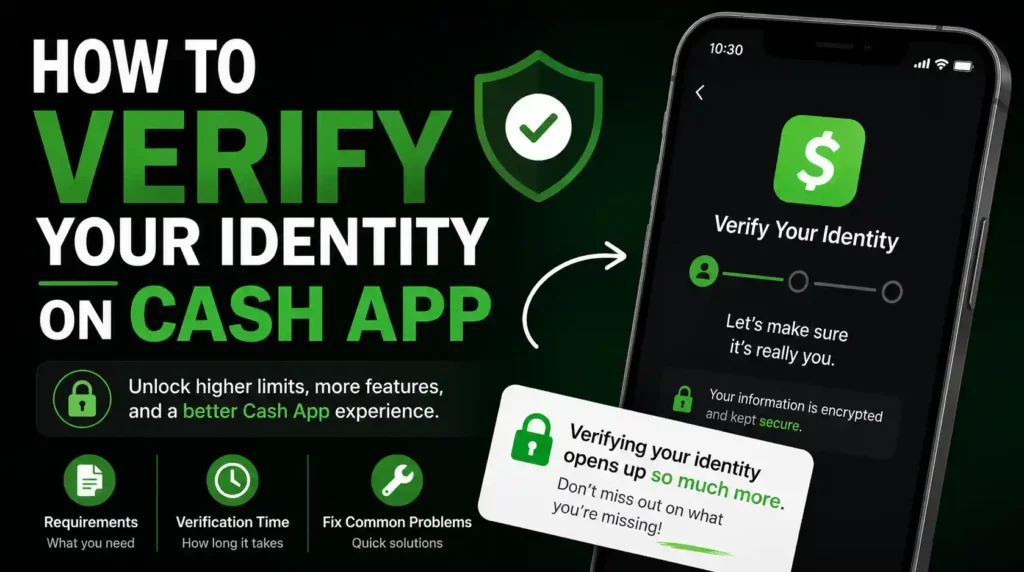
Nothing is more frustrating than trying to send money, receive a payment, order a Cash App Card, or enable direct deposit—only to discover that Cash App wants to verify your identity first.
For many users, this happens unexpectedly.
One moment everything appears to be working, and the next, the app asks for personal information, a government-issued ID, or even a selfie. Questions immediately follow:
Why is Cash App asking for my identity?
How long does verification take?
What documents are accepted?
What happens if verification fails?
Can Cash App be used without verifying an identity?
The answers aren’t always obvious, and making mistakes during verification can delay access to important features or require repeating the entire process.
The good news is that identity verification is usually straightforward when the correct information is provided the first time.
This guide explains exactly how to verify your identity on Cash App, what information is required, how long the process usually takes, why verification sometimes fails, and how to solve the most common problems. It also covers several topics that many competing guides overlook, including what happens after verification, how to prepare before submitting documents, how to avoid unnecessary delays, and what to do if Cash App rejects your verification request.
By the end of this guide, readers will understand not only how to complete verification successfully but also how to avoid the mistakes that prevent many users from unlocking Cash App’s full features.
Before getting started, it helps to understand the entire process at a glance.
Table of Contents
Quick Verification Summary
The identity verification process is simpler than many people expect.
Here’s a quick overview.
| Step | What Happens |
|---|---|
| 1 | Open Cash App and sign in |
| 2 | Trigger or access the identity verification process |
| 3 | Enter your legal personal information |
| 4 | Provide your Social Security Number (or other requested identification where applicable) |
| 5 | Upload a government-issued photo ID if requested |
| 6 | Complete a selfie or facial verification if requested |
| 7 | Submit your information |
| 8 | Wait for Cash App to review your application |
| 9 | Receive approval or additional instructions if more information is needed |
Some users are verified almost immediately, while others may experience additional review depending on the information provided and the services they want to use.
Before looking at the steps, it’s important to understand why Cash App requests identity verification in the first place.
Before diving into the process, let’s answer one of the most common questions.
Why Does Cash App Verify Your Identity?
Many first-time users assume Cash App is simply asking for personal information to collect more data.
That isn’t the primary reason.
Cash App operates as a financial services platform.
Like banks and many other financial companies, it must comply with laws designed to prevent:
- Identity theft
- Fraud
- Money laundering
- Terrorist financing
- Financial crimes
These regulations require financial institutions to confirm that customers are who they claim to be before providing access to certain services.
Identity verification also helps protect legitimate users.
If someone steals another person’s phone, email address, or login credentials, identity verification creates another layer of protection before sensitive financial services become available.
In other words, verification protects both the platform and its users.
Understanding this makes the process much less intimidating.
Readers who are still new to the platform should first read Cash App Explained: What It Is, How It Works, Features, Fees, Safety, and Everything Beginners Need to Know for a complete overview of how the service works.
Do You Have to Verify Your Identity on Cash App?
Not always.
This is one of the biggest misconceptions surrounding Cash App.
A basic account can often be created without immediately completing full identity verification.
However, verification becomes necessary when users attempt to access certain features or when account activity reaches thresholds that require additional confirmation.
In other words, creating a Cash App account and verifying a Cash App account are two different steps.
Readers who haven’t created an account yet should first complete How to Create a Cash App Account: Complete Step-by-Step Guide before continuing with this article.
When Does Cash App Ask for Identity Verification?
Cash App doesn’t necessarily ask every new user for identification the moment an account is created.
Instead, verification is commonly requested when users begin accessing more advanced services.
For example, Cash App may request verification when someone wants to:
- Increase transaction limits
- Send larger amounts of money
- Receive larger payments
- Order or fully activate a Cash App Card
- Set up direct deposit
- Buy or sell Bitcoin
- Invest in stocks
- Access other regulated financial products
- Recover an account after suspicious activity
- Resolve unusual account activity
The exact timing varies.
Some people receive the request within days.
Others may use Cash App for a while before verification becomes necessary.
The important point is this:
Verification isn’t a punishment.
It’s a normal part of using financial services responsibly.
What Information Is Required to Verify Your Identity?
Cash App may not request every piece of information from every user.
The exact requirements depend on the account, the requested service, and regulatory obligations.
However, users should be prepared to provide accurate personal information.
Personal Information
Cash App may ask for:
- Full legal name
- Date of birth
- Residential address
This information should match official records.
Avoid using:
- Nicknames
- Abbreviations
- Business names
- Fake addresses
- Incorrect birth dates
Even small inconsistencies can delay verification.
Social Security Number or Other Tax Identification
Cash App may request:
- Social Security Number (SSN)
or, where appropriate,
- Individual Taxpayer Identification Number (ITIN)
Providing accurate information helps Cash App confirm the account owner’s identity.
Incorrect numbers often result in verification failure.
Government-Issued Identification
Depending on the situation, Cash App may also request identification such as:
- Driver’s license
- State identification card
- Passport
- Other accepted government-issued identification
The document should be:
- Valid
- Clearly readable
- Not expired
- Free from glare
- Fully visible
Submitting blurry photos is one of the most common reasons verification takes longer than expected.
Selfie Verification
Some users are also asked to complete facial verification.
This generally involves taking a live selfie inside the app.
The purpose is to confirm that:
- The account owner is present.
- The identification belongs to the person submitting it.
- The account isn’t being opened using someone else’s identity.
Not every user is asked to complete this step.
However, when requested, it should be completed exactly as instructed.
Before Starting Identity Verification
Many competing guides immediately jump into the verification steps.
However, spending two minutes preparing first can significantly improve the chances of approval.
Verification Checklist
Before starting, make sure you have:
✅ A stable internet connection
✅ Good lighting
✅ A clean camera lens
✅ Your government-issued ID
✅ Your Social Security Number or requested identification details
✅ Your current residential address
✅ Your phone fully charged
These simple preparations reduce the likelihood of interrupted uploads or blurry document images.
Common Reasons Users Delay Verification
Many people postpone verification because they worry about providing personal information.
Others simply don’t think they’ll need the additional features.
However, waiting until the last minute can create unnecessary stress.
Imagine receiving an important payment for freelance work, only to discover that identity verification must be completed first.
Or deciding to enable direct deposit just before payday and learning that verification is still pending.
Completing verification before those situations arise can make future transactions much smoother.
It also means that features become available when they’re actually needed—not days later.
Now that the requirements are clear, it’s time to begin the verification process itself.
How to Verify Your Identity on Cash App Step by Step
The exact screens may change slightly as Cash App updates its app, but the overall verification process remains largely the same.
Following each step carefully helps avoid unnecessary delays.
Step 1: Open Cash App and Sign In
Begin by opening the official Cash App application on your mobile device.
Always make sure you’re using the official app downloaded from a trusted source.
Avoid logging in through unfamiliar links sent by email, text message, or social media.
If you haven’t already created an account, complete How to Create a Cash App Account: Complete Step-by-Step Guide before attempting verification.
Step 2: Access the Verification Process
Depending on your account, Cash App may automatically prompt you to verify your identity when you attempt to use a feature that requires additional verification.
In some cases, the option may also be available within your account settings or profile section.
Once the verification request appears, follow the on-screen instructions carefully.
Step 3: Enter Your Legal Personal Information
The first stage of identity verification usually involves confirming your personal details.
Cash App may ask for:
- Your full legal name
- Your date of birth
- Your residential address
This information should match your official records exactly.
Even small differences can cause unnecessary delays.
For example, if your driver’s license says:
Jonathan Michael Smith
don’t enter:
- Jon Smith
- J. Smith
- Jonathan M. Smith (unless it matches your ID)
The same applies to your address.
Use your current residential address rather than:
- A previous address
- A business address
- A friend’s address
- A P.O. Box if Cash App specifically requests a residential address
Accuracy matters much more than speed during this step.
Step 4: Provide Your Social Security Number (SSN) or Other Requested Information
Many users become nervous when Cash App asks for a Social Security Number.
This is completely understandable.
However, this request is common among regulated financial institutions.
Cash App may request your:
- Social Security Number (SSN)
- Individual Taxpayer Identification Number (ITIN), where applicable
This information helps verify your identity and comply with financial regulations.
If you’re uncomfortable providing this information, remember that Cash App requests it only through its official application during the verification process.
Never provide your SSN:
- Through email
- Over social media
- By text message
- During unsolicited phone calls
Legitimate Cash App support representatives will not contact you asking you to send your Social Security Number through unofficial channels.
Step 5: Upload Your Government-Issued ID
Depending on your account and the services you’re requesting, Cash App may ask you to upload a government-issued photo ID.
Accepted identification may include:
- Driver’s license
- State identification card
- Passport
- Other government-issued identification accepted by Cash App
The document should be:
- Valid
- Current
- Clearly readable
- Undamaged
- Fully visible
- Free from glare
Many verification failures happen because users rush this step.
How to Take a Better ID Photo
Follow these simple tips:
Use good lighting.
Natural daylight often works best.
Place the ID on a flat surface.
Keep every corner visible.
Avoid:
- Flash reflections
- Blurry images
- Cropped photos
- Fingers covering the document
- Dirty camera lenses
Taking one extra minute to capture a clear image can save hours waiting for another review.
Step 6: Complete Facial Verification (If Requested)
Some users are asked to complete a live facial verification.
This usually involves taking a selfie inside the Cash App app.
The purpose is simple:
Cash App wants to confirm that:
- You are a real person.
- You are physically present.
- The identification belongs to you.
Tips for Passing Selfie Verification
Before taking the photo:
- Remove sunglasses.
- Remove hats that cover your face.
- Look directly at the camera.
- Stand somewhere with good lighting.
- Clean your phone’s camera.
Avoid using:
- Beauty filters
- Edited photos
- Screenshots
- Printed pictures
Live verification works best when the camera clearly captures your face.
Not every Cash App user is asked to complete this step.
If the app doesn’t request a selfie, simply continue with the remaining verification process.
Step 7: Submit Your Verification Request
After reviewing your information, submit your application.
Before tapping the final button, double-check:
- Name spelling
- Date of birth
- Address
- Identification numbers
- Uploaded document quality
This final review can prevent unnecessary rejection.
Once everything has been submitted, Cash App begins reviewing the information.
At this point, patience becomes important.
How Long Does Cash App Verification Take?
This is one of the most frequently asked questions.
The honest answer is:
It depends.
Some users receive approval within minutes.
Others may wait several hours.
More complex reviews may take longer, particularly if additional information is required.
Several factors influence processing time.
These include:
- Image quality
- Accuracy of submitted information
- Identity verification volume
- Additional manual review
- Account activity
- Whether extra documents are required
Typical Verification Timeline
| Verification Stage | Typical Time |
|---|---|
| Submit information | 5–10 minutes |
| Automated review | Often within minutes |
| Manual review (if needed) | May take longer |
| Additional document requests | Varies depending on response time |
Rather than worrying about exact timelines, focus on submitting accurate information the first time.
A correct submission is usually processed faster than multiple failed attempts.
What Happens After Your Identity Is Verified?
Verification does more than place a checkmark on your account.
It can unlock access to features that are unavailable on a basic account.
Depending on eligibility, verification may allow access to:
- Higher sending limits
- Higher receiving limits
- Direct deposit
- Cash App Card
- Bitcoin services
- Stock investing
- Additional banking features
- Certain business features
Verification also makes future account recovery easier because Cash App has more information to confirm ownership if access is ever lost.
Readers planning to receive their paycheck through Cash App should continue with Cash App Direct Deposit Explained: Setup, Timing, Limits, and Benefits.
Those interested in spending directly from their balance should read Cash App Card Explained: How It Works, Features, Fees, and Limits.
Why Did Cash App Verification Fail?
Receiving a rejection can be frustrating.
Fortunately, most verification failures have straightforward explanations.
Understanding the cause makes fixing the problem much easier.
The Information Doesn’t Match Official Records
This is one of the most common reasons.
Examples include:
- Misspelled name
- Incorrect birth date
- Wrong address
- Incorrect Social Security Number
- Typing errors
Always compare your entries with your official documents before submitting them.
Blurry Identification Photos
Cash App cannot verify information it cannot read.
Photos may be rejected if they are:
- Blurry
- Cropped
- Too dark
- Overexposed
- Glare-covered
- Low resolution
Retake the photo carefully rather than repeatedly submitting the same poor-quality image.
Expired Identification
Government-issued identification should still be valid.
An expired driver’s license or identification card may not be accepted.
Check the expiration date before uploading.
Multiple Accounts With Different Information
Creating several Cash App accounts using different personal details often creates verification complications.
Whenever possible, use one primary account with consistent information.
Readers wondering whether multiple accounts are appropriate should read Can You Have More Than One Cash App Account? Everything You Need to Know.
Cash App Is Asking for More Information
Sometimes Cash App requests additional information after the first submission.
This doesn’t automatically mean something is wrong.
Additional requests may happen because:
- A document wasn’t clear.
- Information couldn’t be confirmed automatically.
- Extra verification is required.
- Your account activity requires further review.
Respond carefully.
Avoid rushing simply because you’re eager to finish.
Providing accurate information is much more important than responding quickly.
Should You Submit Verification More Than Once?
Many users assume that submitting multiple verification requests speeds things up.
Usually, it does the opposite.
Repeated submissions can:
- Create duplicate reviews.
- Cause confusion.
- Delay manual processing.
If Cash App is already reviewing your information, the best approach is generally to wait for the result or for instructions requesting additional documentation.
How to Fix Common Cash App Identity Verification Problems
Even when every step is followed carefully, identity verification doesn’t always go as planned. Fortunately, most problems have a logical explanation and can usually be resolved without creating a new account.
Understanding what causes verification issues can save hours—or even days—of unnecessary frustration.
Problem: Verification Is Taking Too Long
Waiting longer than expected is one of the most common concerns.
In many cases, nothing is actually wrong.
Verification times can vary depending on factors such as:
- The number of verification requests Cash App is processing
- Whether your application requires manual review
- The clarity of your submitted documents
- Whether additional information is needed
If the status still shows that your verification is under review, avoid repeatedly submitting new requests. Doing so can delay the process instead of speeding it up.
What to Do
- Make sure your internet connection remained stable during submission.
- Check the app for notifications requesting additional information.
- Keep the Cash App updated to the latest version.
- Allow reasonable time for the review to be completed before trying again.
Problem: Cash App Says Your Identity Can’t Be Verified
This message usually means Cash App couldn’t confidently match the information provided with available records.
It doesn’t necessarily mean anything suspicious has happened.
Common reasons include:
- A typo in your name
- Incorrect date of birth
- Incorrect address
- Wrong Social Security Number
- Information that doesn’t match your identification document
Review every detail carefully before attempting verification again.
Problem: The ID Photo Keeps Getting Rejected
A government-issued ID must be easy to read.
Photos are commonly rejected because they are:
- Too blurry
- Too dark
- Too bright
- Cropped
- Taken at an angle
- Covered by fingers
- Damaged or difficult to read
Better ID Photo Tips
- Place the ID on a plain background.
- Use natural lighting whenever possible.
- Hold the camera steady.
- Capture the entire document.
- Ensure every corner is visible.
- Avoid using digital zoom.
A clear image dramatically improves the chances of successful verification.
Problem: Selfie Verification Doesn’t Work
If Cash App asks for a selfie, facial recognition needs a clear image.
Verification may fail if:
- The room is too dark.
- Sunglasses hide your eyes.
- A hat covers part of your face.
- Filters are enabled.
- The camera lens is dirty.
- The phone camera is out of focus.
Move to a well-lit room and try again.
Problem: Verification Request Never Appears
Some users expect Cash App to ask for verification immediately after opening an account.
That isn’t always how it works.
Verification is often triggered only after attempting to use features such as:
- Sending larger payments
- Receiving larger payments
- Ordering a Cash App Card
- Buying Bitcoin
- Investing
- Setting up direct deposit
If none of those features are being used, verification may not appear immediately.
Can Cash App Be Used Without Verifying Your Identity?
Yes—but only to a point.
Many new users successfully create an account and perform basic transactions before identity verification becomes necessary.
However, an unverified account has limitations.
Depending on the account, users may eventually need verification to access:
- Higher transaction limits
- Cash App Card
- Direct deposit
- Bitcoin
- Stock investing
- Certain banking services
Anyone planning to use Cash App regularly should complete verification sooner rather than later.
Waiting until an important payment arrives can create unnecessary delays.
Does Identity Verification Increase Cash App Limits?
In many cases, yes.
Identity verification is often required before Cash App allows access to higher account limits.
Without verification, users may encounter restrictions on:
- Sending money
- Receiving money
- Certain financial products
Readers who want a detailed breakdown should read Cash App Limits Explained: Sending, Receiving, ATM, Card, Bitcoin, and Withdrawal Limits.
Understanding those limits helps avoid unexpected interruptions during future transactions.
Is It Safe to Give Cash App Your Personal Information?
This question comes up frequently.
After all, identity verification involves sensitive personal information.
Cash App uses identity verification because it operates as a regulated financial platform.
The information helps:
- Prevent fraud
- Protect accounts
- Comply with financial regulations
- Reduce identity theft
- Protect users from unauthorized activity
That said, users should also protect themselves.
Best Practices
Only provide personal information:
- Inside the official Cash App application
- Through official verification screens
Never provide:
- Social Security Numbers
- Verification codes
- Passwords
- PINs
- One-time login codes
through:
- Text messages
- Social media
- Phone calls claiming to be Cash App Support
Scammers often pretend to represent financial companies.
Readers interested in protecting themselves should also read Cash App Scams: The Most Common Scams and How to Avoid Them.
What Happens If Verification Is Never Completed?
Some users simply ignore verification requests.
Doing so may prevent access to certain Cash App features.
Depending on the account, this could affect the ability to:
- Increase limits
- Receive larger payments
- Use direct deposit
- Order a Cash App Card
- Buy or sell Bitcoin
- Invest in stocks
Completing verification early helps ensure these features are available whenever they’re needed.
Common Mistakes to Avoid During Verification
Many verification failures are completely avoidable.
Here are some of the biggest mistakes.
Rushing Through the Process
People often submit information without reviewing it.
One incorrect number can delay approval.
Always double-check every field.
Using Someone Else’s Identification
Only submit documents that belong to the account owner.
Using another person’s identification can result in verification failure or account restrictions.
Ignoring Update Requests
If Cash App asks for additional information, respond carefully.
Ignoring those requests can leave verification incomplete.
Taking Poor Photos
Blurry images remain one of the biggest reasons verification takes longer.
Spend an extra minute capturing a clear photo.
Creating Multiple Accounts
Opening several Cash App accounts with inconsistent personal information can complicate identity verification.
Whenever possible, maintain one primary account with accurate information.
Myths vs. Facts About Cash App Identity Verification
| Myth | Fact |
|---|---|
| Verification happens immediately for everyone. | Processing times vary depending on the review required. |
| Everyone must verify before using Cash App. | Basic accounts may work before verification is required. |
| A blurry photo is good enough. | Clear, readable identification is essential. |
| Submitting multiple requests speeds up approval. | Duplicate submissions can actually slow the process. |
| Cash App asks for verification to invade privacy. | Verification helps comply with financial regulations and protect users. |
Frequently Asked Questions
Can Identity Verification Be Completed Without a Social Security Number?
Cash App may request different forms of identification depending on the account and applicable regulations. Follow the instructions shown in the app and provide the requested information accurately.
Can Verification Be Completed Using an Expired Driver’s License?
Generally, a valid government-issued identification document is expected. An expired ID may not be accepted.
Does Cash App Verify Identity on Weekends?
Verification reviews may occur at different times throughout the week, but processing speed varies depending on each case.
Can a Cash App Account Be Deleted After Verification?
Yes. Verification does not prevent an account from being closed later if the user chooses to do so.
Will Verification Affect a Credit Score?
No. Identity verification itself is not a credit inquiry and does not affect a credit score.
Why Is Cash App Asking for Verification Again?
Cash App may request additional verification if unusual account activity is detected, important account information changes, or extra security checks become necessary.
Can Verification Be Completed From Another Country?
Cash App availability depends on supported regions. Verification requirements also vary depending on where the account is registered.
Is Verification Required to Receive Direct Deposit?
Many users need identity verification before accessing direct deposit and certain banking features.
Final Thoughts
Identity verification may seem like an inconvenience at first, but it’s an important step toward unlocking everything Cash App has to offer while helping protect both users and the platform from fraud.
The key to a smooth verification process is preparation. Providing accurate personal information, using a valid government-issued ID, taking clear document photos, and carefully following the in-app instructions can significantly reduce the chances of delays or rejection.
If verification doesn’t succeed on the first attempt, don’t panic. Most issues are caused by simple mistakes such as mismatched information, poor-quality images, or missing details, all of which can usually be corrected.
Once verification is complete, users can confidently access more of Cash App’s features, including higher transaction limits, direct deposit, investing, Bitcoin services, and the Cash App Card.
For the best experience, continue exploring these helpful guides:
- Cash App Explained: What It Is, How It Works, Features, Fees, Safety, and Everything Beginners Need to Know
- How to Create a Cash App Account: Complete Step-by-Step Guide
- Cash App Limits Explained: Sending, Receiving, ATM, Card, Bitcoin, and Withdrawal Limits
- Cash App Card Explained: Features, Benefits, Fees, and How It Works
- Cash App Direct Deposit Explained: Setup, Timing, Limits, and Benefits
- Cash App Scams: The Most Common Scams and How to Avoid Them
- Why Can’t I Link My Debit Card to Cash App? Common Causes and Solutions
- How to Link a Bank Account to Cash App: Complete Step-by-Step Guide
By understanding the verification process before problems arise, users can avoid unnecessary delays, protect their accounts, and take full advantage of Cash App’s growing range of financial services.