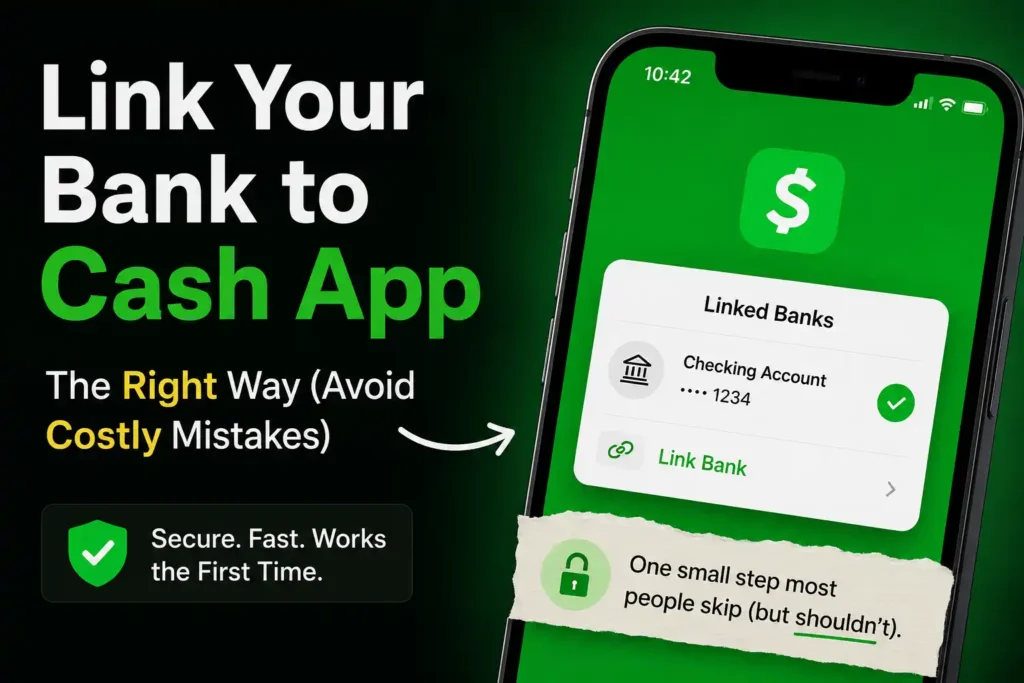
One of the biggest mistakes new Cash App users make is assuming they can unlock every feature without connecting a bank account.
Technically, it’s possible to use Cash App in certain ways without one—but sooner or later, most people realize a linked bank account makes managing money much easier. Whether it’s cashing out funds, adding money to a Cash App balance, setting up direct deposit, or moving money between accounts, linking a bank account is one of the first steps toward getting the most out of Cash App.
Yet many users hesitate.
Is it safe?
Will Cash App have access to the entire bank account?
What information is required?
Can any bank be linked?
What happens if the bank account won’t connect?
And what’s the difference between linking a debit card and linking a bank account?
These are important questions because linking the wrong account—or entering incorrect banking information—can lead to failed transfers, delayed withdrawals, and unnecessary frustration.
The good news is that connecting a bank account to Cash App is usually quick and straightforward when it’s done correctly.
This guide explains exactly how to link a bank account to Cash App, the information you’ll need, how bank verification works, the difference between instant and manual linking, common problems that prevent accounts from connecting, and practical tips that many competing guides never mention.
By the end of this guide, readers will know how to connect a bank account with confidence, avoid common mistakes, and troubleshoot problems if something goes wrong.
Before jumping into the detailed instructions, here’s the quick answer.
Table of Contents
Quick Answer: How to Link a Bank Account to Cash App
Linking a bank account usually takes just a few minutes.
Here’s a simplified overview of the process.
| Step | What to Do |
|---|---|
| 1 | Open Cash App and sign in |
| 2 | Go to your Profile or Linked Banks section |
| 3 | Choose Link Bank or Add Bank Account |
| 4 | Select your bank or choose manual entry if available |
| 5 | Enter your online banking credentials or your routing and account numbers |
| 6 | Complete any requested verification |
| 7 | Confirm the connection |
| 8 | Start transferring money between Cash App and your bank account |
The exact screens may look slightly different depending on your device and the latest version of Cash App, but the overall process remains very similar.
Before looking at each step, it’s helpful to understand why linking a bank account matters in the first place.
Before getting started, let’s answer one of the biggest questions new users have.
Why Link a Bank Account to Cash App?
Many people create a Cash App account using only a debit card.
While that works for basic functions, a linked bank account opens the door to additional ways of managing money.
Depending on your account and eligibility, linking a bank account can make it easier to:
- Transfer money between Cash App and your bank
- Cash out your Cash App balance
- Add funds when needed
- Receive money more efficiently
- Use certain Cash App banking features
- Manage finances from one place
Think of your bank account as the bridge between traditional banking and Cash App.
Without that bridge, moving money may be more limited or less convenient.
Readers who are still learning how Cash App works should first read Cash App Explained: What It Is, How It Works, Features, Fees, Safety, and Everything Beginners Need to Know.
Understanding the platform first makes the setup process much easier.
Can You Use Cash App Without Linking a Bank Account?
Yes—but with limitations.
This is one of the most misunderstood parts of Cash App.
A bank account is not always required to create a Cash App account.
However, linking one provides much greater flexibility.
Without a linked bank account, users may find it more difficult to:
- Transfer money out of Cash App
- Add funds in certain situations
- Access some banking-related features
- Move money between accounts efficiently
For anyone planning to use Cash App regularly, connecting a bank account is highly recommended.
Bank Account vs. Debit Card: What’s the Difference?
Many new users assume these are exactly the same thing.
They’re not.
Although both connect to Cash App, they serve different purposes.
| Bank Account | Debit Card |
|---|---|
| Connects directly to a checking or savings account | Connects to the payment card issued by your bank |
| Used for bank transfers | Used for card-based transactions |
| Identified by routing and account numbers | Identified by the card number, expiration date, and security code |
| Supports moving money between your bank and Cash App | Helps fund certain transactions and verify your bank relationship |
Most users eventually link both.
If a debit card hasn’t been added yet, continue with How to Link a Debit Card to Cash App: Complete Step-by-Step Guide after finishing this article.
What You’ll Need Before Linking a Bank Account
Preparing everything in advance makes the process much smoother.
Depending on how you choose to connect your bank, you may need some or all of the following.
Basic Requirements
Have these ready before starting:
- Your Cash App account
- A supported bank account
- A stable internet connection
- Your mobile device
- Your online banking login credentials (if using instant verification)
- Your routing number (if entering details manually)
- Your bank account number
- Access to any verification codes your bank may send
Spending two minutes gathering this information can prevent interruptions during setup.
Which Bank Accounts Can Be Linked to Cash App?
Cash App works with many banks and financial institutions.
Generally, users can link eligible:
- Checking accounts
- Savings accounts (where supported)
Compatibility depends on the financial institution and the account itself.
Most users have no difficulty linking accounts from major banks.
Some smaller banks or credit unions may have different connection methods or additional verification requirements.
Is It Safe to Link a Bank Account to Cash App?
This is probably the question users ask most often.
The short answer is:
For most users, yes.
Cash App is designed to connect with financial institutions while protecting sensitive information.
However, users should also practice good security habits.
Always:
- Download the official Cash App
- Use a secure internet connection
- Enable Security Lock
- Keep the app updated
- Protect login credentials
Never enter banking information through links received by email or text message claiming to be from Cash App.
Always use the official application.
Readers interested in protecting their accounts should also read Cash App Scams: The Most Common Scams and How to Avoid Them.
Instant Bank Linking vs. Manual Bank Linking
Many competing articles mention only one method.
In reality, Cash App may offer different ways to connect a bank account depending on the institution.
Instant Linking
This is usually the fastest option.
Users simply:
- Select their bank.
- Sign in using online banking credentials.
- Approve the connection.
- Complete any required authentication.
The connection is often established within minutes.
Manual Linking
Some users may instead enter:
- Routing number
- Bank account number
Manual verification can sometimes require additional confirmation before the account becomes fully linked.
Which option appears depends on the bank and the verification methods available.
Before You Start Linking Your Bank
Many connection problems can be avoided by spending just a minute preparing.
Bank Linking Checklist
Before opening Cash App, confirm that:
✅ Your bank account is active.
✅ You know your online banking password.
✅ Your routing number is correct.
✅ Your account number is correct.
✅ Your internet connection is stable.
✅ Your bank isn’t experiencing a temporary outage.
These small checks can prevent many of the issues users encounter later.
Common Reasons People Link Their Bank Account
Every Cash App user has different needs.
Some simply want an easier way to move money.
Others are preparing to use additional features.
Common reasons include:
- Moving money between Cash App and a bank account
- Cashing out a Cash App balance
- Managing personal finances
- Receiving payments
- Paying friends or family
- Preparing to set up direct deposit
- Keeping banking and digital payments connected
Whatever the reason, connecting a bank account early usually creates a smoother experience later.
How to Link a Bank Account to Cash App Step by Step
Once everything is ready, linking your bank account is usually a straightforward process.
Although the appearance of the app may change slightly over time, the overall process remains largely the same.
Following each step carefully reduces the chances of connection errors or failed verification.
Step 1: Open Cash App
Launch the official Cash App application on your mobile device.
Always make sure you’re using the latest version of the app.
Keeping Cash App updated helps ensure you have the latest security improvements and access to the newest features.
If you haven’t created an account yet, start with How to Create a Cash App Account: Complete Step-by-Step Guide before continuing.
Step 2: Go to Your Profile
After signing in, open your profile or account settings.
This is where you can manage important account information such as:
- Personal details
- Linked debit cards
- Linked bank accounts
- Security settings
- Privacy preferences
If a bank account hasn’t been linked before, you’ll usually see an option to add one.
Step 3: Choose “Link Bank” or “Add Bank Account”
Locate the option for adding a bank account.
Depending on the version of Cash App you’re using, the wording may vary slightly.
Look for options similar to:
- Link Bank
- Add Bank Account
- Linked Banks
- Banking
Selecting this option begins the connection process.
Step 4: Choose Your Bank
Cash App may display a list of supported financial institutions.
If your bank appears:
- Search for its name.
- Select it.
- Continue to the verification screen.
If your bank isn’t immediately visible, Cash App may allow manual entry instead.
Don’t worry if your financial institution isn’t listed first.
Many banks can still be connected successfully.
Step 5: Sign In to Your Online Banking (Instant Linking)
If instant verification is available, Cash App will ask you to log in using your online banking credentials.
Typically, this involves:
- Username
- Password
- Multi-factor authentication if your bank requires it
Once authenticated, Cash App requests permission to establish the secure connection.
Review the information carefully before approving the request.
Step 6: Manually Enter Your Bank Information (If Needed)
Some banks use manual verification instead of instant login.
In that case, you’ll generally need to enter:
- Bank routing number
- Bank account number
Accuracy is extremely important.
One incorrect digit may prevent the account from linking successfully.
Before submitting the information:
Double-check every number.
Comparing the details with your bank statement or online banking profile helps avoid unnecessary delays.
Where to Find Your Routing Number
One question many users ask is:
“Where do I find my routing number?”
Several options are available.
Depending on your bank, the routing number may appear on:
- Paper checks
- Online banking
- Bank statements
- The bank’s mobile app
- Account details within online banking
Always verify that you’re using the routing number associated with the correct account.
Readers unfamiliar with routing numbers should also read What Is a Routing Number? Everything You Need to Know and How to Find Your Routing Number.
Understanding these numbers reduces the likelihood of setup errors.
Where to Find Your Account Number
Your bank account number is different from your routing number.
The account number identifies your individual checking or savings account.
It can often be found on:
- Bank statements
- Online banking
- Mobile banking apps
- Paper checks
Take your time entering it.
Even one incorrect digit can cause verification to fail.
Step 7: Complete Bank Verification
After entering your information, Cash App may ask you to complete one or more verification steps.
Depending on your bank, this could include:
- A one-time security code
- Multi-factor authentication
- Bank login confirmation
- Additional account verification
These security measures help confirm that the person linking the account is the legitimate account owner.
Never share these verification codes with anyone else.
Cash App employees won’t ask for them through email, text messages, or social media.
Step 8: Confirm the Connection
After verification succeeds, Cash App confirms that the bank account has been linked.
At this point, your bank should appear under your linked payment methods.
Before leaving the settings screen, review the displayed information to make sure the correct account has been connected.
How to Know if Your Bank Account Was Linked Successfully
Many users wonder whether the process actually worked.
Fortunately, there are several easy ways to confirm.
You should typically see:
- The linked bank listed in your account settings.
- No outstanding verification requests.
- Bank transfer options available where applicable.
- The ability to initiate eligible transfers between Cash App and your bank.
If everything appears correctly, the setup is complete.
Can You Link More Than One Bank Account?
This is another question that often causes confusion.
Cash App’s supported payment methods and account management options may change over time.
While users can manage linked payment methods, the number and type of bank accounts that can be actively linked at one time depend on Cash App’s current policies.
If you need to change banks in the future, updating your linked account is generally easier than creating a brand-new Cash App account.
How to Change Your Linked Bank Account
Changing banks is common.
People:
- Open new checking accounts.
- Switch financial institutions.
- Close old accounts.
- Move to different banks.
Updating your bank information usually follows the same general process:
- Open Cash App.
- Navigate to your linked banking information.
- Remove or replace the existing bank account if appropriate.
- Add the new bank.
- Complete verification again.
Always verify that future transfers are directed to the correct account after making changes.
Why Won’t Cash App Link My Bank Account?
Sometimes the connection doesn’t work the first time.
Fortunately, most problems have straightforward solutions.
Incorrect Routing Number
One incorrect digit is enough to stop verification.
Always compare the routing number with your official banking information before submitting it.
Incorrect Account Number
This happens more often than many people realize.
Slow down and verify every number before trying again.
Incorrect Online Banking Password
If using instant verification, an incorrect username or password prevents Cash App from connecting.
Try logging directly into your online banking first.
If that works, return to Cash App and try again.
Temporary Bank Outage
Sometimes the issue isn’t with Cash App.
Banks occasionally perform maintenance or experience temporary outages.
Waiting a little while before trying again may resolve the problem.
Unsupported Financial Institution
Although Cash App supports many banks, some smaller financial institutions or specialized accounts may not support every connection method.
Checking directly with your bank can help clarify compatibility.
Internet Connection Problems
A weak or unstable connection can interrupt verification.
Switching to a more reliable Wi-Fi or mobile network often solves this issue.
What Happens After Linking Your Bank Account?
Connecting your bank account is just the beginning.
Once linked, you’ll generally have a smoother experience using many of Cash App’s core features.
Depending on your account and eligibility, you may be able to:
- Transfer money between Cash App and your bank
- Cash out your Cash App balance
- Prepare for direct deposit
- Manage incoming and outgoing funds more efficiently
- Use additional banking-related features
Many users also choose to link a debit card for added flexibility.
If you haven’t done that yet, continue with How to Link a Debit Card to Cash App: Complete Step-by-Step Guide.
Common Mistakes to Avoid When Linking a Bank Account
Most bank-linking problems aren’t caused by Cash App.
They’re caused by simple mistakes that are easy to avoid once you know what to look for.
Here are the most common ones.
Entering the Wrong Routing Number
Routing numbers identify financial institutions.
Using an incorrect routing number may prevent your account from linking or cause transfers to fail.
Always verify the routing number directly from:
- Your online banking account
- Your bank’s mobile app
- Your bank statement
- Your paper checks (if applicable)
Avoid copying routing numbers from unofficial websites.
Confusing the Routing Number With the Account Number
This mistake happens surprisingly often.
These numbers serve completely different purposes.
- The routing number identifies the bank.
- The account number identifies your specific account.
Entering them in the wrong fields will usually cause verification to fail.
Using an Inactive or Closed Bank Account
Cash App can’t successfully link a bank account that has been:
- Closed
- Frozen
- Restricted
- Disabled
Before attempting to connect, confirm that the account is active and in good standing.
Linking Someone Else’s Bank Account
The bank account should belong to the Cash App user.
Trying to connect someone else’s account may result in verification problems or account restrictions.
Always use your own banking information unless Cash App specifically permits otherwise.
Ignoring Verification Requests
Some users begin the linking process but never finish the verification steps.
For example, they may ignore:
- Security codes
- Multi-factor authentication
- Confirmation requests from their bank
Without completing verification, the connection may remain incomplete.
How to Remove a Linked Bank Account
Sometimes users need to replace an old bank account.
Common reasons include:
- Switching banks
- Closing an account
- Opening a new checking account
- Updating financial information
The process generally involves:
- Opening Cash App.
- Going to linked banking information.
- Selecting the existing bank account.
- Removing or replacing it if appropriate.
- Adding the new account.
- Completing verification again.
After updating your banking information, verify that future transfers are going to the correct account.
Can You Link a Savings Account to Cash App?
Many users assume only checking accounts are supported.
Depending on the financial institution and the account type, certain savings accounts may also be eligible for linking.
However, checking accounts are generally the most commonly used option because they are designed for regular deposits, withdrawals, and payment activity.
If you’re unsure whether your savings account is supported, check directly with your financial institution or review the options available within Cash App.
Does Linking a Bank Account Cost Money?
No.
Linking a bank account itself doesn’t usually involve a fee.
However, certain Cash App services—such as instant transfers—may involve fees depending on the transfer method selected.
Readers who want to understand those costs should continue with Cash App Fees Explained: Sending, Receiving, Cash Out, ATM, Bitcoin, and More.
Understanding potential fees helps avoid surprises later.
Is It Safe to Leave Your Bank Account Linked?
For most users, yes.
Many people leave the same bank account connected to Cash App for years.
Still, practicing good security habits is important.
Best Security Practices
To help protect your account:
- Enable Security Lock.
- Use a strong password.
- Keep your phone updated.
- Update Cash App regularly.
- Never share verification codes.
- Monitor your bank transactions regularly.
- Enable banking alerts if available.
Security isn’t something to think about only after a problem occurs.
Building good habits from the beginning provides better long-term protection.
What Should You Do If Cash App Can’t Verify Your Bank Account?
If verification continues to fail after checking all your information, avoid repeatedly entering the same incorrect details.
Instead:
- Confirm your routing number.
- Confirm your account number.
- Verify your online banking credentials.
- Check whether your bank is experiencing technical issues.
- Review any messages displayed in Cash App.
- Contact your bank if necessary.
- Contact Cash App Support through official channels if the issue continues.
Most verification problems are resolved by correcting inaccurate information rather than creating a new Cash App account.
Cash App Bank Linking Myths vs. Facts
| Myth | Fact |
|---|---|
| A debit card and bank account are the same thing. | No. A debit card is linked to your bank account, but they serve different purposes within Cash App. |
| Linking a bank account gives Cash App unlimited access to your money. | No. Linking a bank account allows supported transactions but doesn’t mean Cash App can freely access your funds without authorized actions. |
| Every bank connects the same way. | No. Some banks support instant verification, while others may require manual entry or additional authentication. |
| If a bank account won’t link once, it never will. | Not necessarily. Many problems are caused by temporary outages, incorrect information, or incomplete verification. |
| You don’t need to review your banking information before submitting it. | Even a single incorrect digit can prevent successful verification. |
Frequently Asked Questions
Can I Link a Bank Account Without a Debit Card?
Yes. A bank account and a debit card are separate payment methods within Cash App.
Can I Link a Credit Card Instead of a Bank Account?
Credit cards and bank accounts serve different purposes within Cash App. Depending on the feature you’re using, a bank account may still be needed for certain transfers.
Why Does Cash App Keep Asking Me to Verify My Bank?
Additional verification may be required if:
- Your banking information changes.
- Security checks are triggered.
- Your bank requests additional authentication.
- Cash App needs to confirm account ownership.
Can I Change Banks Later?
Yes. If you switch financial institutions, you can update your linked banking information within Cash App and verify the new account.
How Long Does It Take to Link a Bank Account?
Instant verification can often be completed within minutes.
Manual verification may take longer depending on the bank and any required confirmation steps.
Can I Use Cash App Before Linking a Bank Account?
Yes. However, certain features and transfer options may be limited until a bank account is connected.
Why Is My Transfer Failing Even Though My Bank Is Linked?
Possible reasons include:
- Insufficient funds
- Incorrect banking information
- Temporary bank issues
- Security verification requirements
- Transaction limits
Readers experiencing transfer limits should also read Cash App Limits Explained: Sending, Receiving, ATM, Card, Bitcoin, and Withdrawal Limits.
Is It Better to Link a Checking Account or a Savings Account?
Most users prefer linking a checking account because it’s designed for frequent transactions, deposits, and withdrawals.
Final Thoughts
Linking a bank account to Cash App is one of the smartest things new users can do. While it’s possible to use certain Cash App features without a connected bank account, linking one creates a smoother, more flexible experience for managing money.
Whether you’re transferring funds, cashing out your balance, preparing for direct deposit, or simply making everyday payments easier, a linked bank account helps bridge the gap between traditional banking and digital payments.
The process itself is usually quick, but taking a few extra minutes to verify your routing number, account number, and banking credentials can prevent the vast majority of connection problems.
If something doesn’t work the first time, don’t assume the bank is unsupported. Most issues are caused by incorrect information, temporary banking outages, or incomplete verification steps—and they’re often easy to fix.
Finally, remember that convenience should never come at the expense of security. Protect your Cash App account with strong passwords, enable Security Lock, monitor your transactions regularly, and never share verification codes or banking credentials with anyone.
To continue mastering Cash App, explore these related guides:
- Cash App Explained: What It Is, How It Works, Features, Fees, Safety, and Everything Beginners Need to Know
- How to Create a Cash App Account: Complete Step-by-Step Guide
- How to Link a Debit Card to Cash App: Complete Step-by-Step Guide
- How to Verify Your Identity on Cash App: Requirements, Time, and Common Problems
- Cash App Direct Deposit Explained: Setup, Timing, Limits, and Benefits
- Cash App Fees Explained: Sending, Receiving, Cash Out, ATM, Bitcoin, and More
- Cash App Limits Explained: Sending, Receiving, ATM, Card, Bitcoin, and Withdrawal Limits
- What Is a Routing Number? Everything You Need to Know
- How to Find Your Routing Number
- Cash App Scams: The Most Common Scams and How to Avoid Them
By understanding how to link a bank account correctly, reviewing every detail before submitting it, and following good security practices, users can avoid common setup problems and enjoy a faster, safer, and more reliable Cash App experience.