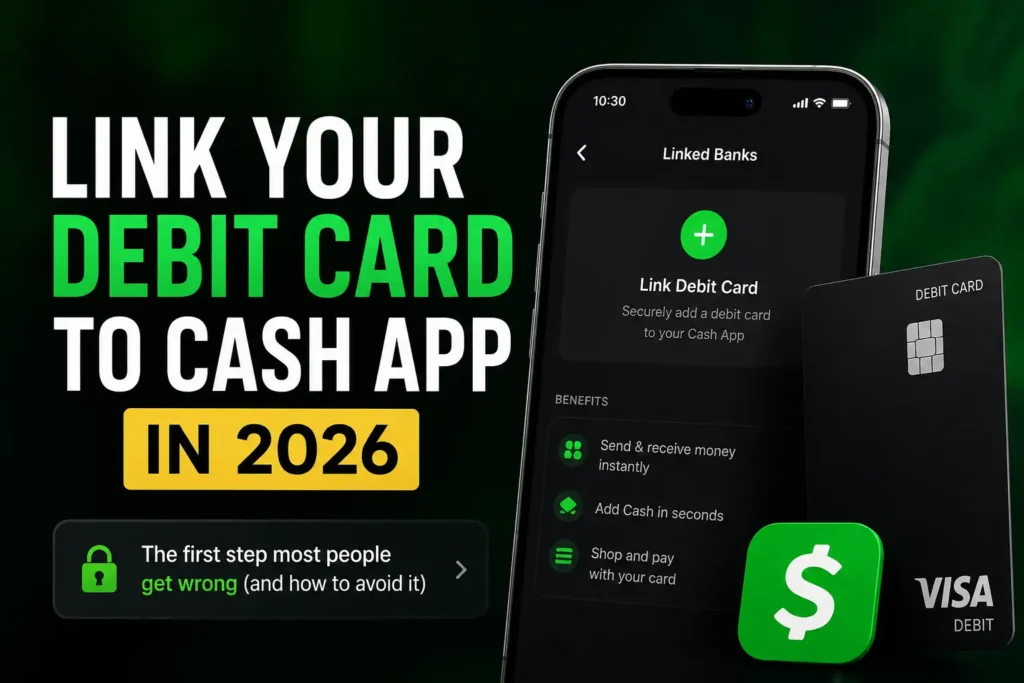
Few things are more frustrating than opening Cash App to send money, add funds, or make a payment—only to discover that your debit card isn’t linked.
Without a connected debit card, many everyday Cash App tasks become less convenient. You may struggle to fund payments quickly, experience delays when moving money, or miss out on features that work best when your payment methods are fully set up.
The good news is that linking a debit card usually takes only a few minutes.
The challenge isn’t the process itself—it’s avoiding the mistakes that cause cards to be rejected, verification to fail, or frustrating error messages to appear.
Questions like these are incredibly common:
- Can any debit card be linked to Cash App?
- Is linking a debit card the same as linking a bank account?
- Why won’t Cash App accept my card?
- Is it safe to connect a debit card?
- Can a prepaid debit card be used?
- What should be done if the linked card expires?
This guide answers all of those questions—and many more.
It explains exactly how to link a debit card to Cash App, what you’ll need before getting started, which cards are generally supported, why some cards won’t link, how to replace an old card, and how to troubleshoot the most common problems. It also covers practical tips and important details that many competing articles overlook, helping readers complete the setup correctly the first time.
By the end of this guide, readers will understand not only how to connect a debit card but also how to keep it updated, secure, and working reliably with Cash App.
Before diving into the detailed walkthrough, here’s the quick answer.
Table of Contents
Quick Answer: How to Link a Debit Card to Cash App
Adding a debit card usually takes just a few minutes.
Here’s a quick overview of the process.
| Step | What to Do |
|---|---|
| 1 | Open Cash App and sign in |
| 2 | Open your Profile or Linked Payment Methods |
| 3 | Select Add Debit Card |
| 4 | Enter your debit card information |
| 5 | Review the information carefully |
| 6 | Complete any required verification |
| 7 | Save the card |
| 8 | Start using the linked debit card with eligible Cash App features |
Although the exact screens may change slightly over time, the overall process remains very similar.
Before learning the steps, it’s helpful to understand why linking a debit card matters.
Before getting started, let’s answer one of the biggest questions users have.
Why Link a Debit Card to Cash App?
Many people create a Cash App account and immediately wonder whether adding a debit card is actually necessary.
Technically, certain Cash App features can be used without one.
However, linking a debit card makes the platform much more convenient.
Depending on your account and eligibility, a linked debit card may help you:
- Fund eligible payments more quickly
- Send money more conveniently
- Add money to your Cash App balance where available
- Complete transactions more smoothly
- Verify your payment method
- Manage your finances more efficiently
For many users, adding a debit card is one of the first setup tasks after creating a Cash App account.
Readers who are completely new to the platform should first read Cash App Explained: What It Is, How It Works, Features, Fees, Safety, and Everything Beginners Need to Know for a complete overview.
Can You Use Cash App Without a Debit Card?
Yes.
This surprises many first-time users.
A debit card is not always required to open a Cash App account.
However, not having one linked can limit how easily certain transactions are completed.
For example, users without a linked debit card may have fewer funding options available depending on the feature they’re trying to use.
Connecting a debit card helps create a smoother overall experience.
Debit Card vs. Bank Account: What’s the Difference?
Many people assume these two payment methods are identical.
They’re closely related—but they’re not the same.
A debit card provides access to money in your bank account, while the bank account itself is the financial account where your funds are held.
Here’s an easy comparison.
| Debit Card | Bank Account |
|---|---|
| Physical or virtual payment card | Checking or savings account |
| Uses a card number, expiration date, and security code | Uses routing and account numbers |
| Primarily supports card-based transactions | Supports bank transfers and account-to-account movement |
| Usually linked to a checking account | Holds your deposited funds |
For the best Cash App experience, many users eventually connect both.
Readers who haven’t linked their bank yet should also read How to Link a Bank Account to Cash App: Complete Step-by-Step Guide.
What You’ll Need Before Linking Your Debit Card
Preparing everything ahead of time makes the setup process much easier.
Most users only need a few things.
Basic Requirements
Before opening Cash App, have the following ready:
- Your Cash App account
- An eligible debit card
- A stable internet connection
- Your mobile phone
- The debit card itself
- Access to your phone for any verification messages
Taking a minute to prepare can help prevent interruptions during setup.
What Information Does Cash App Need?
Cash App typically requests the information printed on the debit card.
This generally includes:
- Card number
- Expiration date
- Card security code (CVV)
- Cardholder name, where applicable
Every detail should be entered exactly as it appears on the card.
Even a single incorrect digit can prevent the card from being added successfully.
Which Debit Cards Can Be Linked to Cash App?
Cash App supports many debit cards issued by major financial institutions.
Eligibility depends on the card issuer, network, and account status.
Most users successfully link debit cards connected to personal checking accounts.
However, some specialized cards may have restrictions.
For example, compatibility may vary for:
- Certain prepaid debit cards
- Some business debit cards
- Restricted financial products
- Cards issued outside supported regions
If a card cannot be linked, it doesn’t necessarily mean there’s a problem with the Cash App account itself.
Sometimes the limitation comes from the card issuer.
Is It Safe to Link a Debit Card to Cash App?
This is one of the most common concerns among new users.
For most people, linking a debit card through the official Cash App application is considered safe.
Cash App uses security measures to help protect payment information.
However, users should also protect themselves.
Good security habits include:
- Downloading Cash App only from official app stores
- Keeping the app updated
- Using a secure phone lock
- Enabling Security Lock
- Avoiding public Wi-Fi when entering financial information
- Monitoring account activity regularly
Never enter debit card information through links sent in unexpected emails, text messages, or social media messages claiming to be from Cash App.
Always use the official app.
Readers who want to learn how to recognize fraudulent activity should also read Cash App Scams: The Most Common Scams and How to Avoid Them.
Before Linking Your Debit Card
Many competing articles jump directly into the setup process.
However, spending just a minute preparing can prevent many common problems.
Debit Card Setup Checklist
Before opening Cash App, confirm the following:
✅ Your debit card is active.
✅ The card hasn’t expired.
✅ The card isn’t locked by your bank.
✅ You know the correct card number.
✅ The expiration date is correct.
✅ The CVV security code is readable.
✅ Your internet connection is stable.
These simple checks can save a surprising amount of time later.
Common Reasons People Link a Debit Card
Every Cash App user has different reasons for connecting a debit card.
Some simply want to finish setting up their account.
Others want faster access to Cash App’s payment features.
Common reasons include:
- Sending money quickly
- Funding eligible Cash App payments
- Adding money to a Cash App balance
- Managing personal finances
- Preparing to use additional Cash App features
- Keeping payment methods up to date
Whatever the reason, linking a debit card early usually leads to a smoother experience.
Common Myths About Linking a Debit Card
There are several misconceptions that often confuse new users.
Let’s clear up a few of the biggest ones.
Myth: A Debit Card and a Bank Account Are Exactly the Same
Not true.
A debit card is connected to a bank account, but they perform different functions within Cash App.
Myth: Every Debit Card Will Work
Not always.
Compatibility depends on factors such as the card issuer, network, account status, and Cash App’s supported payment methods.
Myth: Linking a Debit Card Gives Cash App Unlimited Access to Your Money
No.
A linked debit card allows supported transactions within Cash App, but it doesn’t give unrestricted access to your bank account.
Furthermore, once everything is prepared, it’s time to connect the debit card to your Cash App account.
How to Link a Debit Card to Cash App Step by Step
Linking a debit card is usually a simple process when the correct information is entered.
Although the appearance of the Cash App interface may change slightly with updates, the overall process remains largely the same.
Following each step carefully helps reduce the chances of verification errors or rejected cards.
Step 1: Open Cash App
Launch the official Cash App on your mobile device.
Before continuing, make sure you’re using the latest version of the app.
Updates often include:
- Security improvements
- Bug fixes
- Better compatibility with financial institutions
- Improved payment features
If you haven’t created a Cash App account yet, complete How to Create a Cash App Account: Complete Step-by-Step Guide before continuing.
Step 2: Go to Your Payment Methods
After signing in, navigate to the section where Cash App manages your linked payment methods.
Depending on the current version of the app, this area may appear under your profile or banking settings.
Here, you’ll typically see:
- Linked debit cards
- Linked bank accounts
- Other connected payment methods
If this is your first debit card, the section will usually display an option to add one.
Step 3: Tap “Add Debit Card”
Locate and select the option that says something similar to:
- Add Debit Card
- Link Debit Card
- Add Payment Method
Cash App will then open the screen where you’ll enter your card details.
Step 4: Enter Your Debit Card Information
Now enter the information exactly as it appears on the card.
You’ll typically need:
- Debit card number
- Expiration date
- CVV (security code)
- Cardholder name, if requested
Take your time.
One incorrect number can prevent the card from being added.
Many failed attempts happen because users accidentally:
- Skip a digit
- Reverse two numbers
- Enter the wrong expiration date
- Mistype the CVV
Before tapping the next button, double-check every field.
Step 5: Review Your Information
Before submitting your card, pause for a moment.
Ask yourself:
- Is every number correct?
- Does the expiration date match the card?
- Is the CVV accurate?
- Is this the debit card I actually want linked?
This quick review can save several minutes of troubleshooting later.
Step 6: Complete Verification
Depending on your bank, Cash App may request additional verification.
This extra security step helps confirm that the debit card belongs to the account owner.
Verification may include:
- A one-time security code
- Banking authentication
- Identity confirmation
- Approval within your banking app
Complete every requested step before leaving the app.
If verification isn’t completed, the card may not be linked successfully.
Step 7: Save the Debit Card
Once verification is complete, Cash App will save the debit card to your account.
The linked card should now appear under your payment methods.
Before closing the app, confirm that the correct card has been added.
How to Know if Your Debit Card Was Added Successfully
Many users wonder whether the setup actually worked.
Fortunately, there are several signs that confirm the process was successful.
Typically, you’ll notice:
- The debit card appears in your linked payment methods.
- No verification requests remain.
- Eligible payment features become available.
- Cash App recognizes the card during supported transactions.
If all of these are true, your debit card has likely been linked successfully.
Can You Link More Than One Debit Card?
This is one of the most frequently asked questions.
Cash App generally allows users to manage their payment methods, but the number of cards that can remain actively linked at one time depends on Cash App’s current policies.
If you replace your debit card, expire your current card, or change banks, you’ll usually need to update your payment information rather than continue using the old card.
How to Replace an Old Debit Card
Replacing a debit card is common.
Reasons include:
- The card expired.
- The bank issued a replacement.
- The card was lost.
- The card was stolen.
- The account was upgraded.
- The card number changed.
Updating your card is generally straightforward.
The process usually involves:
- Opening Cash App.
- Going to linked payment methods.
- Removing or replacing the existing debit card if necessary.
- Entering the new card information.
- Completing verification.
- Saving the updated payment method.
After replacing your card, check that future transactions use the new card instead of the old one.
Why Won’t Cash App Let Me Link My Debit Card?
Sometimes the card won’t connect the first time.
Fortunately, most problems have simple solutions.
The Card Number Was Entered Incorrectly
This is one of the most common causes.
Even one incorrect digit can prevent Cash App from accepting the card.
Compare the card number carefully before trying again.
The Card Has Expired
Expired cards cannot usually be linked.
Check the expiration date printed on the front of the card.
If the card has expired, request a replacement from your bank before trying again.
Incorrect CVV
The CVV is the three-digit security code found on most debit cards.
Entering the wrong code will usually cause verification to fail.
The Card Is Locked
Some banks allow customers to temporarily lock debit cards through their banking app.
If the card is locked, unlock it first before attempting to add it to Cash App.
Unsupported Debit Card
Although Cash App supports many debit cards, not every card works.
Compatibility can vary depending on:
- The issuing bank
- The payment network
- Account type
- Regional availability
If the card isn’t supported, consider contacting your bank for more information.
Temporary Bank System Issues
Occasionally, the issue isn’t with Cash App at all.
Banks sometimes perform maintenance or experience temporary outages.
Waiting a short time before trying again often resolves the problem.
Internet Connection Problems
A weak internet connection can interrupt verification.
Switching to a stable Wi-Fi network or stronger mobile data connection may solve the issue.
Can You Link a Prepaid Debit Card to Cash App?
This is another area where many users become confused.
Some prepaid debit cards may work with Cash App, while others may not.
Compatibility depends on factors such as:
- The card issuer
- Whether the card supports the required transactions
- The payment network
- Cash App’s current support policies
If a prepaid card doesn’t link successfully, it doesn’t necessarily indicate a problem with your Cash App account.
What Happens After Linking Your Debit Card?
Once your debit card is connected, you’ll generally have faster access to several Cash App features.
Depending on your account and eligibility, you may be able to:
- Fund eligible payments more quickly
- Add money to your Cash App balance
- Complete supported transactions more efficiently
- Manage your payment methods more easily
Many users also choose to connect a bank account for additional flexibility.
If you haven’t done that yet, continue with How to Link a Bank Account to Cash App: Complete Step-by-Step Guide.
Common Mistakes to Avoid When Linking a Debit Card
Most debit card problems can be avoided with a little preparation.
Many users assume Cash App is experiencing a technical issue when, in reality, the problem is something simple that can be fixed in minutes.
Here are the mistakes to avoid.
Entering Incorrect Card Information
This is by far the most common reason a debit card won’t link.
Before submitting your card, double-check:
- Card number
- Expiration date
- CVV (security code)
- Cardholder name (if requested)
One incorrect digit is enough to trigger an error.
Trying to Link an Expired Debit Card
Banks routinely replace debit cards when they expire.
If your card has passed its expiration date, request a replacement from your bank before attempting to add it to Cash App.
Using a Locked Debit Card
Many banking apps allow customers to temporarily lock their debit cards.
A locked card may be declined during the linking process.
Open your banking app first and confirm that the card is active.
Ignoring Verification Requests
Some banks require an extra verification step before allowing a card to be connected.
This may involve:
- Entering a one-time passcode
- Approving the request in your banking app
- Confirming your identity
Leaving the process before verification is complete can prevent the card from being added.
Linking a Card That Has Been Reported Lost or Stolen
If your bank has already cancelled the card, Cash App won’t be able to verify it.
Always use the replacement card issued by your bank.
How to Remove a Debit Card From Cash App
There are several situations where removing a debit card makes sense.
For example:
- The card has expired.
- The card was replaced.
- The card was lost or stolen.
- You switched banks.
- You want to use a different debit card.
In most cases, the process involves:
- Opening Cash App.
- Going to your linked payment methods.
- Selecting the current debit card.
- Removing or replacing it.
- Adding the new debit card.
- Completing verification if required.
Always confirm that the correct card appears in your account before making future payments.
Is It Better to Link Both a Debit Card and a Bank Account?
For most users, yes.
Although either payment method can be useful on its own, linking both provides greater flexibility.
Here’s why.
| Debit Card | Bank Account |
|---|---|
| Convenient for eligible card-funded transactions | Supports transfers between your bank and Cash App |
| Quick to add | Useful for moving larger amounts between accounts where supported |
| Can help fund payments | Often used for cashing out and other banking features |
| Easy to replace when renewed | Provides another funding option |
Using both payment methods gives users more options if one becomes temporarily unavailable.
What Should You Do if Cash App Keeps Rejecting Your Debit Card?
If you’ve checked the card information and the problem continues, avoid repeatedly submitting the same details.
Instead, work through this checklist.
Check That the Card Is Active
Contact your bank or log in to your banking app.
Some cards are temporarily blocked because of:
- Fraud monitoring
- Security locks
- Recent replacement
- Activation requirements
Confirm the Card Supports Online Transactions
Some banks allow customers to disable:
- Online purchases
- Digital wallet payments
- Third-party payment apps
Verify that these features are enabled if your bank offers those controls.
Make Sure the Billing Information Matches
Although Cash App primarily verifies the card itself, mismatched information associated with the account may occasionally contribute to verification issues.
Ensure your bank has your current personal information on file.
Update the Cash App
Using an outdated version of the app can sometimes cause unexpected problems.
Install the latest version before trying again.
Contact Cash App Support
If none of the above solves the issue, contact Cash App Support using the official app or official website.
Avoid searching for support phone numbers on unofficial websites, as scammers often create fake customer support pages.
Security Tips for Keeping Your Debit Card Safe on Cash App
Linking your debit card is only part of protecting your money.
Developing good security habits is just as important.
Enable Security Lock
Cash App offers Security Lock, which can require authentication before sending money.
Enabling this feature adds another layer of protection.
Turn On Transaction Notifications
Instant notifications make it easier to spot unauthorized activity quickly.
If something looks suspicious, you can act immediately.
Keep Your Phone Secure
Your phone is effectively the key to your Cash App account.
Protect it by:
- Using a strong PIN
- Enabling fingerprint or facial recognition
- Keeping the operating system updated
Never Share Verification Codes
Banks and Cash App may send one-time verification codes during the linking process.
Never share these codes with anyone.
Legitimate Cash App employees will never ask for them.
Watch for Phishing Attempts
Scammers often send fake emails or text messages claiming there’s a problem with your account.
Always access Cash App directly through the official app instead of clicking links in unsolicited messages.
For more ways to stay protected, read Cash App Scams: The Most Common Scams and How to Avoid Them.
Debit Card Linking Myths vs. Facts
| Myth | Fact |
|---|---|
| Every debit card can be linked to Cash App. | Compatibility depends on the card issuer, network, account status, and Cash App’s supported payment methods. |
| Cash App stores unlimited access to your bank account after linking your card. | A linked debit card is used for supported transactions and does not give unrestricted access to your account. |
| If the card is rejected once, it will never work. | Many issues are temporary and caused by incorrect information, verification problems, or bank maintenance. |
| Debit cards and credit cards work exactly the same in Cash App. | They serve different purposes, and available features may vary. |
| Once a card is linked, it never needs updating. | Cards expire, are replaced, or may need to be updated after changes from the issuing bank. |
Frequently Asked Questions
Can I Link a Debit Card Without a Bank Account?
Yes.
A debit card can usually be linked separately from a bank account.
However, many users choose to connect both for greater flexibility.
Can I Use a Credit Card Instead?
Cash App supports different payment methods, but credit cards and debit cards don’t function the same way.
Some features are specifically designed to work with a linked debit card or bank account.
Why Does Cash App Say My Debit Card Is Invalid?
Possible reasons include:
- Incorrect card number
- Expired card
- Incorrect CVV
- Unsupported card
- Card restrictions from your bank
- Temporary verification issues
Can I Change My Debit Card Later?
Yes.
If your bank issues a replacement card or you switch accounts, you can update your linked payment method.
How Long Does It Take to Link a Debit Card?
For most users, the process only takes a few minutes if all information is entered correctly and no additional verification is required.
Can I Have More Than One Debit Card Linked?
Cash App’s supported payment methods and limits may change over time.
Check the payment settings within your account for the current options available.
What Happens if My Debit Card Expires?
You’ll generally need to update your payment information with the replacement card provided by your bank.
Why Is My Debit Card Linked but Payments Still Fail?
Payment failures can happen for several reasons, including:
- Insufficient funds
- Temporary bank issues
- Security verification
- Transaction limits
- Card restrictions
If you’re running into sending or withdrawal restrictions, read Cash App Limits Explained: Sending, Receiving, ATM, Card, Bitcoin, and Withdrawal Limits.
Final Thoughts
Linking a debit card to Cash App is one of the easiest ways to unlock a smoother payment experience. While the setup process is simple, entering accurate card information, completing any required verification, and keeping your payment details up to date can prevent many of the issues users encounter.
A linked debit card makes it easier to fund eligible payments, add money to your Cash App balance where available, and manage everyday transactions more efficiently. Pairing your debit card with a linked bank account gives you even greater flexibility and helps you get the most from your Cash App account.
If you experience problems, don’t rush to assume something is wrong with Cash App. Most issues are caused by incorrect card details, expired cards, temporary bank maintenance, or incomplete verification—and they’re often resolved in just a few minutes.
Finally, make account security a priority. Use strong passwords, enable Security Lock, monitor your transactions regularly, and never share verification codes or financial information with anyone claiming to represent Cash App through unofficial channels.
Continue building your Cash App knowledge with these guides:
With the right setup and a few smart security habits, linking a debit card to Cash App becomes a one-time task that makes everyday payments faster, easier, and more reliable.