Imagine trying to send money to a friend, split a dinner bill, or receive payment for a side hustle—only to realize you don’t know their phone number or email address.
That’s exactly the problem Cash App solved with the Cashtag.
Instead of remembering long email addresses or asking for phone numbers every time someone needs to send money, Cash App lets every user create a unique username that starts with the $ symbol. A simple Cashtag like $JohnSmith can instantly identify the correct account and make sending or requesting money much easier.
Yet despite how often people use Cashtags, many users still have questions.
Can two people have the same Cashtag?
Can a Cashtag be changed?
Why does Cash App say a Cashtag is unavailable?
Can someone steal a Cashtag?
Is it safe to share a Cashtag publicly?
And what happens if a Cashtag is entered incorrectly?
Those questions become even more important as Cash App continues to grow and millions of people use it for personal payments, business transactions, direct deposits, and online purchases.
This guide explains everything there is to know about Cash App Cashtags—from what they are and how they work to how to create one, change it, find someone else’s Cashtag, share it safely, and solve the most common problems users encounter. It also covers several practical tips and common mistakes that many competing guides overlook, helping readers choose a Cashtag that’s professional, easy to remember, and secure.
By the end of this guide, readers will know exactly how Cashtags work and how to use them confidently every time they send or receive money.
Before exploring the details, here’s the short answer.
Table of Contents
Quick Answer: What Is a Cashtag?
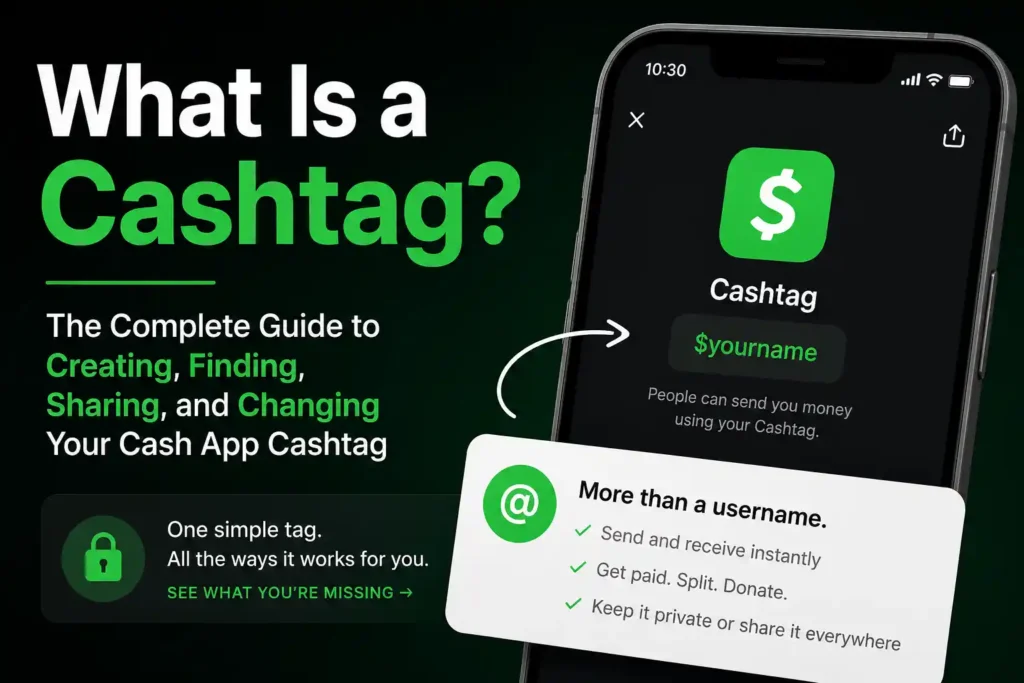
A Cashtag is the unique username associated with a Cash App account.
It always begins with the $ symbol and helps identify a specific user when sending, requesting, or receiving money.
Instead of searching by phone number or email address, users can simply enter someone’s Cashtag to locate the correct account.
For example:
- $EmmaBrown
- $MikeJohnson25
- $TravelWithAlex
Each Cashtag is unique.
Once assigned to an account, no two active Cash App users can use the exact same Cashtag at the same time.
Although a Cashtag is one of the easiest ways to identify a Cash App account, it’s only one part of the overall setup process.
Readers who haven’t opened an account yet should first read How to Create a Cash App Account: Complete Step-by-Step Guide before choosing a Cashtag.
At First, What Exactly Is a Cashtag?
Think of a Cashtag as the Cash App equivalent of a social media username.
Just as platforms like Instagram and X use usernames to identify individual accounts, Cash App uses Cashtags.
Instead of searching for someone by:
- Full name
- Email address
- Phone number
users can simply type the person’s Cashtag.
This makes transactions:
- Faster
- Easier
- More accurate
- Easier to remember
For many users, a Cashtag becomes the primary way friends, family members, and customers send money.
Why Does Cash App Use Cashtags?
Without unique usernames, sending money could become confusing.
Imagine searching for:
John Smith
Thousands of results could potentially appear.
A unique Cashtag removes that uncertainty.
Each eligible Cash App account receives its own unique identifier, making it much easier to locate the intended recipient.
Cashtags also help:
- Reduce mistakes
- Simplify payments
- Improve account identification
- Make payment requests faster
- Create a recognizable payment identity
For people running small businesses or freelancing, a memorable Cashtag can even become part of their personal brand.
How Does a Cashtag Work?
Every Cash App account is linked to a Cashtag.
When someone enters that Cashtag into Cash App, the app looks for the matching account.
If the Cashtag exists, the sender can review the account before sending money.
This extra confirmation helps reduce accidental transfers.
The process is generally very simple:
- Open Cash App.
- Enter the recipient’s Cashtag.
- Confirm the correct account appears.
- Enter the payment amount.
- Review the details.
- Send the payment.
Although the process takes only a few seconds, reviewing the recipient’s information before confirming the payment is always a good habit.
Why Is a Cashtag Important?
Many new users think the Cashtag is just another profile setting.
In reality, it’s one of the most important parts of a Cash App account.
A good Cashtag makes it easier for others to:
- Find an account
- Send money
- Request payments
- Share payment information
- Remember the account
For business owners, content creators, freelancers, and anyone who regularly receives payments, a professional Cashtag can also make the account look more trustworthy.
Can Two People Have the Same Cashtag?
No.
One of the defining features of a Cashtag is that it’s unique.
If someone already uses:
$DavidMiller
another person cannot register that exact Cashtag.
Cash App will ask the second user to choose something different.
Examples might include:
- $DavidMiller25
- $DavidMillerNY
- $DavidMiller2026
Uniqueness helps ensure payments reach the correct account.
What Makes a Good Cashtag?
Choosing a Cashtag isn’t something most people think about for very long.
They simply accept the first available option.
That can become a mistake later.
A well-chosen Cashtag should be:
- Easy to spell
- Easy to remember
- Professional
- Short
- Relevant
- Timeless
For example:
$SarahCooks
is generally easier to remember than:
$Sarah92837461
If the account may eventually be used for business, choosing something that reflects a personal brand or business name can also make future marketing easier.
Tips for Choosing the Best Cashtag
Before selecting a Cashtag, consider these practical tips.
Keep It Short
Shorter Cashtags are easier to:
- Remember
- Share
- Type
- Recognize
Avoid Confusing Characters
Using too many numbers or unusual spellings increases the chance that someone enters the wrong Cashtag.
For example:
$John123456789
is much harder to remember than:
$JohnTravel
Think Long-Term
Many people choose usernames based on temporary interests.
Years later, they regret the decision.
Instead, choose something that will still make sense several years from now.
Consider Your Personal Brand
Freelancers, creators, and small business owners often receive payments from customers.
Using a recognizable Cashtag can make payment requests look more professional.
Examples include:
- $EmmaDesigns
- $AlexPhotography
- $HealthyMeals
- $MikeRepairs
Can a Cashtag Include Numbers?
Yes.
If the preferred Cashtag is already taken, adding numbers may create an available alternative.
However, avoid adding unnecessary random numbers unless they’re meaningful.
For example:
- $John1988
is generally easier to remember than:
- $John84726159
The goal is to keep the Cashtag memorable while still unique.
Can Special Characters Be Used?
Cash App has specific formatting rules for Cashtags.
Not every character is allowed.
When creating a Cashtag, simply follow the in-app instructions regarding permitted letters, numbers, and formatting.
If the chosen name isn’t accepted, Cash App will prompt users to select another option.
Before Choosing a Cashtag
Many competing articles jump directly into the creation process.
However, spending a few minutes planning can prevent frustration later.
Cashtag Planning Checklist
Before creating a Cashtag, ask these questions:
✅ Is it easy to spell?
✅ Is it easy to pronounce?
✅ Will friends remember it?
✅ Does it look professional?
✅ Could it still work several years from now?
✅ Does it match a personal or business brand?
Answering these questions first often leads to a much better long-term choice.
Common Mistakes People Make When Choosing a Cashtag
Choosing a Cashtag takes only a minute, but changing it later can be inconvenient.
Avoid these common mistakes.
Using Too Many Numbers
Long strings of random numbers make Cashtags difficult to remember.
Using Slang That May Become Outdated
A username that feels funny today may seem confusing a few years later.
Copying Someone Else’s Brand
Choosing a Cashtag that’s very similar to another person or business can confuse people trying to send payments.
Making It Too Complicated
Simple almost always wins.
The easier it is to remember, the more useful it becomes.
How to Create a Cashtag on Cash App
One of the best things about Cash App is that creating a Cashtag only takes a few minutes.
For most users, the Cashtag is created during the account setup process.
If one wasn’t selected when the account was opened, it can usually be added later from within the app.
Choosing the right Cashtag from the beginning can save time because it’s the username friends, family, and customers will use to find the account.
Step 1: Open Cash App
Launch the Cash App on your mobile device and sign in to your account.
Always make sure you’re using the official Cash App application rather than following links from emails, text messages, or social media.
Step 2: Open Your Profile
Navigate to your profile or account settings.
This is where account details such as your:
- Name
- Phone number
- Email address
- Cashtag
- Linked payment methods
can be managed.
Step 3: Choose Your Cashtag
If a Cashtag hasn’t been created yet, Cash App will ask you to choose one.
Every Cashtag begins with the $ symbol.
Examples include:
- $EmilyBrown
- $MikeTravels
- $BellaStudio
Cash App immediately checks whether the chosen Cashtag is available.
If someone else already uses it, you’ll need to select another one.
Step 4: Save Your Cashtag
Once you’ve selected an available Cashtag that meets Cash App’s requirements, save your changes.
Your Cashtag immediately becomes part of your Cash App profile and can be used by others to locate your account.
If you’re still creating your account, it’s worth reading How to Create a Cash App Account: Complete Step-by-Step Guide to ensure every part of the setup process is completed correctly.
How to Find Your Cashtag
One of the most common questions new users ask is:
“Where is my Cashtag?”
Fortunately, it’s easy to locate.
Simply open Cash App and navigate to your profile.
Your Cashtag is displayed as part of your account information.
Since it’s the username people use to send you money, it’s worth memorizing or saving somewhere convenient.
Many users also include their Cashtag in:
- Email signatures
- Digital business cards
- Personal websites
- Freelance invoices
- Social media profiles (when appropriate)
How to Find Someone Else’s Cashtag
Sometimes a friend says,
“Just send it to my Cashtag.”
But what if you don’t know what it is?
The easiest solution is simply to ask them.
Cash App users commonly share their Cashtag through:
- Text message
- Social media
- QR code
- Payment request
- Business invoice
Avoid guessing.
Even if a Cashtag looks familiar, always confirm it’s the correct account before sending money.
Always Confirm the Recipient
A Cashtag makes finding someone easier, but it doesn’t eliminate mistakes entirely.
Before tapping Pay, verify that:
- The displayed name matches the intended recipient.
- The profile looks familiar.
- The payment amount is correct.
Taking a few extra seconds can prevent sending money to the wrong person.
How to Share Your Cashtag
Sharing a Cashtag is one of its biggest advantages.
Unlike sharing bank account numbers or other sensitive financial information, a Cashtag is specifically designed to help people find your Cash App account.
There are many situations where sharing a Cashtag makes sense.
For example:
- Receiving repayment from friends
- Accepting freelance payments
- Collecting event contributions
- Selling products online
- Receiving tips
- Family money transfers
Ways to Share a Cashtag
You can share your Cashtag by:
- Copying and pasting it into a text message
- Sending it through email
- Including it on invoices
- Adding it to a website
- Sharing it through supported social media platforms
- Displaying your Cash App QR code
For businesses and creators, combining a Cashtag with a QR code often makes receiving payments even easier.
Is It Safe to Share Your Cashtag?
This is one of the biggest concerns among new users.
The good news is that simply sharing a Cashtag is generally considered safe.
After all, Cash App created Cashtags so people could receive payments without revealing personal financial information.
However, sharing a Cashtag does not mean sharing everything.
Never share:
- Your Cash App PIN
- Login password
- Verification codes
- Debit card information
- Bank account credentials
- Social Security Number
A Cashtag is intended to identify your account—not grant someone access to it.
Can Someone Steal Your Cashtag?
Not simply by knowing it.
Knowing a Cashtag alone doesn’t allow someone to access an account.
However, scammers sometimes pretend to represent legitimate Cash App users.
For example, someone might create a username that looks very similar to another person’s Cashtag.
That’s why it’s important to review the recipient’s profile carefully before sending money.
Readers interested in staying protected should also read Cash App Scams: The Most Common Scams and How to Avoid Them.
How to Change Your Cashtag
Many people don’t realize that a Cashtag isn’t necessarily permanent.
Perhaps the original username:
- Looks unprofessional.
- Contains unnecessary numbers.
- Includes an old nickname.
- Doesn’t match a business anymore.
Fortunately, Cash App allows users to change their Cashtag, subject to its current rules and availability.
Step 1: Open Cash App
Sign in to your account using the official Cash App application.
Step 2: Go to Your Profile Settings
Navigate to your profile section where your account information is displayed.
Step 3: Edit Your Cashtag
Select the Cashtag field.
Enter your preferred new Cashtag.
Cash App immediately checks whether it’s available.
If someone else already uses it, you’ll need to choose another option.
Step 4: Save the Changes
Once the new Cashtag meets the requirements and is available, save your changes.
Your updated Cashtag becomes your new account identifier.
Anyone sending future payments should use the new Cashtag.
Why Can’t I Change My Cashtag?
Sometimes Cash App won’t accept a new Cashtag.
This usually happens for one of several reasons.
The Cashtag Is Already Taken
Every Cashtag must be unique.
If another user already owns it, you’ll need to choose something different.
The Cashtag Doesn’t Meet Cash App’s Rules
Cash App has formatting requirements regarding:
- Length
- Allowed characters
- Overall structure
If the chosen Cashtag doesn’t meet those requirements, the app won’t allow it.
Too Many Previous Changes
Cash App may limit how often a Cashtag can be changed.
For that reason, it’s worth choosing carefully before making another update.
Why Does Cash App Say My Cashtag Is Unavailable?
This is one of the most common frustrations.
There are several possible explanations.
Someone Else Already Uses It
This is the most common reason.
Popular names are often claimed quickly.
The Name Is Too Generic
Very short or highly desirable usernames are often unavailable.
Adding a meaningful word or number may create an available variation.
Examples:
Instead of:
- $David
Try:
- $DavidPhoto
- $DavidWrites
- $DavidNY
These alternatives remain memorable while increasing the likelihood of availability.
Can You Have More Than One Cashtag?
Each Cash App account has one primary Cashtag.
However, users who legitimately maintain more than one Cash App account—where permitted under Cash App’s policies—may have a different Cashtag for each account.
Anyone considering multiple accounts should first read Can You Have More Than One Cash App Account? Everything You Need to Know to understand the requirements, limitations, and best practices.
Common Cashtag Problems and How to Fix Them
Most Cashtag issues have simple explanations.
Whether you’re creating a new Cash App account or updating an existing one, understanding these problems can save time and frustration.
Here are the issues users encounter most often—and what to do about them.
Problem: “This Cashtag Is Already Taken”
This is by far the most common message users see.
Because every Cashtag must be unique, Cash App won’t allow two active accounts to use the same one.
How to Fix It
Instead of adding random numbers, try making the Cashtag more memorable.
For example:
Instead of:
- $Emily
Try:
- $EmilyTravels
- $EmilyReads
- $EmilyBakes
- $EmilyStudio
These are easier to remember than usernames filled with random digits.
Problem: People Keep Sending Money to the Wrong Account
This usually happens because:
- The sender typed the wrong Cashtag.
- They selected the wrong profile.
- They rushed through the payment confirmation screen.
How to Avoid It
Before sending money:
- Double-check the Cashtag.
- Confirm the displayed profile name.
- Verify the payment amount.
- Make sure you’re sending money to the intended recipient.
Taking five extra seconds can prevent a costly mistake.
Problem: Friends Can’t Find Your Cashtag
Sometimes people enter the correct-looking Cashtag but still can’t locate the account.
Possible reasons include:
- The Cashtag was entered incorrectly.
- The account recently changed its Cashtag.
- A spelling mistake.
- Missing letters or numbers.
When sharing a Cashtag, copying and pasting it instead of typing it manually reduces mistakes.
Problem: A Cashtag Was Changed and People Keep Using the Old One
Changing a Cashtag doesn’t automatically notify everyone who has your previous username.
If you’ve updated it:
- Tell friends and family.
- Update invoices.
- Update your website.
- Update business cards.
- Update social media profiles.
This helps ensure future payments go to the correct account.
Best Practices for Choosing a Cashtag You’ll Keep for Years
One content gap on many competing pages is long-term planning.
Many users choose a Cashtag in less than a minute and regret it later.
A little planning now can save multiple changes in the future.
Think Beyond Today
Instead of choosing something based on a current hobby, consider something that will still represent you several years from now.
For example:
Instead of:
- $FortniteKing
Consider:
- $DanielMartin
- $MartinDesigns
- $DanielCreates
Timeless usernames tend to age much better.
Keep It Professional
Even if you only use Cash App with friends today, your needs may change.
A professional Cashtag looks appropriate whether you’re:
- Freelancing
- Running a business
- Selling products
- Receiving client payments
- Accepting tips
Make It Easy to Say
Imagine telling someone your Cashtag over the phone.
If it’s difficult to pronounce or spell, people are more likely to make mistakes.
Simple usernames are usually the best.
Security Tips for Using Your Cashtag Safely
Although Cashtags are designed to be shared, users should still follow good security practices.
Share Only What’s Necessary
A Cashtag is public information.
However, never share:
- Your Cash App PIN
- One-time verification codes
- Password
- Debit card details
- Bank account information
Cash App representatives won’t ask for this information through unofficial channels.
Watch Out for Fake Cashtags
Scammers sometimes create usernames that closely resemble legitimate businesses or popular creators.
Examples include:
Using:
- $AmazonSupportl
instead of
- $AmazonSupport
Small differences can be difficult to notice.
Always review the recipient’s profile before confirming a payment.
Beware of “Accidental Payment” Scams
A scammer may claim they accidentally sent money and ask for a refund.
Instead of sending a new payment, review the transaction carefully and follow Cash App’s official procedures if there’s a genuine issue.
Understanding common scams helps protect both personal and business accounts.
Readers should also explore Cash App Scams: The Most Common Scams and How to Avoid Them for a detailed guide to recognizing fraudulent activity.
Cashtag Myths vs. Facts
| Myth | Fact |
|---|---|
| A Cashtag is the same as a bank account number. | No. A Cashtag is simply a unique Cash App username used to identify an account. |
| Two people can have the same Cashtag. | No. Every active Cashtag must be unique. |
| Sharing a Cashtag gives someone access to your account. | No. A Cashtag helps people find your account, but it doesn’t allow them to log in or control it. |
| You should choose any available Cashtag quickly. | It’s better to choose one that’s memorable, professional, and suitable for long-term use. |
| Changing a Cashtag automatically tells everyone. | No. Friends, family, and customers will need to know your updated Cashtag. |
Frequently Asked Questions
What Is a Cashtag Used For?
A Cashtag is a unique Cash App username that allows people to quickly find your account to send, receive, or request money.
Does Every Cash App User Have a Cashtag?
Yes. Every Cash App account is associated with a unique Cashtag.
Can a Cashtag Be Changed?
Yes. Cash App allows users to change their Cashtag, subject to its current rules, availability, and any applicable limits on changes.
Can Someone Else Use My Old Cashtag?
Cash App manages Cashtag availability according to its own policies. Availability of previously used Cashtags may vary, so it’s best not to assume an old Cashtag can be reclaimed or reused.
Is My Cashtag the Same as My Username?
Within Cash App, your Cashtag serves as your unique account identifier. It functions much like a username that begins with the $ symbol.
Can I Search Cash App Using a Cashtag?
Yes. Entering a Cashtag in Cash App helps locate the associated account so you can review it before sending or requesting money.
Can I Use My Real Name as a Cashtag?
If your preferred Cashtag is available and complies with Cash App’s requirements, you may be able to use your real name or a variation of it.
Should Businesses Use a Different Cashtag?
Many businesses choose a Cashtag that reflects their brand name because it’s easier for customers to recognize and remember.
Can a Cashtag Contain Numbers?
Yes. Numbers can be included, although meaningful combinations are usually easier to remember than long strings of random digits.
What Should I Do If I Sent Money to the Wrong Cashtag?
Review the transaction immediately within Cash App and follow the available options in the app. Always verify the recipient’s profile before sending money to reduce the risk of mistakes.
Final Thoughts
A Cashtag may seem like a small part of Cash App, but it’s one of the platform’s most useful features. It replaces the need to exchange phone numbers or email addresses for every payment, making it easier to send, receive, and request money with confidence.
Choosing the right Cashtag from the beginning can save time and help create a recognizable identity—whether you’re using Cash App to split bills with friends, receive freelance payments, collect tips, or manage a small business.
The best Cashtags are simple, memorable, professional, and built to last. Before sharing yours, remember that while a Cashtag is designed to be public, your PIN, password, verification codes, and banking information should always remain private.
If you ever decide to update your Cashtag, let the people who regularly send you money know about the change to avoid confusion.
To continue learning how to get the most out of Cash App, explore these related guides:
- Cash App Explained: What It Is, How It Works, Features, Fees, Safety, and Everything Beginners Need to Know
- How to Create a Cash App Account: Complete Step-by-Step Guide
- How to Verify Your Identity on Cash App: Requirements, Time, and Common Problems
- How Old Do You Have to Be to Use Cash App? Age Requirements Explained
- Cash App Limits Explained: Sending, Receiving, ATM, Card, Bitcoin, and Withdrawal Limits
- Cash App Card Explained: Features, Benefits, Fees, and How It Works
- Can You Have More Than One Cash App Account? Everything You Need to Know
- Cash App Scams: The Most Common Scams and How to Avoid Them
Understanding how Cashtags work is one of the simplest ways to use Cash App more efficiently. With the right username, good security habits, and careful attention before sending payments, you’ll enjoy faster transactions, fewer mistakes, and a smoother overall Cash App experience.