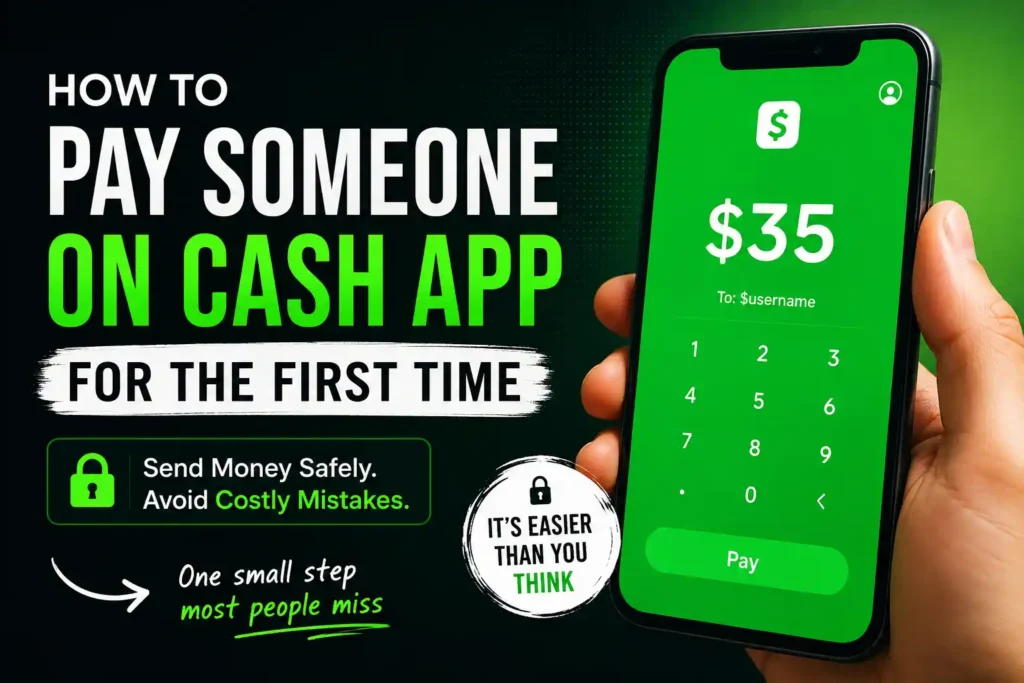
How to Pay Someone on Cash App for the First Time: Step-by-Step Beginner’s Guide
The first time sending money through Cash App is often the most nerve-racking.
One moment, the payment is sitting on the screen waiting for confirmation. The next, a single tap could send money to someone forever. Since Cash App payments are usually completed within seconds, there is very little room to correct a mistake after pressing the Pay button.
That is why so many first-time users hesitate.
Questions quickly start racing through their minds.
“What if I send money to the wrong person?”
“Can I cancel the payment?”
“Should I use my debit card or bank account?”
“How do I know I’m not paying a scammer?”
These concerns are completely normal.
Fortunately, paying someone on Cash App for the first time is much easier than it appears when the right steps are followed. Better still, learning a few simple safety habits before making the first payment can prevent mistakes that many people only discover after losing money.
This guide goes much further than explaining where to tap on the screen. It covers how Cash App payments actually work, the safest way to pay someone for the first time, how to choose the right payment method, how to verify a recipient, what to do if something goes wrong, and the common mistakes that even experienced users still make.
Whether the payment is for dinner with friends, rent, a family member, online services, or reimbursing a coworker, everything needed to complete the transaction confidently is explained below.
By the end of this guide, making a first payment on Cash App will feel less like a risk and more like a routine task.
Cash App Explained: What It Is, How It Works, Features, Fees, Safety, and Everything Beginners Need to Know
How to Create a Cash App Account
How to Link a Debit Card to Cash App
How to Link a Bank Account to Cash App
How to Verify Your Identity on Cash App
Before walking through the payment process, it’s important to understand what actually happens after money is sent.
Table of Contents
What Does It Mean to Pay Someone on Cash App?
Paying someone on Cash App means electronically transferring money from one Cash App account to another.
Unlike traditional bank transfers that may take several days, Cash App is designed to make peer-to-peer payments fast and convenient.
When a payment is sent, the funds usually come from one of the following sources:
- Cash App balance
- Linked debit card
- Linked bank account
- Linked credit card (when available)
After the payment is confirmed, the recipient typically receives the money almost immediately.
Because payments are processed so quickly, reviewing every detail before confirming the transaction is extremely important.
Unlike handing someone cash, there is usually no opportunity to grab the money back once it has been sent to the wrong account.
Understanding this one fact helps explain why experienced Cash App users always double-check every payment before tapping Pay.
Why More People Choose Cash App for Everyday Payments
Cash App has become one of the most widely used payment apps because it removes many of the frustrations associated with carrying cash or waiting for bank transfers.
People commonly use it to:
- Split restaurant bills
- Pay roommates
- Send birthday gifts
- Repay borrowed money
- Pay babysitters
- Hire freelancers
- Buy and sell items locally
- Share vacation expenses
- Pay personal trainers
- Contribute to group events
Instead of searching for an ATM or writing checks, money can usually be transferred within seconds.
For many people, that’s exactly why Cash App has become part of everyday life.
What You Need Before Paying Someone on Cash App
Before sending the first payment, a few things should already be in place.
Preparing everything beforehand makes the entire process much smoother.
An Active Cash App Account
Naturally, both the sender and recipient should have access to Cash App.
If an account hasn’t been created yet, that should be the first step.
How to Create a Cash App Account
A Linked Payment Method
Cash App needs a funding source before money can be sent.
Depending on how the account is set up, payments can usually come from:
- Cash App balance
- Debit card
- Bank account
- Credit card (where supported)
For first-time users, a debit card is usually the easiest and most convenient funding option.
How to Link a Debit Card to Cash App
The Recipient’s Payment Information
Cash App must know who should receive the money.
The recipient can usually be found using:
- Their unique $Cashtag
- Phone number
- Email address
- Display name
Among these options, a verified $Cashtag is often the safest because it reduces the chances of selecting the wrong account.
A Secure Internet Connection
A stable internet connection helps ensure the payment is processed correctly.
Using unreliable public Wi-Fi when sending money is generally not recommended, especially for larger payments.
How to Pay Someone on Cash App for the First Time
Once everything is ready, sending money is surprisingly straightforward.
Following each step carefully helps avoid mistakes that could delay—or misdirect—the payment.
Step 1: Open Cash App
Launch the Cash App on an Android phone or iPhone.
Sign in if prompted.
The main payment screen appears immediately after opening the app.
Step 2: Enter the Amount
Type the exact amount that needs to be sent.
Examples include:
- $10
- $35
- $89.50
- $250
Take a moment to review the amount carefully.
Many payment errors happen because an extra zero is entered accidentally.
For example:
- $25 becomes $250.
- $50 becomes $500.
A quick review now can prevent a stressful situation later.
Step 3: Tap Pay
After entering the amount, tap the Pay button.
This tells Cash App that money is being sent rather than requested.
Step 4: Find the Right Person
Search for the recipient using one of the following:
- $Cashtag
- Phone number
- Email address
- Name
This is one of the most important steps in the entire process.
Never assume that a familiar name belongs to the correct person.
Instead, carefully compare:
- Profile name
- Profile photo (if available)
- $Cashtag
- Contact information
If anything looks unfamiliar, stop before sending the payment.
Step 5: Add a Payment Note
Although optional, adding a payment note is a smart habit.
Good examples include:
- Dinner
- Rent
- Utilities
- Soccer fees
- Birthday gift
- Photography session
- Graphic design project
- Lawn care service
Payment notes make future transactions easier to identify and help both parties remember what the payment was for.
Step 6: Review Everything One Last Time
Before confirming the payment, verify:
- Recipient
- Amount
- Funding source
- Payment note
Experienced Cash App users rarely skip this review.
Those extra few seconds can prevent sending money to the wrong account.
Step 7: Confirm the Payment
If everything looks correct, tap Pay to complete the transaction.
In most cases, the recipient receives the payment within seconds.
Cash App also records the transaction in the Activity tab, making it easy to review payment history later.
How Can You Tell If the Payment Was Successful?
After sending money, it’s natural to wonder whether everything worked.
Fortunately, Cash App makes this easy to verify.
A completed payment usually appears almost immediately in the Activity section.
Both parties generally receive a notification confirming that the transaction has been completed.
Checking the Activity tab also helps prevent accidentally sending duplicate payments because every transaction is recorded there.
Which Payment Method Is Best for First-Time Users?
One topic many competing articles barely discuss is choosing the right funding source.
While Cash App offers several options, each one has advantages depending on the situation.
Paying With a Cash App Balance
If money has already been received through Cash App, using that balance is often the quickest option.
No additional withdrawal from a bank account is required.
Paying With a Debit Card
For most beginners, this is usually the best choice.
Debit cards are simple to link, easy to manage, and convenient for everyday payments.
Paying With a Bank Account
A linked bank account works well for users who prefer payments to come directly from their checking account instead of maintaining a Cash App balance.
Paying With a Credit Card
In some situations, Cash App allows payments using a credit card.
However, this option may involve additional fees, making it less suitable for routine peer-to-peer payments.
Why Sending a Small Test Payment Can Save Hundreds of Dollars
This is one of the most overlooked safety habits among first-time Cash App users.
Imagine sending $800 to someone you’ve never paid before.
If one character in the $Cashtag is incorrect, recovering the money may become difficult.
A much safer approach is:
- Send $1 first.
- Ask the recipient to confirm they received it.
- Verify the account details again.
- Send the remaining balance.
Those extra two minutes can prevent one of the most expensive mistakes a new Cash App user can make.
One of the biggest differences between experienced Cash App users and beginners isn’t how often they use the app—it’s the habits they develop before sending money. Understanding what happens after a payment is sent and knowing how to handle unexpected situations can prevent unnecessary stress and costly mistakes.
What Happens After You Send Money on Cash App?
Once a payment is confirmed, Cash App immediately begins processing the transaction.
In most cases, the recipient receives the payment within seconds.
The payment will also appear in the Activity section of both accounts, where the transaction details can be reviewed at any time.
Depending on the recipient’s account setup, the money may:
- Remain in their Cash App balance.
- Be transferred later to their linked bank account.
- Be used to make purchases through Cash App.
As the sender, there is nothing more to do after the payment is completed unless a problem occurs.
This is why verifying every detail before confirming the payment is so important.
Can You Cancel a Cash App Payment?
This is one of the most common questions among first-time users.
The honest answer is that it depends on the payment status.
If the payment has already been completed and accepted, it generally cannot be canceled simply because the sender changed their mind.
Cash App is designed to process peer-to-peer payments quickly.
That speed is convenient when sending money to trusted people, but it also means mistakes can become permanent if the wrong recipient is selected.
If a payment is still pending, there may be an opportunity to cancel it before it is completed.
The best approach is to act immediately rather than waiting.
Whenever possible:
- Review the payment status in the Activity tab.
- Contact the recipient if the payment was sent by mistake.
- Contact Cash App Support if unauthorized activity is suspected.
The easiest way to avoid cancellation problems is to prevent mistakes before they happen.
What If You Send Money to the Wrong Person?
Almost every new Cash App user worries about this.
Unfortunately, sending money to the wrong account is one of the hardest mistakes to correct.
If it happens, taking quick action gives the best chance of resolving the situation.
Contact the Recipient Immediately
If the payment was sent to the wrong person but the account belongs to a real user, politely explain the mistake and request a refund.
Many accidental payments are resolved this way.
Review the Transaction Details
Double-check:
- The $Cashtag
- Recipient name
- Amount
- Date and time
Having accurate information makes it easier if additional assistance becomes necessary.
Contact Cash App Support
If the payment appears suspicious or resulted from unauthorized account activity, contacting Cash App Support as soon as possible is recommended.
While support cannot guarantee recovery of every payment, reporting the issue promptly is always the right step.
How to Verify You’re Paying the Right Person
One content gap on many competing websites is that they simply explain how to send money without teaching readers how to verify the recipient.
This simple habit prevents many payment mistakes.
Compare the $Cashtag Carefully
The $Cashtag is unique.
Even one incorrect letter or number may identify a completely different account.
Read it twice before confirming the payment.
Check the Display Name
Many users have similar names.
Don’t rely on the name alone.
Compare it with the information the recipient provided.
Ask the Recipient to Confirm Their Information
For larger payments, ask the recipient to send their exact:
- $Cashtag
- Phone number
- Email address
Copying the information directly reduces typing mistakes.
Send a Small Test Payment
As mentioned earlier, sending a small amount before transferring a larger sum is one of the safest habits new users can develop.
Can You Pay Someone Without a Cash App Balance?
Yes.
Many people assume they must first add money to their Cash App balance.
That’s not always necessary.
If a debit card or eligible bank account is linked, Cash App can usually use that payment method to fund the transaction.
This makes it possible to send money even if the Cash App balance is currently zero.
For many first-time users, this is exactly how their first payment is completed.
Can You Pay Someone Without a Debit Card?
Yes, depending on how the account is configured.
Some users pay using:
- Cash App balance
- Linked bank account
However, a debit card generally offers the simplest setup and is often recommended for new users because it provides a faster and more straightforward payment experience.
Can You Use Cash App Without a Bank Account or Debit Card? What You Can (and Can’t) Do
Does Paying Someone on Cash App Cost Money?
For most personal peer-to-peer payments funded through a Cash App balance or linked debit card, users generally do not pay a fee.
However, certain payment methods or optional services may involve charges.
Examples may include:
- Using a credit card as the funding source.
- Choosing optional instant transfer services.
- Certain business-related transactions.
Reviewing the payment details before confirming helps avoid unexpected costs.
How Long Does It Take for Someone to Receive the Money?
One of Cash App’s biggest advantages is speed.
In most situations, payments are delivered within seconds.
However, several factors can occasionally affect processing time, including:
- Internet connection issues.
- Security reviews.
- Account verification.
- Temporary system maintenance.
If a payment appears delayed, checking the Activity section usually provides more information about its status.
Common Reasons a Cash App Payment Fails
Sometimes a payment doesn’t go through.
While this can be frustrating, the cause is often something simple.
Insufficient Funds
The selected payment method may not contain enough money to complete the transaction.
Checking the available balance before sending can prevent this issue.
Incorrect Card Information
An expired or replaced debit card may no longer work until the updated information is added.
Security Protection
Cash App automatically monitors transactions for unusual activity.
Payments that appear suspicious may be declined to protect users.
Poor Internet Connection
A weak connection can interrupt communication between the device and Cash App.
Connecting to a stronger network often resolves the problem.
Outdated App Version
Running an older version of Cash App may occasionally cause unexpected errors.
Keeping the app updated improves both security and performance.
How to Stay Safe When Paying Someone on Cash App
Sending money safely is just as important as knowing how to send it.
Developing good security habits significantly reduces the risk of scams.
Only Pay People You Know or Trust
Cash App is designed primarily for payments between trusted individuals.
Avoid sending money to strangers unless there is complete confidence in the transaction.
Never Rush a Payment
Scammers often create urgency.
They may claim:
- The offer expires today.
- An emergency requires immediate payment.
- Immediate action is required.
Taking a few extra minutes to verify everything can prevent major losses.
Verify Every Payment Before Confirming
Always review:
- Recipient
- Amount
- Payment note
- Funding source
Experienced users rarely skip this step.
Enable Security Features
Protecting the account with:
- PIN
- Face ID
- Fingerprint authentication
helps prevent unauthorized payments if the phone is lost or stolen.
Learn to Recognize Common Cash App Scams
Scammers constantly invent new ways to convince people to send money voluntarily. Fake giveaways, payment confirmation scams, impersonation schemes, and phishing messages are among the most common tactics.
Understanding how these scams work before encountering them dramatically reduces the chances of becoming a victim. SafeGuardPress.com publishes practical guides on phishing attacks, online payment fraud, identity theft, and other digital scams, helping readers recognize warning signs before money or personal information is lost.
Common First-Time Mistakes to Avoid
Even though Cash App is simple to use, beginners often make the same avoidable mistakes.
Learning from them now can save time, money, and frustration later.
Sending Money Too Quickly
Rushing increases the chance of selecting the wrong person or entering the wrong amount.
Always slow down before tapping Pay.
Ignoring the Payment Note
Adding a brief description makes transactions easier to recognize later, especially when reviewing payment history.
Paying Without Verifying the Recipient
Never assume a familiar name belongs to the correct account.
Always verify the $Cashtag or other identifying information.
Sending Large Amounts to Someone for the First Time
Whenever possible, send a small test payment first.
It’s one of the simplest ways to confirm the correct recipient before transferring a much larger amount.
Falling for Fake Payment Requests
Not every payment request is legitimate.
Unexpected requests from unknown users should always be investigated before any money is sent.
Final Thoughts
Paying someone on Cash App for the first time doesn’t have to be stressful.
Once the process is understood, sending money becomes one of the fastest and most convenient ways to split expenses, reimburse friends, pay for services, or handle everyday transactions.
The most important habit isn’t learning where the Pay button is—it’s learning to pause before pressing it.
Taking a few extra seconds to verify the recipient, review the payment amount, confirm the funding source, and include a clear payment note can prevent mistakes that are often difficult to reverse.
It’s equally important to understand that Cash App is designed primarily for payments between people who know and trust each other. While the app offers a convenient way to move money, it cannot protect users from every scam or recover every payment sent to the wrong person. Good judgment remains the best security feature.
As confidence grows, using Cash App becomes second nature. Whether sending money to family, paying a freelancer, splitting vacation costs, or covering dinner with friends, following the best practices in this guide helps make every transaction smoother and safer.
To become even more confident using Cash App, it’s worth learning how to request money, receive payments, verify identity, understand sending limits, and recognize the warning signs of common payment scams.
How to Request Money on Cash App
How to Receive Money on Cash App
Cash App Sending and Receiving Limits Explained
How to Verify Your Identity on Cash App
Frequently Asked Questions About Paying Someone on Cash App for the First Time
How do you pay someone on Cash App for the first time?
Open Cash App, enter the amount, tap Pay, search for the recipient using their $Cashtag, phone number, email address, or name, add an optional payment note, review the details, and confirm the payment.
Do both people need a Cash App account?
For the smoothest experience, both the sender and recipient should have a Cash App account.
Is it free to pay someone on Cash App?
Most personal payments funded by a Cash App balance or linked debit card can be made without a fee. Some funding methods or optional services may involve charges.
Can you pay someone using only their $Cashtag?
Yes. A $Cashtag is one of the easiest and safest ways to locate another Cash App user.
Can you pay someone using their phone number?
Yes. If the phone number is linked to their Cash App account, it can usually be used to find the correct recipient.
Can you pay someone using their email address?
Yes. A linked email address can also be used to locate and pay another Cash App user.
Can you cancel a Cash App payment?
If a payment has already been completed, canceling it may not be possible. If it’s still pending, there may be an opportunity to cancel before processing finishes.
What happens if money is sent to the wrong person?
The sender should contact the recipient immediately, review the transaction details, and reach out to Cash App Support if necessary. Preventing mistakes by verifying the recipient beforehand is the safest approach.
How long does it take for someone to receive money?
In most cases, payments are delivered within seconds.
Why did my Cash App payment fail?
Common reasons include insufficient funds, an expired debit card, security checks, internet connection problems, or outdated app software.
Can you send money without a Cash App balance?
Yes. Payments can often be funded through a linked debit card or eligible bank account even if the Cash App balance is zero.
Can you pay someone without a debit card?
Yes. Depending on the account setup, a linked bank account or Cash App balance may also be used.
Is Cash App safe for first-time users?
Yes, provided payments are sent only to trusted people, recipient details are verified carefully, and recommended security practices are followed.
Should you send a test payment first?
For large transactions or first-time recipients, sending a small test payment is highly recommended before transferring the full amount.
What is the safest way to pay someone on Cash App?
Use the recipient’s verified $Cashtag, double-check the amount, review every detail before confirming, and only send money to someone who is trusted.
Can you add a message to a Cash App payment?
Yes. Including a payment note helps both parties understand what the transaction is for and makes it easier to identify later.
Can you edit a payment after sending it?
No. Once a payment has been sent, the details cannot be edited. If a mistake is noticed before completion, check whether the payment is still pending.
Will the recipient know who sent the payment?
Yes. The recipient can see information associated with the payment, including the sender’s profile details and payment note.
Is there a maximum amount you can send?
Cash App has sending limits that vary depending on whether the account has been identity verified.
Can businesses accept payments through Cash App?
Yes. Many freelancers, consultants, contractors, and small businesses use Cash App to receive payments from customers.
Can you pay someone internationally with Cash App?
Cash App’s peer-to-peer payment features are available only in supported regions. International payments are not available in every country.
Can you use a credit card to pay someone?
In some situations, yes. However, using a credit card may result in additional fees.
Why should you verify the recipient before paying?
Because payments are often processed quickly, verifying the recipient reduces the risk of sending money to the wrong account.
What should you do before pressing the Pay button?
Confirm the recipient’s identity, review the payment amount, check the funding source, and make sure the payment note is correct.
Can someone refuse a payment?
In some situations, a recipient may decline or not accept a payment, depending on their account status or transaction circumstances.
What should you do if you receive a suspicious payment request?
Do not send money immediately. Verify who sent the request and why. If anything seems unusual, ignore the request until its legitimacy has been confirmed.

