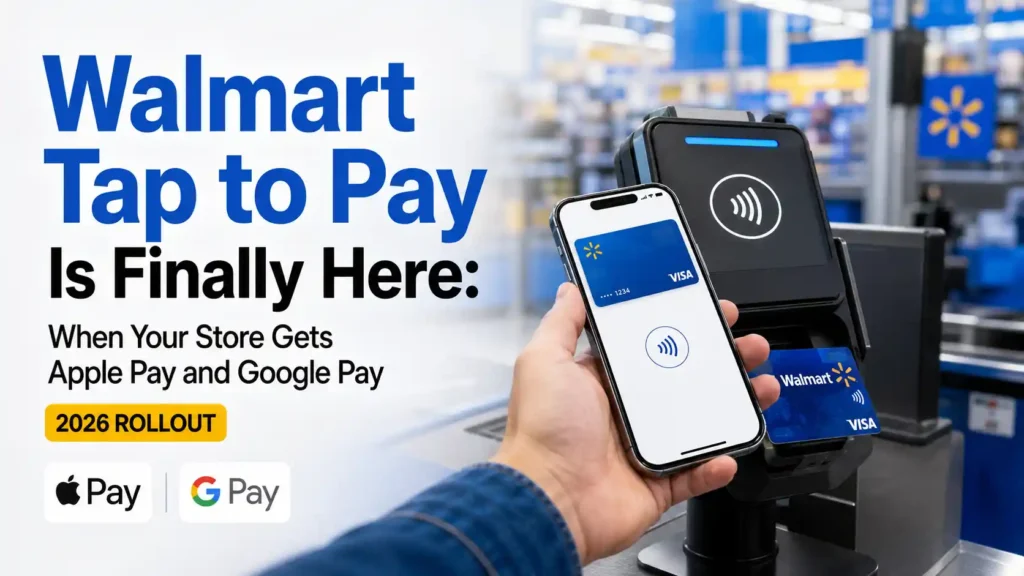
After years of watching Walmart checkout terminals reject tapped cards, iPhones and smartwatches, shoppers are finally getting the payment option they have repeatedly requested.
Walmart tap to pay begins rolling out at select Walmart stores and Sam’s Club locations in the United States on August 24, 2026. Once activated, shoppers will be able to pay with eligible contactless cards, phones and smartwatches—including Apple Pay and Google Pay.
However, there is one detail you need to understand before leaving your physical wallet at home: Walmart tap to pay will not appear in every store on the first day.
The company plans to expand the technology to all Walmart and Sam’s Club locations in the United States by the end of 2026. Walmart fuel stations will follow later, with completion expected by mid-2027.
So, when can you use Apple Pay at Walmart? How will you know whether your local checkout terminal is ready? Will Walmart Pay disappear? What happens if your tap is declined?
Here is the complete answer, including how the rollout works, how to use Walmart tap to pay and what to do if the terminal does not accept your card or digital wallet.
Table of Contents
Walmart Tap to Pay Rollout at a Glance
The change is significant, but the rollout is gradual. That means two shoppers visiting different Walmart locations during the same week may have completely different checkout experiences.
Here are the confirmed details:
- Walmart tap to pay starts at select U.S. Walmart stores on August 24, 2026.
- Select Sam’s Club locations will receive the feature during the same initial rollout.
- Walmart plans to bring tap to pay to all U.S. stores and clubs by the end of 2026.
- Walmart fuel stations are scheduled to receive the technology by mid-2027.
- Eligible contactless credit and debit cards will be accepted.
- Eligible phones and smartwatches can also be used.
- Apple Pay and Google Pay are included in the rollout.
- Eligible Walmart, Sam’s Club and OnePay cards can be added to supported digital wallets.
- Cash, physical card payments and Walmart Pay will remain available.
- Sam’s Club Scan & Go will continue operating.
The most important point is simple: August 24 is the beginning of the rollout, not the date when every checkout terminal nationwide will suddenly accept contactless payments.
Does Walmart Take Tap to Pay Now?
Yes, Walmart is officially adding tap to pay, but availability depends on the store and date.
Starting August 24, 2026, the feature will become available at selected Walmart and Sam’s Club locations. If your store is not included in the first group, you may still need to insert or swipe your card, use Walmart Pay or choose another accepted payment method.
Availability should increase throughout the remainder of 2026 as more checkout terminals are activated.
This distinction matters because a contactless symbol on your card does not guarantee that a particular Walmart terminal has been upgraded. Both sides of the transaction must support the technology: your payment method and the store’s checkout system.
Does Walmart Accept Apple Pay?
Yes. Apple Pay is included in Walmart’s new tap-to-pay options.
Once the feature is active at your store, you should be able to hold an eligible iPhone or Apple Watch near the payment terminal and authorize the transaction with Face ID, Touch ID or your device passcode.
This is a major change. Previously, an iPhone owner could not simply use Apple Pay at a Walmart checkout. The shopper generally needed a physical card, cash or Walmart Pay through the Walmart app.
The new system removes that limitation at participating locations. However, Apple Pay acceptance will follow Walmart’s phased rollout. If your local store has not been activated yet, your iPhone may not work at the terminal even though Apple Pay is officially coming to Walmart nationwide.
Does Walmart Accept Google Pay?
Yes. Google Pay is also part of the Walmart tap-to-pay rollout.
At an activated checkout, an Android user can pay with an eligible card stored in Google Wallet. The phone must support near-field communication, commonly called NFC, and contactless payments must be enabled.
Depending on your phone and security settings, you may need to unlock the device or confirm the transaction before holding it near the reader.
As with Apple Pay, Google Pay availability will depend on whether the particular Walmart or Sam’s Club location has received the upgrade.
What Payment Methods Work With Walmart Tap to Pay?
Walmart says customers will be able to use eligible contactless cards, phones and smartwatches.
That creates three main ways to tap.
Contactless Credit and Debit Cards
Look for the contactless symbol on your physical card. It resembles four curved lines placed beside one another, similar to a sideways Wi-Fi symbol.
If the terminal and card are both enabled, you can hold the card near the reader instead of inserting its chip.
The card must still be active, supported by the payment network and approved by the issuer. Tap to pay does not bypass card limits, fraud checks, insufficient funds or account restrictions.
Smartphones
Eligible smartphones can make contactless payments through a supported digital wallet.
The rollout includes Apple Pay and Google Pay. Your payment card must first be added to the appropriate wallet and verified by your bank or card issuer.
Simply owning an iPhone or Android phone is not enough. The device, operating system, digital wallet and saved card must all support contactless payments.
Smartwatches
An eligible smartwatch can also be used at a participating checkout.
For example, a shopper may be able to authorize a payment on a compatible watch and hold it near the contactless reader. The exact steps depend on the device, wallet and security settings.
This can be especially convenient when your phone is inside a bag or your physical wallet is difficult to reach.
How to Use Walmart Tap to Pay at Checkout
The process should feel familiar if you already tap at grocery stores, pharmacies or restaurants.
Step 1: Check for the Contactless Symbol
Look at the checkout terminal for the contactless payment symbol or an on-screen message inviting you to tap.
If the terminal does not show either one, ask the cashier before attempting the payment. The hardware may be present without the feature being active yet.
Step 2: Wait Until the Terminal Is Ready
Do not place your card or device against the terminal while the cashier is still scanning your order.
Wait until the payment screen displays the amount due and prompts you to present a payment method.
Step 3: Prepare Your Payment Method
If you are using a contactless card, remove it from your wallet. Trying to tap an entire wallet containing several cards can cause interference or charge the wrong card.
For Apple Pay, open or activate your preferred card and complete the required authentication.
For Google Pay, unlock your phone if required and confirm that NFC is enabled.
Step 4: Hold the Card or Device Near the Reader
Hold your card, phone or watch close to the contactless symbol for a moment. You usually do not need to hit the terminal, wave the device repeatedly or press it firmly against the screen.
Keep it steady until you hear a beep, feel a vibration or see an approval message.
Step 5: Confirm That the Payment Was Approved
Do not walk away after seeing a response on your phone. Check the Walmart terminal as well.
Your digital wallet may recognize the reader before the register fully completes the purchase. Wait for the final approval and receipt.
How to Set Up Apple Pay Before Shopping at Walmart
You should add and verify your card before reaching the checkout line.
To prepare Apple Pay:
- Open the Wallet app on your iPhone.
- Tap the plus sign.
- Choose the option to add a debit or credit card.
- Scan the card or enter its information manually.
- Complete any verification requested by your bank.
- Set the card as your default if you want it selected automatically.
- Confirm that Face ID, Touch ID or a passcode is enabled.
At checkout, activate Apple Pay, authenticate the purchase and hold the top of your iPhone near the reader. Apple Watch users can select their card and hold the watch near the terminal.
If the bank does not support the card in Apple Pay, Walmart cannot override that restriction. You will need another eligible card or payment method.
How to Set Up Google Pay Before Shopping at Walmart
Android users should prepare their wallet before entering the store.
To get ready:
- Open Google Wallet.
- Select the option to add a payment card.
- Scan the card or enter the details.
- Complete the issuer’s verification process.
- Set Google Wallet as the default contactless payment service if necessary.
- Turn on NFC in your phone’s settings.
- Enable an accepted screen-lock method.
When the checkout terminal is ready, unlock your phone if required and hold the back of the device near the contactless reader.
If nothing happens, reposition the phone slightly. NFC antennas are not located in exactly the same place on every model.
How to Know Whether Your Walmart Has Tap to Pay
Walmart has not published a complete public list of the stores included in the first rollout group. Therefore, you should not assume your location is ready simply because the nationwide rollout has started.
You can look for several signs.
Check the Payment Terminal
The clearest sign is an active contactless symbol on the card reader. You may also see an on-screen “tap” instruction when the terminal requests payment.
However, a printed contactless symbol alone may not be conclusive. Some stores may have compatible hardware before the software is activated.
Ask an Employee Before Checkout
A cashier or customer-service employee may know whether tap to pay is active. Ask specifically whether the store accepts contactless cards or Apple Pay, rather than asking only whether it has “mobile payments.”
The phrase “mobile payments” could be interpreted as Walmart Pay, which uses the Walmart app and a QR code.
Carry a Backup Payment Method
During the phased rollout, carrying a physical card or cash remains the safest choice. This prevents an awkward situation if you arrive with only your phone and discover that your local terminal has not been activated.
Until Walmart confirms nationwide completion, treat tap to pay as an additional option—not your guaranteed only option.
What Happens to Walmart Pay?
Walmart Pay is not being discontinued.
Customers can continue using it through the Walmart app. It lets users pay in stores, view purchases and access digital receipts. Eligible Walmart+ members can also use the app to access fuel savings.
The difference is how the payment reaches the checkout system.
With Walmart Pay, you typically open the Walmart app and scan a QR code displayed on the register. With tap to pay, your card, phone or watch communicates with the contactless terminal over a very short distance.
Some customers may prefer Apple Pay or Google Pay because their cards are already stored in those services. Others may continue using Walmart Pay because of its connection to purchase history, receipts and Walmart+ features.
The new rollout gives shoppers a choice instead of forcing everyone into a single mobile-payment process.
For a deeper comparison of speed, receipts, rewards and account requirements, Walmart shoppers may also want to read Walmart Pay vs. Apple Pay: Which Checkout Method Is Better?
Walmart Tap to Pay vs. Walmart Pay
Although their names sound similar, they are not the same service.
| Feature | Walmart Tap to Pay | Walmart Pay |
|---|---|---|
| Main technology | Contactless NFC payment | QR code through the Walmart app |
| Physical card supported | Yes, if contactless | No physical tap required |
| Apple Pay supported | Yes, at activated stores | No |
| Google Pay supported | Yes, at activated stores | No |
| Walmart app required | No | Yes |
| Compatible phone or watch | Required only for digital wallets | Compatible smartphone required |
| Walmart purchase history | Depends on account and receipt settings | Integrated into the Walmart app |
| Availability | Phased rollout through 2026 | Already widely available |
| Walmart+ fuel savings access | Not automatically | Available through Walmart Pay for eligible members |
Neither option is automatically better for every shopper.
Tap to pay offers a fast, familiar experience and does not require opening the Walmart app. Walmart Pay may be more useful for shoppers who want their payment, receipts and Walmart+ tools connected inside one application.
Will Walmart Tap to Pay Work at Self-Checkout?
Walmart says tap to pay is being added as a checkout payment option, which should include upgraded self-checkout terminals as well as eligible staffed registers.
Still, availability may vary during the rollout. One section of a store could receive a software or terminal update before another section is fully operational.
At self-checkout, wait until the screen requests payment. Then select the appropriate card-payment option if necessary and hold your card or device near the reader.
If the contactless symbol is absent, inactive or produces an error, ask the self-checkout attendant for help. Repeatedly tapping will not solve a terminal that has not been enabled.
Will Tap to Pay Work at Walmart Fuel Stations?
Not everywhere immediately.
Walmart plans to expand tap to pay to its fuel stations by mid-2027. That timeline is later than the target for U.S. stores and Sam’s Club locations, which is the end of 2026.
Consequently, you should not assume that the fuel pump accepts Apple Pay merely because tap to pay works inside the nearby Walmart.
Fuel stations use separate payment equipment and may follow a different upgrade schedule. Until the fuel rollout reaches your location, you may need to insert a card, pay through an available app feature or use another payment method accepted at the station.
Does Sam’s Club Accept Tap to Pay?
Sam’s Club is included in the rollout.
Select clubs will begin receiving tap to pay on August 24, 2026, with all U.S. locations expected to have it by the end of the year.
Members will be able to use eligible contactless cards, phones and smartwatches at activated checkout terminals. Meanwhile, Scan & Go will remain available.
Scan & Go serves a different purpose. It allows members to scan products and pay through the Sam’s Club app while shopping, potentially avoiding the traditional checkout line. Tap to pay is intended for customers who complete their purchase at a physical payment terminal.
Can You Add a Walmart Card to Apple Wallet or Google Wallet?
Eligible Walmart, Sam’s Club and OnePay cards can be added to supported digital wallets.
However, the word “eligible” matters. Card compatibility can depend on the issuer, card type, device and wallet service. If your card cannot be added, contact the card issuer or use a different payment method.
Adding a store-branded card to a digital wallet does not change its credit limit, rewards program, interest rate or account terms. It simply gives you another way to present that card at a compatible checkout terminal.
Readers considering a store card should understand how Walmart credit cards, OnePay cards and digital wallets work before applying or changing their payment habits.
Is Walmart Tap to Pay Safe?
Contactless payment is generally designed to avoid transmitting your physical card through the terminal’s chip slot or magnetic-stripe reader.
Digital wallets add another layer by using a device-specific payment credential instead of simply displaying your card number to the merchant. Phone-based payments also commonly require biometric verification or a passcode.
However, no payment method eliminates every risk. A lost card may still be used until it is locked or reported. A compromised phone account, stolen passcode, fake customer-service message or fraudulent wallet notification can also create problems.
Use these precautions:
- Protect your phone with a strong passcode.
- Enable biometric authentication.
- Turn on transaction notifications.
- Review your receipts before leaving the store.
- Check your bank activity regularly.
- Never share a one-time verification code with someone who contacts you.
- Lock a missing card or device immediately.
- Avoid adding cards to another person’s phone.
- Do not approve an unexpected wallet-verification request.
You can strengthen your protection further by learning what to do when an unfamiliar charge appears on your debit or credit card.
Does Tap to Pay Affect Your Walmart Rewards or Card Benefits?
Using an eligible card through a digital wallet does not normally change the underlying card account. Nevertheless, rewards depend on the specific card’s terms and how the issuer categorizes the transaction.
Before assuming you will earn a particular reward rate, check your card agreement. Store-card benefits, promotional financing and cashback rules can differ.
You should also confirm that the correct card is selected in your wallet. A digital wallet may automatically present your default card, even if another one would earn better rewards at Walmart.
The terminal will process the card you actually select—not necessarily the card you intended to use.
Why Did Walmart Wait So Long to Add Tap to Pay?
For years, Walmart emphasized its own checkout tools, particularly Walmart Pay. That approach kept payments closely connected to the Walmart app, where shoppers could access receipts, purchase information and other store services.
The retailer had also supported an earlier industry effort to create an alternative mobile-payment system rather than immediately adopting the major phone wallets.
Meanwhile, contactless payment became familiar across supermarkets, pharmacies, restaurants and other national chains. Many Walmart customers continued asking why they could tap almost everywhere else but not at one of the country’s largest retailers.
The 2026 decision represents a practical shift. Instead of requiring shoppers to use only Walmart’s mobile-payment route, the company is giving them more ways to complete a purchase.
Walmart Pay remains available, but it will no longer be the only phone-based checkout choice once the contactless rollout is complete.
Why Walmart Tap to Pay Matters for Shoppers
This is more than a minor terminal update.
It Reduces Checkout Friction
A shopper who already has a card saved on a phone will not need to download the Walmart app, create an account and set up Walmart Pay merely to make an in-store mobile payment.
It Helps When a Physical Wallet Is Forgotten
Once a store is activated, a customer with an eligible phone or smartwatch may still be able to pay after forgetting a physical wallet.
However, this benefit will not be reliable everywhere until the rollout is complete.
It Provides More Payment Choice
Customers can choose among cash, physical cards, Walmart Pay, Apple Pay, Google Pay and other eligible contactless methods supported by the system.
It Makes Walmart More Consistent With Other Retailers
People who already tap at other businesses will be able to use a familiar process instead of changing their payment routine specifically for Walmart.
It Can Make Card Handling Easier
A shopper does not have to insert a physical card into the terminal when using an eligible contactless method. That can reduce fumbling at checkout, particularly when carrying groceries or managing children.
What to Do If Walmart Tap to Pay Is Not Working
A failed tap does not always mean your card was declined. The problem could involve the store, terminal, device, wallet or card issuer.
Confirm That the Store Has Been Activated
During the rollout, this should be your first check. A terminal may resemble a contactless reader even when tap to pay has not been enabled.
Ask an employee whether contactless payments are currently accepted at that location.
Wait for the Payment Prompt
If you tap too early, the terminal may ignore the card or device. Wait until the register finishes calculating the total and asks for payment.
Hold the Device Still
Do not wave your phone quickly across the terminal. Hold it close to the reader for a few seconds.
Reposition Your Phone
The NFC antenna may be near the top, middle or back of your device. Move the phone slightly and try once more.
Check NFC and Wallet Settings
Android users should confirm that NFC is switched on and that the correct wallet is selected as the default contactless service.
iPhone users should confirm that the card is active in Apple Wallet and that device authentication is working.
Select the Correct Card
Open your digital wallet and deliberately choose the card you want to use. An expired, locked or unsupported default card may cause the transaction to fail.
Follow Any Verification Request
Your bank may require a PIN, biometric confirmation or another security check. Review your phone screen for instructions.
Try the Physical Card
If the tap fails, insert the card’s chip. A contactless failure does not necessarily mean the underlying account cannot complete the purchase.
Contact the Card Issuer
If the card fails through multiple payment methods, the issuer may have blocked the transaction because of a security alert, spending limit, insufficient funds or account restriction.
For more help, shoppers can follow a complete contactless payment troubleshooting checklist for cards, phones and smartwatches.
Mistakes to Avoid During the Walmart Tap-to-Pay Rollout
The technology is straightforward, but the gradual launch creates room for confusion.
Leaving Every Backup Payment Method at Home
This is the biggest mistake during the early rollout. Your nearest location may not receive tap to pay immediately.
Assuming Every Terminal Is Active
The presence of new hardware does not prove that the contactless function is enabled.
Tapping an Entire Wallet
Several contactless cards may respond at the same time. Remove the card you want to use and tap it separately.
Confusing Walmart Pay With Tap to Pay
Walmart Pay uses the Walmart app and a QR code. Tap to pay uses a contactless card, phone or smartwatch near an NFC reader.
Walking Away Before the Register Confirms Payment
A notification on your phone does not replace the checkout terminal’s final approval message.
Believing Tap to Pay Prevents Every Form of Fraud
Contactless technology can improve payment security, particularly through digital-wallet tokenization and device authentication. Still, it cannot protect you from every stolen-device, account takeover or social-engineering scam.
Expecting Fuel Pumps to Follow the Store Schedule
Fuel stations have a later target. In-store tap to pay may work while the pumps outside still require another method.
Walmart Tap to Pay FAQs
The following answers cover the most common questions shoppers have about the rollout, compatibility and checkout process.
1. Does Walmart have tap to pay?
Yes. Walmart begins introducing tap to pay at select U.S. stores on August 24, 2026, followed by a wider rollout.
2. When does Walmart tap to pay start?
The first participating Walmart and Sam’s Club locations are scheduled to activate the feature beginning August 24, 2026.
3. Will every Walmart accept tap to pay on August 24?
No. August 24 marks the start of a phased rollout. Walmart expects all U.S. stores to receive it by the end of 2026.
4. Does Walmart accept Apple Pay?
Yes, Apple Pay is included in the new tap-to-pay rollout at participating locations.
5. Does Walmart accept Google Pay?
Yes. Customers will be able to use Google Pay at Walmart stores where contactless payments have been activated.
6. Can I tap my debit card at Walmart?
You can tap an eligible contactless debit card at a Walmart checkout terminal that has been enabled for tap to pay.
7. Can I tap a credit card at Walmart?
Yes, provided the card has contactless capability and the Walmart terminal is active.
8. How can I tell whether my card is contactless?
Look for a symbol made of four curved lines, similar to a sideways Wi-Fi icon, on the front or back of the card.
9. Does Walmart tap to pay work at self-checkout?
It should work at upgraded self-checkout terminals, although availability may vary as individual stores complete the rollout.
10. Does Walmart tap to pay work at staffed registers?
It can work at staffed registers equipped and activated for contactless payments.
11. Does Walmart accept tap to pay at its gas stations?
Fuel-station availability will come later. Walmart expects to complete the fuel-station rollout by mid-2027.
12. Does Sam’s Club have tap to pay?
Yes. Select Sam’s Club locations will receive tap to pay beginning August 24, 2026, with nationwide completion planned by the end of the year.
13. Is Walmart Pay being discontinued?
No. Walmart Pay will remain available alongside the new contactless payment options.
14. What is the difference between Walmart Pay and tap to pay?
Walmart Pay uses the Walmart app to scan a checkout QR code. Tap to pay uses an eligible card, phone or smartwatch held near a contactless reader.
15. Do I need the Walmart app to use tap to pay?
No. You do not need the Walmart app when paying with an eligible contactless card or supported digital wallet.
16. Do I need a Walmart account to use Apple Pay at Walmart?
No. A Walmart account should not be required merely to present an eligible card through Apple Pay at an activated terminal.
17. Can I use an Apple Watch to pay at Walmart?
Yes, an eligible Apple Watch configured for Apple Pay can be used once tap to pay is active at the location.
18. Can I use a smartwatch with Google Pay at Walmart?
A compatible smartwatch with an eligible card may work at an activated contactless terminal, subject to device and wallet support.
19. Can I add my Walmart card to a digital wallet?
Eligible Walmart cards can be added to supported digital wallets. Compatibility may depend on the particular card and issuer.
20. Can I add my Sam’s Club card to Apple Wallet or Google Wallet?
Eligible Sam’s Club cards can be added to supported digital wallets, although individual card compatibility should be confirmed.
21. Can I add a OnePay card to my digital wallet?
Eligible OnePay cards can be added to supported digital wallets for use at compatible contactless terminals.
22. Why is tap to pay not working at my Walmart?
The store may not have received the update yet. Other possibilities include an inactive terminal, disabled NFC, an unsupported card, a wallet error or an issuer decline.
23. Is there an extra fee for using tap to pay at Walmart?
Walmart has not announced a special customer fee for choosing contactless payment. Normal card-account terms still apply.
24. Is Walmart tap to pay secure?
Contactless cards and digital wallets include security controls, while phone wallets commonly use tokenized credentials and device authentication. You should still monitor transactions and protect your devices.
25. Can I rely on my phone as my only Walmart payment method now?
Not during the early rollout. Carry a backup card or cash until you confirm that your particular store accepts tap to pay.
Conclusion: Walmart Tap to Pay Is Coming, but Check Your Store First
Walmart tap to pay is finally becoming a reality for U.S. shoppers. Starting August 24, 2026, select Walmart and Sam’s Club locations will begin accepting eligible contactless cards, phones and smartwatches, including Apple Pay and Google Pay.
The rollout should reach all U.S. Walmart stores and Sam’s Club locations by the end of 2026. Fuel stations have a separate target of mid-2027.
For now, the smartest move is to prepare your digital wallet but keep a backup payment method nearby. Check the terminal, ask whether contactless payments are active and wait for the register to confirm approval.
Once the nationwide rollout is complete, paying at Walmart should become much simpler: choose your card, hold your card or device near the reader and go.
Disclosure: This article may contain affiliate links. If you choose to use a provider through one of these links, we may earn a commission at no additional cost to you. These commissions help support the ongoing maintenance and operation of our website so we can continue providing helpful, up-to-date content.

