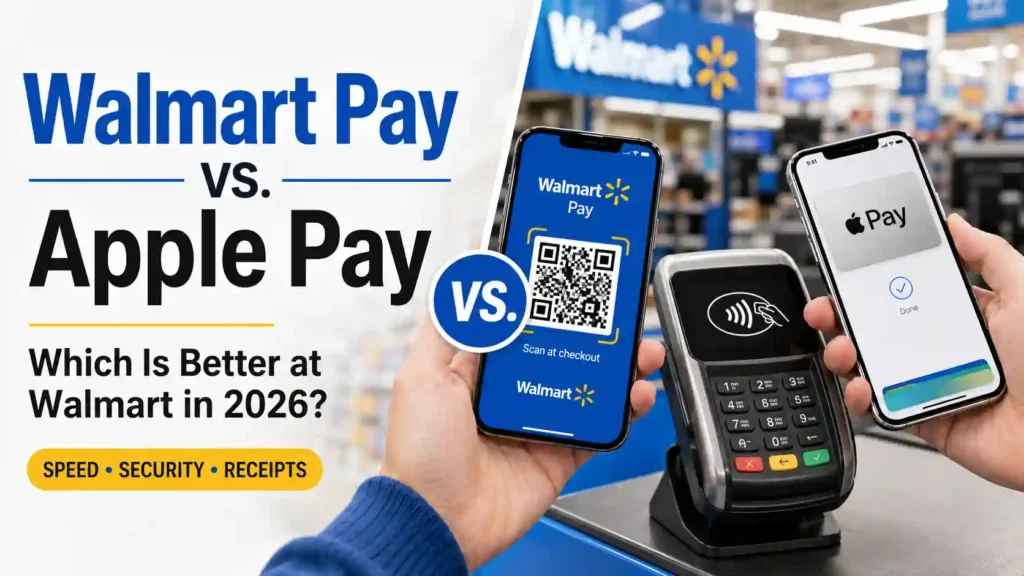
For years, comparing Walmart Pay vs. Apple Pay was almost pointless. Walmart Pay worked at Walmart, while Apple Pay did not.
That changes on August 24, 2026.
Walmart is finally introducing Apple Pay and other tap-to-pay options at select U.S. stores. The rollout will expand to all Walmart and Sam’s Club locations nationwide by the end of 2026, while Walmart fuel stations are expected to receive contactless payments by mid-2027.
However, Apple Pay’s arrival does not automatically make Walmart Pay useless.
Apple Pay is faster, works at far more businesses and provides strong payment privacy. Meanwhile, Walmart Pay connects directly to Walmart receipts, gift cards, returns, Walmart Cash and other features inside the Walmart app.
So, which one should you use?
For most iPhone owners who want the fastest and simplest checkout, Apple Pay is the better everyday payment method. For regular Walmart shoppers who rely on digital receipts, Walmart gift cards, Walmart Cash or Walmart+ tools, Walmart Pay may still be more useful.
The right answer depends on what happens before and after you pay—not merely how you present your card at the terminal.
This complete Walmart Pay vs. Apple Pay comparison explains the differences, advantages, security protections, supported cards and checkout process so you can choose the better option for every Walmart trip.
Table of Contents
Walmart Pay vs. Apple Pay: The Quick Verdict
Choose Apple Pay if you want a fast contactless payment that works at Walmart and many other businesses without opening the Walmart app.
Choose Walmart Pay if you want your in-store payments, digital receipts, gift cards, returns and Walmart account activity connected in one place.
Here is the short version:
| Feature | Walmart Pay | Apple Pay |
|---|---|---|
| Works at Walmart | Yes | Yes, as the 2026 rollout reaches each store |
| Works outside Walmart | No | Yes, at participating contactless businesses |
| Payment technology | QR code | NFC contactless payment |
| Walmart app required | Yes | No |
| Walmart account required | Yes | No |
| Available on iPhone | Yes | Yes |
| Available on Android | Yes | No |
| Works on Apple Watch | No | Yes |
| Supports Walmart gift cards | Yes | Not as a direct Apple Pay payment card |
| Stores Walmart receipts automatically | Yes | Not always automatically |
| Useful for Walmart returns | Excellent | Good with the original receipt or linked purchase |
| Biometric authorization | Depends on device and app settings | Face ID, Touch ID or passcode |
| Hides your full card number from the merchant | Uses Walmart’s secured payment system | Uses a device-specific account number |
| Works when your store lacks NFC payments | Yes | No |
| Useful at Walmart fuel stations | Works with eligible Walmart app features | Rollout expected by mid-2027 |
| Best for | Frequent Walmart shoppers | Speed, privacy and wider acceptance |
The central difference is simple: Walmart Pay is a Walmart shopping tool with a payment feature, while Apple Pay is a general digital wallet that can now be used at Walmart.
What Is Walmart Pay?
Walmart Pay is a mobile-payment feature inside the Walmart app.
Instead of inserting a physical card or tapping your phone against the terminal, you open the Walmart app and scan the QR code displayed at the checkout register.
The app then charges the payment method saved to your Walmart account.
You can add eligible credit cards, debit cards and Walmart gift cards. Your in-store receipt is saved to your account after the transaction, making it easier to review purchases and manage eligible returns.
Walmart Pay is not a separate bank account, credit card or loan. It is simply a way to use saved payment methods through the Walmart app.
How Walmart Pay Works at Checkout
The typical process looks like this:
- Download or open the Walmart app.
- Sign in to your Walmart account.
- Add an eligible payment method.
- Allow the cashier to scan your items or complete the order at self-checkout.
- Open Walmart Pay in the app.
- Enter your security code or complete the required authentication.
- Scan the QR code displayed on the checkout screen.
- Wait for the transaction to be approved.
- View the digital receipt inside the app.
Walmart Pay does not depend on the terminal accepting NFC payments. That is one reason it remains useful while Apple Pay is gradually rolling out across the country.
For a detailed setup guide, read How to Use Walmart Pay at Checkout Without Holding Up the Line.
What Is Apple Pay?
Apple Pay is a digital-payment service built into eligible Apple devices.
It lets you add supported credit, debit and prepaid cards to Apple Wallet. You can then make an in-person payment by authenticating on your device and holding it close to a contactless terminal.
Apple Pay is available on compatible devices such as the iPhone and Apple Watch. It can also be used for eligible purchases in apps and on websites.
Unlike Walmart Pay, Apple Pay is not restricted to one retailer. You can use it at participating supermarkets, pharmacies, restaurants, gas stations and other businesses that accept compatible contactless payments.
How Apple Pay Works at Walmart
Once Apple Pay is active at your Walmart location:
- Wait until the terminal requests payment.
- Double-click the appropriate button on your iPhone or Apple Watch.
- Select the card you want to use.
- Authenticate with Face ID, Touch ID or your passcode.
- Hold the device close to the contactless reader.
- Wait for the checkmark, vibration or approval message.
- Confirm that the Walmart register has completed the purchase.
Apple Pay will not work at a Walmart terminal that has not yet been activated for tap to pay.
Walmart’s rollout begins at select stores on August 24, 2026, before expanding to all U.S. Walmart and Sam’s Club locations by the end of the year. Consequently, you should carry a backup payment method during the transition.
The Biggest Differences Between Walmart Pay and Apple Pay
Although both services allow you to pay with a phone, they use different technology and solve different problems.
1. QR Code vs. Contactless Tap
Walmart Pay uses a QR code.
You open the Walmart app, access Walmart Pay and point your phone’s camera at the code shown on the checkout screen.
Apple Pay uses NFC, which allows your phone or watch to communicate with a compatible payment terminal over a very short distance.
You authenticate the payment and hold your device near the contactless symbol.
Which Process Is Faster?
Apple Pay usually requires fewer steps once it has been configured.
You do not need to search for the Walmart app, navigate through its menus or aim your camera at a QR code. You can activate Apple Pay from the lock screen, authorize the transaction and hold the device near the reader.
However, the difference may be small for someone who regularly uses the Walmart app and knows exactly where to find Walmart Pay.
Apple Pay wins for pure checkout speed. Walmart Pay wins when you are already using the app to manage your shopping trip.
2. Store Availability
Walmart Pay is designed specifically for Walmart stores.
You cannot walk into another supermarket or restaurant and use Walmart Pay at its checkout terminal.
Apple Pay works at a much wider range of participating businesses. Once your card is stored in Apple Wallet, the same payment setup can be used wherever compatible contactless payments are accepted.
This gives Apple Pay a clear advantage for shoppers who want one wallet for everyday purchases.
However, Walmart Pay currently has one important availability advantage: it is already established across Walmart stores, while Apple Pay is undergoing a phased rollout.
Until the contactless upgrade reaches your location, Walmart Pay may remain the only way to make an app-based payment there.
You can follow Walmart Tap to Pay: When Your Store Gets Apple Pay and Google Pay for the rollout timeline and compatibility details.
3. Device Compatibility
Walmart Pay works through the Walmart app on compatible iPhone and Android devices.
Apple Pay works only within Apple’s device ecosystem. Android users cannot download Apple Pay and use it as their contactless wallet.
Eligible Apple devices include:
- iPhones that support Apple Pay
- Apple Watch models that support contactless payments
- Compatible iPads for in-app and online purchases
- Compatible Mac computers for eligible online transactions
You will generally use an iPhone or Apple Watch for an in-store Walmart purchase.
If you use Android, the relevant comparison is Walmart Pay vs. Google Pay—not Walmart Pay vs. Apple Pay.
4. Account Requirements
Walmart Pay requires the Walmart app and a Walmart account.
You must sign in and save an eligible payment method before using the feature.
Apple Pay does not require a Walmart account. You add an eligible card to Apple Wallet and complete any verification required by the card issuer.
This makes Apple Pay more convenient for an occasional Walmart customer who does not want to create or maintain another retailer account.
Conversely, a frequent Walmart shopper may already have the app and account for online orders, pickup, delivery, Walmart Cash or Walmart+.
5. Digital Receipts
Digital receipt management is one of Walmart Pay’s strongest advantages.
When you use Walmart Pay, your receipt is stored in the Walmart app. You can review previous purchases without keeping a long paper receipt in your wallet or trying to remember where you placed it.
That can make budgeting, product tracking and eligible returns easier.
Apple Pay displays information about recent card activity, but that information is not necessarily a complete Walmart itemized receipt. Your Apple Wallet transaction may show the merchant, total and card used without listing every product in the basket.
An in-store Walmart purchase made with a card saved to your Walmart account may be linked to your account. You may also be able to scan the barcode on a printed receipt into the Walmart app.
However, if effortless Walmart receipt storage is your priority, Walmart Pay provides the more direct experience.
6. Returns
Walmart Pay can simplify eligible returns because the digital receipt stays in your Walmart purchase history.
Instead of searching through drawers, bags or vehicle compartments for a paper receipt, you can open the app and find the transaction.
Apple Pay does not prevent returns. You can still return an eligible product according to Walmart’s return policy. However, you may need the original receipt, a receipt linked to your Walmart account or another accepted form of purchase verification.
Do not assume the payment notification inside Apple Wallet is a substitute for a full itemized receipt. Keep the Walmart receipt until you know the purchase has been correctly connected to your account.
Walmart Pay wins this category.
7. Walmart Gift Cards
Walmart Pay lets you add eligible Walmart gift cards to your Walmart account and use them as payment.
This is useful if you have:
- A plastic Walmart gift card you do not want to carry
- Several gift-card balances
- A Walmart eGift card
- A gift card combined with another saved payment method
Apple Pay is primarily designed to hold eligible payment cards approved for Apple Wallet. A standard Walmart gift card does not become an Apple Pay card merely because it has a number or barcode.
If Walmart gift cards form part of your regular payment strategy, Walmart Pay is the better choice.
8. Walmart Cash
Walmart Cash is a promotional balance that eligible customers can earn through qualifying offers and activities.
It is not the same as Apple Cash.
Walmart Cash is managed through your Walmart account and can be applied to eligible Walmart purchases according to the program’s rules. Because it is part of Walmart’s ecosystem, Walmart Pay provides a more natural path for managing Walmart-related balances at checkout.
Apple Pay does not automatically convert Walmart Cash into an Apple Wallet balance.
If you want to use Walmart Cash, review the available balance and redemption process inside the Walmart app before arriving at the register.
9. Walmart+ Benefits
Walmart+ benefits are attached to your Walmart membership account, not automatically to the payment method you use.
Paying with Apple Pay should not cancel your membership or make you ineligible for benefits that are properly connected to your Walmart account. However, certain benefits require you to identify yourself through the app or follow a particular process.
For example, Walmart+ fuel savings are accessed through the Walmart app and may require an on-screen discount ID, app prompt or participating fuel-station process.
Simply tapping an iPhone at a payment terminal may not automatically activate every account-based benefit.
If you use Walmart+, open the app and follow the instructions for the specific benefit. Do not assume the checkout terminal knows your membership status merely because your regular card is stored in Apple Wallet.
10. Rewards and Cashback
Neither Walmart Pay nor Apple Pay automatically turns an ordinary card into a rewards card.
The rewards you earn usually depend on:
- The underlying credit or debit card
- The card issuer’s reward rules
- How the transaction is categorized
- Whether mobile-wallet purchases qualify
- Whether an offer requires a particular checkout method
If your card earns cashback at Walmart, it may continue earning that rate when used through Walmart Pay or Apple Pay. Nevertheless, you should check the card’s terms instead of assuming.
Before paying, confirm that the correct card is selected. Apple Pay may present your default card, even when another card offers better Walmart rewards.
Walmart Pay can also charge a saved default card if you fail to switch payment methods before scanning the QR code.
The payment service does not create the reward. The selected card and offer terms determine what you earn.
11. Security
Both payment methods include security measures, but they protect payments differently.
How Apple Pay Protects Your Card
When you add a supported card to Apple Pay, the system uses a device-specific account number rather than giving the merchant your full physical card number during an in-store transaction.
Payment requires authorization through Face ID, Touch ID or a device passcode. A transaction also uses a dynamic security code rather than repeatedly sending the same static payment information.
That means the Walmart terminal does not receive your actual physical card number in the same way it would during a conventional card transaction.
Apple Pay also allows you to place a device in Lost Mode if it disappears, helping suspend its payment capabilities.
How Walmart Pay Protects Your Information
Walmart Pay stores payment methods within your Walmart account and uses the Walmart app to authorize checkout.
Walmart states that it uses multiple layers of security to protect payment and personal information. Because the checkout process uses a QR code rather than NFC, your phone is not transmitting payment information to the terminal through the same contactless method used by Apple Pay.
Your protection still depends heavily on account security.
If someone gains access to your Walmart login, email or unlocked phone, the risk goes beyond a single card transaction. That person might also access saved addresses, receipts, purchase information and stored payment methods.
Use a unique password, enable every available account-security feature and protect the email account connected to Walmart.
For a deeper examination, read Is Apple Pay Safer Than a Physical Card? What the Security Features Actually Do.
12. Privacy
Apple Pay is the stronger choice for shoppers who want to minimize the payment-card information shared with a merchant.
Your full card number is not provided to the merchant during a standard in-store Apple Pay transaction. Instead, the payment is processed using a device-specific credential.
However, Apple Pay does not make you anonymous to Walmart.
If you provide your Walmart account, phone number, email address, loyalty information, shipping details or a receipt-linked card, Walmart may still connect the purchase to your account or shopping activity.
Walmart Pay is intentionally connected to your Walmart profile. That connection enables useful features such as digital receipts and easier purchase tracking, but it also means the transaction becomes part of your Walmart account history.
The trade-off is clear:
- Apple Pay emphasizes payment privacy and broad convenience.
- Walmart Pay emphasizes account integration and retailer-specific convenience.
Neither approach is automatically wrong. You must decide whether you value separation or integration more.
13. Paying Without Internet Access
Both services can be affected by connectivity, but not necessarily in the same way.
Walmart Pay depends on the Walmart app loading the payment feature, accessing your account and completing the QR-based transaction. Poor store Wi-Fi, weak mobile data, an expired login session or an app problem can slow the process.
Apple Pay stores payment credentials securely on the device and may be able to present a contactless payment even when the phone has limited connectivity. However, the Walmart terminal and payment network still need to process and approve the transaction.
Do not interpret “works without opening an app” as “guaranteed to work during every network outage.”
A problem with your card issuer, the checkout system or the store’s payment network can still prevent approval.
14. Battery and Device Problems
Neither service is useful if your phone cannot operate.
A dead iPhone normally prevents you from opening Walmart Pay or authenticating a standard Apple Pay purchase. Therefore, relying entirely on your phone carries a practical risk.
Other possible problems include:
- A cracked or unresponsive screen
- A malfunctioning camera that cannot scan Walmart Pay’s QR code
- NFC being unavailable or malfunctioning
- The Walmart app signing you out
- An outdated application
- A temporarily locked digital wallet
- Biometric authentication failing
- A card issuer requesting additional verification
Carry a physical card during the Apple Pay rollout, especially when purchasing a large basket of groceries.
15. Smartwatch Payments
Apple Pay can be used through a compatible Apple Watch at an activated contactless terminal.
This gives Apple Pay an advantage when your phone is buried in a handbag, your hands are full or you prefer not to take your device out at checkout.
Walmart Pay does not offer the same direct watch-to-terminal experience. Its process relies on opening the Walmart app and scanning the register’s QR code with your smartphone.
Apple Pay wins decisively for smartwatch convenience.
16. Self-Checkout
Both Walmart Pay and Apple Pay can be convenient at self-checkout.
With Walmart Pay, complete the scanning process, open Walmart Pay and scan the checkout screen’s QR code.
With Apple Pay, wait for the payment prompt, authenticate on the device and hold it near an activated contactless reader.
Apple Pay may be faster because it does not require camera alignment. However, Walmart Pay may give you better immediate access to the itemized digital receipt.
If Apple Pay fails at self-checkout during the rollout, do not assume your bank declined the transaction. That particular terminal may not have been activated yet.
17. Walmart Fuel Stations
Apple Pay is expected to reach Walmart fuel stations by mid-2027, which is later than the in-store rollout.
Until then, availability will vary.
Walmart+ members may continue accessing eligible fuel savings through the Walmart app by following the process shown for the participating station. Depending on the location, that could involve using the app, entering a discount ID or following instructions at the pump.
Apple Pay may eventually make the payment portion faster, but it will not automatically replace every Walmart+ fuel-savings step.
Do not assume that Apple Pay works at a fuel pump simply because it works inside the nearby Walmart store.
18. Online Walmart Purchases
Walmart Pay is mainly an in-store checkout feature.
For Walmart.com or app orders, you select a saved payment method during the normal online checkout process.
Apple Pay’s availability for online purchases is separate from Walmart’s in-store contactless rollout. A business can accept Apple Pay at physical terminals without offering it as an online checkout button—or offer different options across its app, website and stores.
Check the actual payment options displayed when placing the order. Do not assume that the in-store announcement automatically changes every Walmart.com checkout page.
Which Is Faster: Walmart Pay or Apple Pay?
Apple Pay is usually faster.
The typical Apple Pay process requires you to:
- Activate the wallet.
- Authenticate.
- Hold the device near the reader.
Walmart Pay generally requires you to:
- Unlock the phone.
- Open the Walmart app.
- Find Walmart Pay.
- Complete any authentication.
- Position the camera over the QR code.
The difference may only be a few seconds, but those seconds matter when you are carrying bags, managing children or trying to leave a crowded checkout area.
Nevertheless, poor terminal placement can slow Apple Pay, while poor lighting, a damaged camera or an app issue can slow Walmart Pay.
Under normal conditions, Apple Pay wins for speed.
Which Is More Convenient?
Apple Pay is more convenient across your entire day because it works beyond Walmart.
You can use the same wallet and cards at many participating retailers without downloading a different app for every business.
Walmart Pay is more convenient within the Walmart ecosystem.
It connects your payment to features that Apple Pay does not fully replace, including:
- Itemized digital receipts
- Walmart gift cards
- Walmart purchase history
- Easier receipt-based returns
- Walmart Cash management
- Walmart account tools
- Certain Walmart+ processes
If you shop at Walmart once every few months, Apple Pay is likely more convenient.
If Walmart is your main grocery and household store, keeping Walmart Pay available still makes sense—even if Apple Pay becomes your default payment method.
Which Is Safer: Walmart Pay or Apple Pay?
Apple Pay has the stronger payment-security design for most shoppers.
It uses device authentication and a device-specific payment credential, preventing the merchant from receiving your full physical card number during the in-store transaction.
Walmart Pay also uses security protections, but it is tied more directly to your Walmart account and saved payment methods.
That does not make Walmart Pay unsafe. It means the security risks are different.
With Apple Pay, protect:
- Your iPhone passcode
- Your Apple Account
- Your device
- Your card issuer accounts
With Walmart Pay, protect:
- Your Walmart password
- Your associated email account
- Your device
- Your saved payment methods
A weak password or compromised email account can undermine otherwise strong payment security.
For payment privacy and device-based transaction authorization, Apple Pay wins.
Does Apple Pay Make Walmart Pay Obsolete?
No.
Apple Pay removes Walmart Pay’s old advantage as one of the only ways to pay with a phone at Walmart. However, it does not replace everything Walmart Pay does.
Walmart Pay remains useful for shoppers who want:
- Automatically stored Walmart receipts
- Walmart gift-card payments
- Integrated purchase history
- Easier receipt retrieval
- Walmart Cash access
- A payment option before contactless terminals reach their store
- The same Walmart app experience on Android and iPhone
The arrival of Apple Pay changes Walmart Pay from a necessary workaround into an optional Walmart-account tool.
That is a major difference.
Before 2026, an iPhone user who forgot a physical wallet could not simply tap Apple Pay at a U.S. Walmart checkout. After the rollout reaches the shopper’s store, that person can choose between Apple Pay’s speed and Walmart Pay’s deeper store integration.
Walmart Pay vs. Apple Pay: Which Should You Use?
The answer depends on your shopping habits.
Use Apple Pay If:
- Your Walmart has activated tap to pay.
- You want the fastest checkout process.
- You already keep your preferred card in Apple Wallet.
- You use an Apple Watch.
- You do not want to open the Walmart app.
- You rarely need Walmart gift cards.
- You want stronger separation between your physical card number and the merchant.
- You prefer one digital wallet that works across many businesses.
Use Walmart Pay If:
- Apple Pay has not reached your store.
- You want itemized receipts stored in the Walmart app.
- You frequently return Walmart purchases.
- You use Walmart gift cards.
- You manage Walmart Cash through your account.
- You regularly use Walmart+ tools.
- You want your Walmart purchases connected to one account.
- You use Android but do not want to use another contactless wallet.
Keep Both If:
- You shop at Walmart regularly.
- You want Apple Pay’s speed but Walmart Pay’s receipt features.
- You travel between Walmart locations with different rollout status.
- You sometimes pay with Walmart gift cards.
- You want a backup when one payment service fails.
For frequent Walmart shoppers, keeping both is the smartest choice.
Use Apple Pay for fast everyday payments. Keep Walmart Pay installed for gift cards, receipts, Walmart Cash, returns and locations where contactless checkout has not been activated.
How to Choose the Right Card Before Paying
Whichever service you choose, the card behind the payment matters more than the wallet.
Before checkout, ask:
- Does this card earn rewards at Walmart?
- Is Walmart categorized as a supermarket, superstore or discount store?
- Does the card reward mobile-wallet purchases?
- Is there an active limited-time offer?
- Does the card charge interest if I carry the balance?
- Is a gift card or Walmart Cash available?
- Could using a debit card expose money needed for essential bills if a dispute occurs?
Do not choose a payment method solely because tapping looks easier. The wrong credit card can cost far more in interest than you earn in rewards.
Apple Pay and Walmart Pay are delivery systems. Your underlying card controls the debt, fees, account balance and most rewards.
What to Do When Walmart Pay or Apple Pay Fails
Payment failures happen, even when your account has sufficient funds.
If Apple Pay Fails
- Confirm that the terminal accepts tap to pay.
- Wait until the register requests payment.
- Make sure you selected the intended card.
- Complete Face ID, Touch ID or passcode authentication.
- Hold the correct part of the device near the reader.
- Try the physical card.
- Check for an issuer alert.
- Contact the card issuer if the card fails repeatedly.
If Walmart Pay Fails
- Confirm that the Walmart app is updated.
- Check your internet connection.
- Sign back into your Walmart account.
- Clean your phone’s camera.
- Increase screen or camera access if required.
- Make sure the saved card has not expired.
- Select another payment method.
- Ask the cashier to refresh the QR code.
- Use a physical card if the problem continues.
For additional solutions, see Tap to Pay Not Working? Fixes for Cards, Phones and Smartwatches.
Walmart Pay vs. Apple Pay FAQs
These answers address the practical questions shoppers may still have about choosing and using the two payment methods.
1. Is Walmart Pay the Same as Apple Pay?
No. Walmart Pay is a QR-based payment feature inside the Walmart app. Apple Pay is an NFC digital wallet available on eligible Apple devices.
2. Does Walmart Accept Apple Pay in 2026?
Yes. Walmart begins introducing Apple Pay at select U.S. stores on August 24, 2026, with nationwide store coverage planned by the end of the year.
3. Does Every Walmart Accept Apple Pay Now?
Not immediately. The rollout is gradual, so some stores may continue requiring Walmart Pay, a physical card or another accepted payment method until their terminals are activated.
4. Is Walmart Pay Going Away?
No. Walmart Pay will remain available alongside Apple Pay and other contactless payment methods.
5. Which Is Faster, Walmart Pay or Apple Pay?
Apple Pay is generally faster because you can authenticate and tap without opening the Walmart app or scanning a QR code.
6. Which Is Safer, Walmart Pay or Apple Pay?
Both have security protections, but Apple Pay provides stronger payment privacy by using a device-specific credential rather than sharing your full physical card number with the merchant.
7. Does Apple Pay Require the Walmart App?
No. You can use Apple Pay at an activated Walmart terminal without downloading or opening the Walmart app.
8. Does Walmart Pay Require a Walmart Account?
Yes. You must sign in to a Walmart account and add an eligible payment method.
9. Can Android Users Use Walmart Pay?
Yes. Walmart Pay works through compatible versions of the Walmart app on eligible Android phones.
10. Can Android Users Use Apple Pay?
No. Apple Pay is designed for eligible Apple devices.
11. Can I Use Apple Pay at Walmart Self-Checkout?
Yes, once the particular store and self-checkout terminal have been activated for contactless payments.
12. Can I Use Walmart Pay at Self-Checkout?
Yes. Open Walmart Pay and scan the QR code displayed by the self-checkout register.
13. Can I Use a Walmart Gift Card Through Apple Pay?
A standard Walmart gift card is not automatically an eligible Apple Pay card. Walmart Pay is the more direct option for using Walmart gift-card balances.
14. Does Walmart Pay Accept Gift Cards?
Yes. Eligible Walmart gift cards can be added to your Walmart account and selected through Walmart Pay.
15. Does Apple Pay Store My Walmart Receipt?
Apple Pay may display basic transaction information, but it does not necessarily store a complete itemized Walmart receipt. Keep the receipt or link the purchase to your Walmart account.
16. Does Walmart Pay Save Receipts?
Yes. Walmart Pay saves eligible transaction receipts within your Walmart account, making them easier to find later.
17. Can I Return an Item Purchased With Apple Pay?
Yes, if the item qualifies under Walmart’s return policy. Bring the item, original receipt and payment device or other requested purchase information.
18. Can I Use Apple Pay With Walmart+?
You can use Apple Pay as a payment method at activated terminals, but some Walmart+ benefits require separate identification or activation through the Walmart app.
19. Does Apple Pay Automatically Apply Walmart Cash?
No. Walmart Cash is managed within the Walmart ecosystem and must be redeemed according to its program rules.
20. Does Walmart Pay Earn More Cashback Than Apple Pay?
Not automatically. Cashback usually depends on the card and promotion, not merely whether you use Walmart Pay or Apple Pay.
21. Can I Use the Same Card in Walmart Pay and Apple Pay?
Yes, if the card is eligible for both services. You must add and verify it separately in each wallet.
22. Can I Use Apple Pay at Walmart Fuel Stations?
Walmart plans to expand tap to pay to fuel stations by mid-2027. Availability will vary until that rollout is completed.
23. Will Apple Pay Work If My Walmart Has Not Been Upgraded?
No. Apple Pay requires an activated contactless terminal. Use Walmart Pay, a physical card or another accepted method until the store receives the upgrade.
24. Do Walmart Pay or Apple Pay Charge a Usage Fee?
Neither service normally charges shoppers a separate fee simply for making a standard purchase. Your card’s ordinary interest, account and transaction terms still apply.
25. Should I Delete Walmart Pay After Apple Pay Arrives?
Not if you shop at Walmart regularly. Walmart Pay remains valuable for digital receipts, Walmart gift cards, returns, Walmart Cash and account-based features.
Conclusion: Apple Pay Wins on Speed, but Walmart Pay Still Has a Purpose
In the Walmart Pay vs. Apple Pay battle, Apple Pay is the better pure payment method for most iPhone owners.
It is faster, works across many businesses, supports Apple Watch and provides strong payment privacy through device authentication and device-specific payment credentials.
However, Walmart Pay is better at being a Walmart shopping tool.
It connects payments with itemized receipts, returns, gift cards, Walmart Cash and other account features that Apple Pay does not fully replace. It will also remain an important backup until contactless payment reaches every Walmart location.
Therefore, you do not need to choose one and abandon the other.
If your store accepts Apple Pay, use it when you want the fastest checkout. Keep Walmart Pay for gift cards, receipt tracking, returns, Walmart account tools and any location still waiting for the contactless upgrade.
That combination gives regular Walmart shoppers the best of both systems without sacrificing convenience.
Disclosure: This article may contain affiliate links. If you choose to use a provider through one of these links, we may earn a commission at no additional cost to you. These commissions help support the ongoing maintenance and operation of our website so we can continue providing helpful, up-to-date content.

