You type a person’s name into Cash App, see a familiar photo, and prepare to send the money.
Stop for a moment.
A matching name or photograph does not prove that you found the right person. Several Cash App users can share the same profile name, pictures can be copied, and a scammer’s $Cashtag may differ from the real one by a single character.
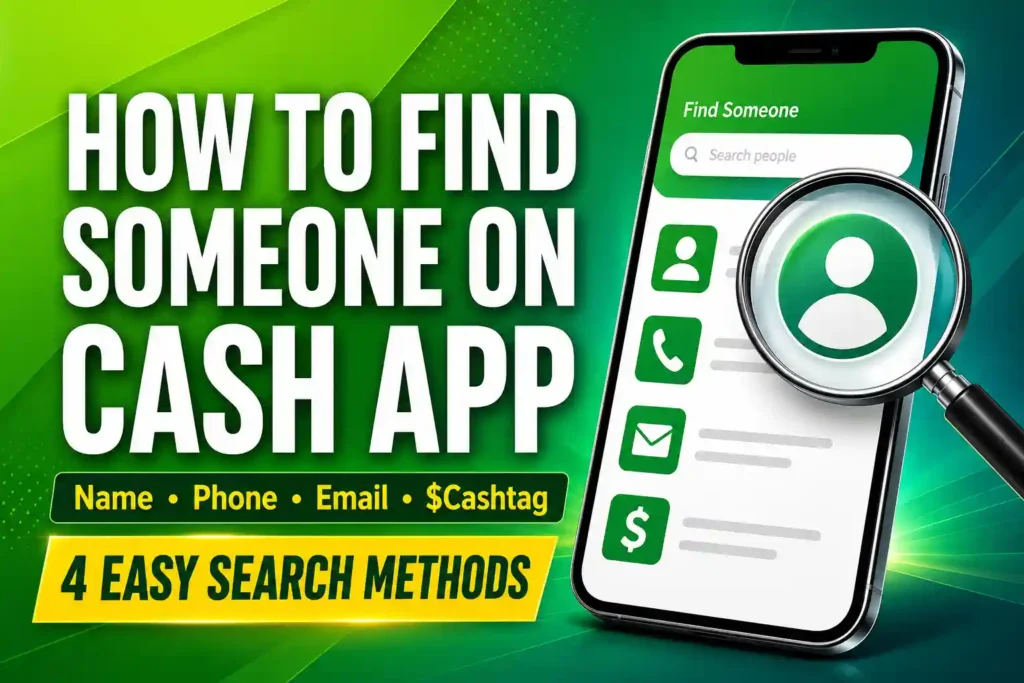
The safest way to find someone on Cash App is to search using their exact $Cashtag and confirm it directly with them before paying. You can also search by profile name, phone number, email address, synced contacts, previous transactions, a profile link, or a Cash App QR code. However, some methods are more reliable than others.
This guide explains how to find someone on Cash App using every available method, why a person may not appear in your results, and how to verify that you have selected the correct account before money leaves your hands.
Table of Contents
How to Find Someone on Cash App: Quick Answer
To search for someone on Cash App:
- Open Cash App.
- Go to the payment screen.
- Enter the amount you want to send.
- Tap “Pay.”
- Tap the “To” field.
- Enter the person’s name, phone number, email address, or $Cashtag.
- Select the matching profile.
- Confirm the person’s identity and exact $Cashtag.
- Add a payment note.
- Review the information before completing the payment.
Depending on your Cash App version, you may be able to begin searching for a recipient before entering an amount. The labels and screen positions may also look slightly different on iPhone and Android.
The most important rule remains the same: finding an account is not the same as proving who controls it.
Which Cash App Search Method Is the Most Reliable?
Not every search method provides the same level of accuracy.
| Search method | What you need | Reliability | Main limitation |
|---|---|---|---|
| Exact $Cashtag | The person’s unique Cash App username | Highest | One incorrect character can lead to another account |
| Payment request | A request sent from the recipient’s account | High | A compromised or impersonating account can still send requests |
| QR code shown in person | The recipient’s Cash App QR code | High | Online or printed QR codes can be replaced |
| Previous transaction | An earlier payment involving the person | High | The person may have changed accounts |
| Phone number | The number connected to the account | Medium | The person may use a different or outdated number |
| Email address | The email connected to the account | Medium | The person may have registered with another email |
| Synced contact | A phone contact matching account information | Medium | Your saved information may be outdated |
| Profile name | The visible name on the account | Lowest | Many people can use the same name |
Use an exact $Cashtag whenever possible. If the payment is large, unusual, urgent, or going to someone for the first time, verify the account through a separate trusted channel.
What Is a $Cashtag?
A $Cashtag is the unique username attached to a Cash App account. It starts with a dollar sign and may look like $JordanM25.
A profile name and a $Cashtag are not the same thing.
For example:
- Profile name: Jordan Miller
- $Cashtag:
$JordanM25
Several users can display “Jordan Miller” as their profile names. However, each active $Cashtag is intended to identify one Cash App account.
That makes the exact $Cashtag more useful than a profile name when you need to find a specific person.
How to Find Someone on Cash App by $Cashtag
Searching by $Cashtag is generally the fastest and most accurate option.
Step-by-step instructions
- Ask the person for their complete $Cashtag.
- Open Cash App.
- Go to the payment screen.
- Enter the payment amount.
- Tap “Pay.”
- Enter the $Cashtag in the “To” field.
- Select the matching account.
- Compare the displayed name and profile picture.
- Read the $Cashtag back to the recipient.
- Complete the payment only after receiving confirmation.
Whenever possible, ask the person to copy their $Cashtag directly from Cash App and send it to you. Copying and pasting reduces the risk of confusing similar letters and numbers.
Check for look-alike $Cashtags
Read the complete $Cashtag character by character.
These usernames appear similar but could belong to different accounts:
$DavidCollins$DavidCoIlins$DavidCollins1$DavldCollins$DavidColIins
In some fonts, a lowercase “l,” uppercase “I,” and number “1” can look almost identical. Scammers use small differences like these to impersonate legitimate users or businesses.
Why can’t I find someone by their $Cashtag?
The most common reasons are:
- The $Cashtag was entered incorrectly.
- The person gave you their profile name instead.
- They recently changed their $Cashtag.
- The $Cashtag is no longer active.
- Their account has been closed or restricted.
- You accidentally added a space or punctuation mark.
- Your app or internet connection is temporarily malfunctioning.
Do not guess alternative spellings. Ask the person to open their profile, copy the current $Cashtag, and send it again.
How to Find Someone on Cash App by Name
You can search using the name displayed on a person’s Cash App profile. However, this is the least reliable method because profile names are not unique.
Step-by-step instructions
- Open Cash App.
- Go to the payment screen.
- Tap the recipient field.
- Enter the person’s full name.
- Review the suggested accounts.
- Compare the profile names, photographs, and $Cashtags.
- Ask the intended recipient which $Cashtag belongs to them.
- Select the account only after confirming it.
Why a name search can produce the wrong person
Someone may use:
- A nickname
- A shortened first name
- A middle name
- A business name
- A maiden name
- A stage name
- Different spelling
- A name that does not match their legal identity
The person you know as “Christopher Bennett” might use “Chris B.” on Cash App. At the same time, dozens of unrelated users may use that same profile name.
A familiar photo does not solve the problem. Profile photographs can be outdated, copied from social media, or deliberately used to impersonate someone.
Can someone stop you from finding them by name?
Yes. Cash App users can control whether other users can search for them using their profile names.
If someone has disabled profile-name discoverability, their account may not appear even when you enter the correct name. Ask for their $Cashtag, phone number, email address, QR code, or a direct payment request instead.
How to Find Someone on Cash App by Phone Number
You may be able to locate a person by entering the phone number connected to their Cash App account.
Step-by-step instructions
- Open Cash App.
- Go to the payment screen.
- Tap the recipient field.
- Enter the person’s complete phone number.
- Include the correct area or country code when necessary.
- Review the matching profile.
- Confirm the name and $Cashtag directly with the person.
Do not assume that a phone number proves who controls the account. People change numbers, and phone carriers may eventually reassign inactive numbers to new customers.
If you have not spoken with the intended recipient recently, call or message them before paying.
Why can’t I find someone by phone number?
A phone-number search may fail because:
- The number is not connected to their Cash App account.
- They registered using an email address.
- They use another phone number for Cash App.
- The number in your contacts is outdated.
- You entered the wrong country or area code.
- The person recently changed their account details.
- Their account is closed, inactive, or restricted.
- The app has not refreshed your contacts.
Ask the person which phone number is currently linked to their Cash App account. Better still, request their exact $Cashtag.
How to Find Someone on Cash App by Email Address
Cash App may match an email address with the account to which it is connected.
Step-by-step instructions
- Open Cash App.
- Go to the payment screen.
- Tap the recipient field.
- Enter the complete email address.
- Review the matching result.
- Check the profile name and $Cashtag.
- Confirm both with the recipient before paying.
Pay close attention to periods, initials, numbers, and domain names. An email such as [email protected] is not the same as [email protected].
Why can’t I find someone by email?
The search may not work because:
- The email is not connected to the person’s Cash App account.
- They registered using a phone number.
- They use a different personal or work email.
- They removed or changed the address.
- You have an outdated email address.
- The email was typed incorrectly.
- Their account is inactive or restricted.
Do not try several guessed email addresses. Ask the person which address is currently associated with their account or request their $Cashtag.
How to Find Someone by Syncing Your Phone Contacts
Allowing Cash App to access your contacts can make it easier to find people already saved on your phone.
Cash App may compare the phone numbers or email addresses in your contacts with information connected to Cash App accounts. The person may then appear under the name you saved in your address book.
How to allow contact access on an iPhone
Menu labels can vary by iOS version, but the general process is:
- Open your iPhone’s Settings.
- Select “Apps” or scroll down to Cash App.
- Tap Cash App.
- Select “Contacts.”
- Allow the appropriate level of access.
- Reopen Cash App.
- Return to the recipient-search screen.
How to allow contact access on Android
The general process is:
- Open your phone’s Settings.
- Select “Apps.”
- Find and tap Cash App.
- Select “Permissions.”
- Tap “Contacts.”
- Choose “Allow.”
- Reopen Cash App and search again.
Only grant access if you are comfortable allowing Cash App to process the relevant information in your address book. You can change the permission later through your phone’s settings.
Why doesn’t a saved contact appear?
The person may not appear because:
- They do not have a Cash App account.
- Their account uses a different phone number.
- Their account is connected to an email you have not saved.
- Your contact information is outdated.
- Contact permission is disabled.
- Cash App has not refreshed your contacts.
- The person’s account is closed or restricted.
Saving someone’s number on your phone does not guarantee that Cash App can match it to an active account.
How to Find Someone You Previously Paid
If you have sent money to the person or received money from them before, your Cash App activity may provide a safer route to their profile.
- Open Cash App.
- Select the Activity tab.
- Find the previous payment or request.
- Open the transaction.
- Tap the associated profile.
- Check the name and $Cashtag.
- Confirm that the person still uses that account.
- Start the new payment only after verification.
An earlier transaction helps because you are not selecting a stranger from a list of similar names.
However, previous activity is not perfect proof. The person may have changed accounts, lost access to the old account, or had the account compromised. Confirm again before sending a large or unexpected payment.
How to Find Someone Using a Payment Request
Asking the recipient to send a request for the exact amount can reduce typing mistakes.
When the request appears:
- Open it inside Cash App.
- Check the amount.
- Review the profile name.
- Inspect the complete $Cashtag.
- Contact the person through a trusted channel.
- Confirm that they sent the request.
- Pay only after every detail matches.
A payment request is useful, but it is not automatic proof of identity. A scammer or compromised account can also send requests.
If you are unfamiliar with the requesting process, read How to Request Money on Cash App before proceeding.
How to Find Someone Using a Cash App Profile Link
A user can share a link that opens their Cash App profile or payment page. This can save you from typing the $Cashtag manually.
Before opening or using a link:
- Check the spelling of the website address.
- Avoid shortened links from unfamiliar people.
- Confirm the $Cashtag displayed after the link opens.
- Do not enter your Cash App PIN on an unfamiliar webpage.
- Do not provide a sign-in code to the person who sent the link.
- Avoid links promising prizes, giveaways, refunds, or account upgrades.
A profile link can direct you to an account, but it does not prove who controls that account. Verify the $Cashtag separately before paying.
How to Find Someone Using a Cash App QR Code
A Cash App QR code can take you directly to a profile without requiring you to type a name or $Cashtag.
The safest situation is when the recipient is physically present and displays the QR code directly from their app.
After scanning it:
- Review the profile that opens.
- Check the profile name.
- Inspect the complete $Cashtag.
- Ask the person to confirm both.
- Enter the correct amount.
- Review the payment before submitting it.
Be more cautious with QR codes printed on flyers, attached to invoices, posted on social media, or sent by strangers. Someone can replace a legitimate QR code with one linked to another account.
The account shown after scanning is the account that may receive your payment—not necessarily the account you expected.
How to Verify That You Found the Right Person
Do not depend on one matching detail. Use at least two independent checks before sending money.
1. Confirm the exact $Cashtag
Ask the person to read or send the complete $Cashtag. Compare every character.
2. Use a trusted communication channel
Call a number you already have, speak in person, or use an established email or messaging conversation. Do not rely solely on the new account that requested money.
3. Confirm the payment amount and purpose
Ask the person how much they expect and why. A scammer who copied the person’s profile may not know the original arrangement.
4. Inspect the final payment screen
Before confirming, verify:
- Recipient’s profile name
- Complete $Cashtag
- Payment amount
- Payment note
- Funding source
5. Question unexpected changes
Stop if the person suddenly claims:
- Their old account is unavailable.
- You must use a new $Cashtag.
- You should pay a friend or relative instead.
- You must split the payment among several accounts.
- The payment must happen immediately.
- You cannot call them to confirm.
A legitimate account change can happen. The dangerous part is accepting it without independent verification.
6. Consider a small test payment
For a large transfer, you may send a small test amount after verifying the recipient. Ask the person to confirm the exact amount received before sending the remainder.
A test payment only confirms access to the account. It does not prove that the account belongs to the person you intended to pay.
The Fastest Fix When You Cannot Find Someone
Use this troubleshooting path instead of repeatedly searching random information.
| What you searched | What to check first | Best next step |
|---|---|---|
| Name | Spelling, nickname and discoverability | Ask for the exact $Cashtag |
| $Cashtag | Every letter and number | Ask the person to copy it from their profile |
| Phone number | Area code and whether it is linked | Confirm their current linked number |
| Email address | Spelling and whether it is linked | Ask which email is on the account |
| Synced contact | Contact permission and saved information | Refresh permissions or request the $Cashtag |
| Previous transaction | Whether the account is still active | Confirm through a trusted channel |
| QR code | Whether the correct profile opens | Compare the displayed $Cashtag |
| Profile link | Link spelling and destination | Verify the $Cashtag independently |
If none of the methods work, ask the person to open Cash App and send you their current $Cashtag or a payment request. Do not keep guessing.
Why You Still Cannot Find Someone on Cash App
If correct information produces no result, one of these issues may be responsible.
The person does not have an active Cash App account
They may have deleted the account, lost access to it, or never completed registration.
Their account information changed
The person may have changed their phone number, email address, profile name, or $Cashtag.
They disabled name-based discoverability
Their profile may no longer appear when you search using only their name.
One of you blocked the other
Blocking may prevent normal communication or interaction between the accounts.
Their account is restricted
Cash App may restrict an account because of security, verification, compliance, or suspicious-activity concerns.
Your app is outdated
Open your device’s official app store and install any available Cash App update.
Your internet connection is unstable
Switch between Wi-Fi and mobile data, then reopen Cash App.
Cash App is temporarily unavailable
Wait before trying again. Do not repeatedly press payment buttons during a delay because you could create duplicate attempts when the service recovers.
Your app session is malfunctioning
Close Cash App completely and reopen it. If the issue continues, restart your phone and check for updates.
Avoid deleting the app unless you know your correct sign-in information and can regain access to your account.
What Information Can You See After Finding Someone?
A Cash App profile may display limited information such as:
- Profile name
- $Cashtag
- Profile picture
- Account type or available profile indicators
- Your own previous activity involving that user
The information shown can vary.
Finding a profile does not normally give you unrestricted access to:
- The user’s private phone number
- Their private email address
- Their home address
- Their bank-account information
- Their Cash App balance
- Their complete transaction history
- Their government-issued identity
- Their password, PIN, or sign-in code
Cash App is a payment platform, not a public background-check or reverse-identity service.
Can You Find Someone’s Phone Number From Their $Cashtag?
A $Cashtag does not normally reveal the private phone number connected to the account.
You may be able to use a known phone number to search for an account, but that does not mean you can reverse the process and retrieve the phone number from a $Cashtag.
Be wary of third-party websites claiming they can reveal private Cash App details. They may provide incorrect information, charge unnecessary fees, or attempt to collect your data.
Can You Find Someone’s Email From Their Cash App Account?
Cash App may use an email address to help match a recipient without displaying that email publicly on the person’s profile.
Finding a Cash App account therefore does not normally reveal the owner’s private email address. Ask the person directly if you need their contact information.
Can You Find Someone on Cash App Without an Account?
You may be able to open a publicly shared Cash App profile or payment link in a browser. However, searching for users and completing payments normally requires access to Cash App.
You cannot use Cash App as an open directory to browse every user or reveal private information about an account holder.
Can Someone Find You on Cash App?
Another person may be able to find your Cash App account using:
- Your profile name
- Your $Cashtag
- A connected phone number
- A connected email address
- Synced contact information
- A previous transaction
- A payment request
- A profile link
- Your Cash App QR code
Anyone who knows your exact $Cashtag may be able to locate the profile connected to it.
How to reduce profile-name discoverability
Menu labels may change, but the general process is:
- Open Cash App.
- Tap your profile icon.
- Open Privacy & Security.
- Find the profile-name search or discoverability setting.
- Turn off the option that allows people to find you by name.
This may prevent name-based searches, but it does not make your Cash App account completely invisible. People may still find you through your $Cashtag, connected contact information, earlier transactions, shared links, requests, or QR codes.
Cash App Search Scams You Must Avoid
Knowing how to search for someone is useless if you cannot recognize an impersonator.
Look-alike $Cashtag scams
A scammer creates a $Cashtag that differs from the legitimate one by one letter or number. Never rely on a quick glance.
Copied-profile scams
Someone copies a friend’s name and social-media photograph, then sends you an urgent request. Contact the real person through a channel you already trust.
Fake Cash App support profiles
A name or profile picture containing “Cash App Support” does not make an account legitimate. Never send money to “verify,” “unlock,” “protect,” or “upgrade” your account.
Account-change scams
A person claiming to be your friend or vendor tells you that their normal Cash App account stopped working and gives you a different $Cashtag.
Do not pay until you verify the change directly.
Refund scams
A stranger may claim to have paid you accidentally and ask you to return the money to another account. Check your actual Cash App activity and use official in-app support when a payment appears suspicious.
Payment-flipping scams
No legitimate user can multiply your money simply because you send them an initial payment. Promises to “flip” $20 into $200 are scams.
Giveaway and prize scams
Do not send a fee to claim a giveaway, prize, grant, refund, or reward. A legitimate prize should not require you to pay a stranger first.
Fake lookup services
Avoid websites or apps claiming they can reveal Cash App passwords, balances, private phone numbers, private email addresses, or complete payment histories.
What to Do If a Suspicious Account Finds You
If an unfamiliar account sends unwanted requests, impersonates someone, or attempts to scam you:
- Do not send money.
- Do not share your PIN or sign-in code.
- Open the account’s profile.
- Scroll to the available account controls.
- Select “Block” or “Report.”
- Follow the instructions shown in Cash App.
- Preserve screenshots if fraud or impersonation is involved.
Search for the account using its name, $Cashtag, phone number, or email if you need to reopen its profile.
Never give anyone your full debit-card number, bank details, Social Security number, Cash App PIN, or one-time sign-in code.
What to Do If You Paid the Wrong Cash App Account
Act immediately:
- Open the Activity tab.
- Select the incorrect payment.
- Check whether a cancellation option is available.
- Cancel it immediately if the option appears.
- If the payment is complete, request a refund through the transaction.
- Contact the recipient politely.
- Report the transaction if fraud or impersonation was involved.
- Use the support options inside Cash App or on its verified website.
A refund request does not force the recipient to return your money. Completed person-to-person payments can be difficult to reverse, especially when you authorized the transaction.
This is why verification before payment is critical. For the complete process, read How to Pay Someone on Cash App for the First Time.
Final 10-Second Check Before Sending Money
Before pressing “Pay,” answer these questions:
- Is the complete $Cashtag correct?
- Did I verify it directly with the recipient?
- Does the profile name match?
- Is the payment amount correct?
- Is the payment note accurate?
- Am I communicating through a trusted channel?
- Has the recipient unexpectedly changed accounts?
- Is anyone rushing or threatening me?
- Am I being promised money in return?
- Would I still send this payment if it could not be reversed?
If one answer makes you uncomfortable, stop.
Once you are certain that the recipient is correct, follow How to Send Money on Cash App: Step-by-Step Guide to complete the transfer safely.
Frequently Asked Questions
What is the best way to find someone on Cash App?
Search using the person’s exact $Cashtag and confirm it directly with them. A $Cashtag is more precise than a profile name because it uniquely identifies an account.
How do I search for someone on Cash App?
Open the payment screen, enter an amount, tap “Pay,” and type the person’s name, phone number, email address, or $Cashtag in the recipient field.
Can I search for someone using their real name?
Yes, provided their displayed profile name matches your search and they allow people to find them by name. A name alone is not enough to verify the account.
Can I find someone using a phone number?
Yes, if the phone number is connected to their Cash App account. The search may fail if they registered with different information.
Can I find someone using an email address?
Yes, when the email address is associated with their account. Enter the complete address and check the resulting profile carefully.
Can I find someone through my phone contacts?
You may see Cash App users from your contacts when the app has permission to access them and their saved information matches an active account.
Is a Cash App name the same as a $Cashtag?
No. The profile name is a visible name chosen by the user. The $Cashtag is the account’s unique username.
Can two Cash App users have the same profile name?
Yes. Multiple users can display identical or similar names, which is why you should verify the $Cashtag.
Can two accounts have the same $Cashtag?
Each active $Cashtag is intended to identify one Cash App account. Similar-looking $Cashtags can still exist, so check every character.
Why can’t I find someone by their name?
They may use a nickname, have a differently spelled profile name, or have disabled profile-name discoverability.
Why can’t I find someone by their $Cashtag?
The $Cashtag may be misspelled, changed, inactive, or connected to an account that has been closed or restricted.
Why can’t I find someone by their phone number?
The number may not be linked to Cash App, may be outdated, or may differ from the number the person currently uses for the account.
Why can’t I find someone by their email address?
They may use another email, have registered with a phone number, or have removed the address from their account.
Can I find someone from a previous payment?
Yes. Open the Activity tab, select the earlier transaction, and open the associated profile. Confirm that the person still controls the account.
Does Cash App notify someone when I search for them?
Typing someone’s details into the recipient-search field does not normally create a payment notification. A completed payment, request, or other interaction may notify them.
Can I see who searched for me on Cash App?
Cash App does not normally provide a list showing everyone who entered your name, phone number, email, or $Cashtag in a search field.
Can I browse all Cash App users?
No. Cash App is not an unrestricted public directory of every account holder.
Can I see someone’s phone number from their $Cashtag?
A $Cashtag does not normally reveal the private phone number linked to an account.
Can I find someone’s email from their Cash App profile?
The private email connected to an account is not normally displayed simply because you found the profile.
Can I see someone’s Cash App balance?
No. Finding someone’s profile does not give you access to their balance or financial information.
Can I see another person’s complete transaction history?
No. You can review your own transactions involving that person, but not their complete private activity.
How can I tell whether a Cash App account is fake?
Watch for copied photos, slightly altered $Cashtags, inconsistent information, urgent demands, account-verification fees, giveaway promises, and resistance to independent confirmation.
Is a matching profile picture enough to verify someone?
No. Anyone may be able to copy a photograph. Confirm the exact $Cashtag through a communication channel you already trust.
Should I ask the person to send a payment request?
Yes. A direct request can reduce typing errors, but you should still verify the account and request through another trusted channel.
Should I send a test payment first?
A small test payment can help confirm that the selected account receives money. It does not prove the recipient’s identity, so verify the account first.
Can Cash App support reveal the owner of an account?
Cash App generally does not disclose another user’s private identity or contact information simply because someone requests it. Report suspected fraud through official support channels.
Can I use a Cash App lookup website?
Avoid third-party services promising private account information. Their data may be inaccurate, and some may attempt to collect your personal or financial details.
Can someone prevent me from finding them by name?
Yes. Users can turn off profile-name discoverability. You may still need their $Cashtag, connected contact information, profile link, QR code, or payment request.
Can I search for a business on Cash App?
You may be able to find a business using its name or $Cashtag. Confirm the payment information through the business’s official website, invoice, or established contact method.
What if several Cash App accounts have the same name?
Do not guess. Ask the intended recipient for their exact $Cashtag or a payment request, then confirm the account through a trusted channel.
What if someone gives me a different $Cashtag at the last minute?
Pause the payment and verify the change by calling or speaking directly with the person. A sudden account change is a common impersonation warning sign.
What if I cannot find the person using any method?
Ask them to open Cash App, copy their current $Cashtag, and send it to you. They can also send a payment request or show you their QR code in person.
Conclusion
You can find someone on Cash App by searching for their name, phone number, email address, or $Cashtag. You may also locate them through synced contacts, a previous transaction, a payment request, a profile link, or a QR code.
The exact $Cashtag is usually the most reliable search method. A profile name is the least reliable because names are not unique and profile pictures can be copied.
Whatever method you use, do not treat a search result as proof of identity. Confirm the complete $Cashtag through a trusted communication channel, review the amount and payment note, and investigate any unexpected account change.
Once the recipient is verified, they can follow How to Receive Money on Cash App to confirm that the payment has reached the correct account.