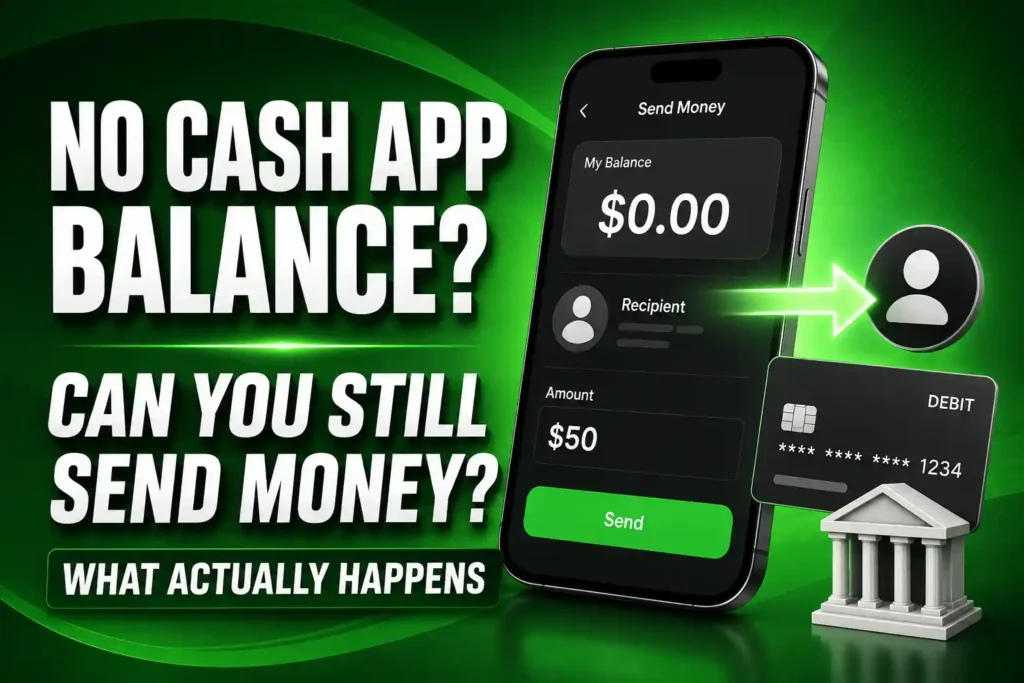
Your Cash App balance is $0, but you need to send someone money now. You have enough money in your bank account, yet you are unsure whether you must transfer it into Cash App first.
The short answer is no—you do not always need money stored in your Cash App balance before sending a payment.
You can usually send money on Cash App without a Cash App balance by funding the payment with an eligible linked debit card. However, the card must be supported, active and connected to an account with enough available money to cover the entire transaction.
That last point matters. If your Cash App balance is too low to cover the full payment, Cash App may charge your linked debit card for the entire amount instead of combining the partial balance with your card. If the card cannot cover it, the payment may be declined.
This guide explains how the process works, which funding methods you may be able to use, what fees to check and how to fix a payment that fails.
Table of Contents
Can You Send Money on Cash App Without A Cash App Balance? ($0 Balance)
Yes. You can generally send money on Cash App with a $0 balance if you have an eligible linked debit card or another supported payment method that Cash App allows for that transaction.
You do not need to add money to your Cash App balance first.
For example:
- Cash App balance: $0
- Payment amount: $75
- Available money through linked debit card: $300
If Cash App accepts the linked debit card for the transaction, the entire $75 can be charged to that card. The recipient receives the payment while your Cash App balance remains at $0.
However, available money alone does not guarantee approval. Cash App or your card issuer may still decline the transaction because of security concerns, incorrect card information, account restrictions or applicable limits.
How Cash App Chooses Where Your Payment Comes From
Cash App needs one eligible funding source that can cover the payment.
| Your situation | What may happen |
|---|---|
| Your Cash App balance covers the full amount | The payment may come from your Cash App balance |
| Your Cash App balance is $0 | An eligible linked debit card may fund the payment |
| Your balance covers only part of the payment | The linked card may be charged for the entire payment |
| Your linked card cannot cover the transaction | The payment may be declined |
| You have no balance or eligible linked method | You cannot complete the payment |
| Cash App flags the transaction | The payment may be canceled even when funds are available |
Always check the funding source displayed before you confirm the transaction. Do not assume Cash App will automatically charge the card you want.
Does Cash App Split Payments Between Your Balance and Debit Card?
You should not expect Cash App to split one person-to-person payment between your Cash App balance and a linked debit card.
If the balance cannot cover the full payment, the eligible linked card may need to fund the entire transaction.
Here are three examples.
Example 1: Your Cash App balance is $0
- Cash App balance: $0
- Payment: $100
- Linked debit card’s available funds: $500
The linked debit card may be charged the entire $100.
Example 2: Your Cash App balance is too low
- Cash App balance: $30
- Payment: $100
- Linked debit card’s available funds: $500
Cash App may charge the entire $100 to the linked debit card. Do not assume it will take $30 from your balance and only $70 from the card.
Example 3: Neither source can cover the transaction
- Cash App balance: $30
- Payment: $100
- Linked debit card’s available funds: $70
The payment may fail because the linked card cannot cover the complete $100 transaction.
Before paying, check whether the funding source shown can cover the full amount plus any disclosed fee.
How to Send Money on Cash App Without a Balance
The exact wording and screen positions can vary by device and app version, but the process is generally straightforward.
Step 1: Link an eligible debit card
- Open Cash App.
- Tap your profile icon.
- Select “Linked Banks” or the corresponding linked-account option.
- Tap “Link Debit Card.”
- Enter your card information.
- Complete any verification prompts.
- Confirm that the card appears in your linked payment methods.
Cash App supports many U.S.-issued debit cards from Visa, Mastercard, American Express and Discover. However, not every card carrying one of those logos is guaranteed to work.
Step 2: Check your available bank balance
Open your bank’s official app or website and check the available balance connected to the debit card.
Do not rely only on the current balance. Pending purchases, deposits on hold and temporary authorizations can reduce the amount you are permitted to spend.
Ensure the card can cover:
- The entire Cash App payment
- Any fee displayed before confirmation
- Other pending bank transactions
- Any amount required to avoid an overdraft
Step 3: Start the Cash App payment
- Return to the Cash App payment screen.
- Enter the amount.
- Tap “Pay.”
- Enter the recipient’s name, email address, phone number or $Cashtag.
- Select the correct profile.
- Add a clear payment note.
If you are uncertain about the recipient, use How to Find Someone on Cash App by Name, Phone Number, Email, or $Cashtag before continuing.
Step 4: Review the payment source
Find the payment method displayed on the confirmation screen.
Check:
- Which card or balance will be charged
- Whether the card is correct
- Whether the entire amount is available
- Whether Cash App displays a fee
- Whether the recipient’s $Cashtag is correct
If Cash App allows you to change the funding source, select the eligible method you want before confirming the payment.
Step 5: Complete and verify the transaction
Confirm the payment using the required security method, which may include your Cash App PIN, Face ID, Touch ID or fingerprint.
Then:
- Open your Activity tab.
- Select the transaction.
- Check its status.
- Verify the charge in your bank account.
- Ask the recipient to confirm receipt when necessary.
For a complete walkthrough of every sending step, read How to Send Money on Cash App: Step-by-Step Guide.
Do You Have to Add Money to Cash App Before Paying Someone?
No. Adding money first is optional when an eligible linked method can fund the payment directly.
You have two possible routes.
Route 1: Add money to your Cash App balance first
You transfer money into your Cash App balance and then send the payment from that balance.
This adds an extra step but may help you control how much money is available inside Cash App.
Route 2: Pay using an eligible linked debit card
You leave your Cash App balance at $0 and let the linked card fund the payment.
This is usually faster because you do not need to transfer money into the app before paying.
Both routes require actual available funds somewhere. An empty Cash App balance does not prevent a payment, but having no usable funding source does.
Can You Send Money With a Linked Debit Card?
Yes. An eligible linked debit card is the most common way to fund a Cash App payment when your balance is empty.
Before sending, make sure:
- The card has not expired.
- The card is activated.
- The entered card number is correct.
- The billing ZIP code matches the issuer’s records.
- The connected bank account has sufficient available funds.
- The issuer allows person-to-person and online transactions.
- The card is not locked or frozen.
- Cash App has completed any required verification.
Successfully adding a card does not guarantee that every transaction will be approved. The card issuer and Cash App can evaluate individual payments separately.
Can You Send Money With a Credit Card?
Cash App supports certain U.S.-issued credit cards, but whether a credit card can fund your payment depends on the card, transaction and options displayed in your account.
If Cash App offers your credit card as a funding source, review the cost before confirming.
Two separate types of charges may matter:
Cash App’s disclosed fee
Cash App may display a fee for using a credit card to fund a person-to-person payment. Check the final screen rather than assuming the transaction is free.
Your credit-card issuer’s charges
Your issuer may treat the payment as a cash-equivalent or cash-advance transaction instead of a normal purchase. That can lead to:
- A cash-advance fee
- A higher interest rate
- Interest beginning immediately
- No rewards
- A declined transaction
Cash App’s displayed fee does not necessarily include charges imposed independently by your credit-card issuer.
Using a debit card backed by money you already have is generally simpler and can help you avoid borrowing costs.
Can You Send Money Directly From a Linked Bank Account?
A linked bank account and a linked debit card serve different functions inside Cash App.
For person-to-person payments made without a Cash App balance, the linked debit card is commonly the available funding source. Do not assume Cash App will withdraw directly from an external bank account merely because that account is listed under your linked accounts.
Check the funding methods Cash App displays for the transaction.
If your external bank account is not offered as a payment source, you can:
- Use an eligible linked debit card connected to that account, or
- Add money to your Cash App balance using an available method before paying.
Can You Send Money Without Linking a Bank Account?
Yes. You may not need to link an external bank account if you have:
- Enough money in your Cash App balance
- An eligible linked debit card
- Another funding method Cash App accepts for the transaction
Cash App still needs a legitimate source for the money. You cannot complete a payment when your Cash App balance is $0 and no eligible funding method is available.
Can You Send Money Without a Debit Card?
Yes, but only if another eligible source covers the transaction.
You may not need a debit card when:
- Your Cash App balance covers the full amount.
- An eligible credit card is available and you accept the disclosed costs.
- Cash App offers another supported funding method for that transaction.
If your balance is empty and no eligible alternative appears, you will need to link a supported debit card or add money through an available method.
Can You Use a Prepaid Card?
Cash App supports many standard U.S.-issued prepaid cards, but not every prepaid card can fund person-to-person payments.
A prepaid card may fail because:
- It does not support person-to-person transfers.
- It is a store gift card rather than a reloadable prepaid card.
- The issuer blocks Cash App transactions.
- The card has not been registered.
- The billing information does not match.
- The available balance is too low.
- Online transactions are disabled.
- Cash App cannot verify the card.
Being able to add a prepaid card does not guarantee that Cash App will accept it for every payment.
Does Sending Money Without a Cash App Balance Cost More?
Using an eligible debit card for a standard personal payment does not automatically mean you will pay an additional Cash App fee.
However, charges can depend on:
- The funding method
- Whether a credit card is involved
- The recipient’s account type
- The type of payment
- Your card issuer’s policies
- Any fee displayed before confirmation
Possible costs include:
- A credit-card funding fee
- A business-payment processing fee
- A card issuer’s cash-advance charge
- Bank overdraft or insufficient-funds fees
- Other charges disclosed during the transaction
Do not confuse sending fees with withdrawal fees. Paying another Cash App user and withdrawing money from Cash App to your debit card are separate transactions.
Can the Recipient Receive Money If Your Balance Is Empty?
Yes. If Cash App successfully processes the payment from your eligible linked method, the recipient can receive it even though your Cash App balance was $0.
The recipient does not normally see:
- Your Cash App balance
- Your complete debit-card number
- Your external bank-account number
- The available balance in your bank
- Your card’s security code
They generally see information associated with the payment, including your Cash App profile, amount, payment note and transaction status.
For the recipient’s side, read How to Receive Money on Cash App.
What Happens If Your Linked Account Has Insufficient Funds?
If your Cash App balance cannot cover the full payment and the linked funding source also lacks sufficient available money, the transaction will likely be declined.
Depending on your bank’s policies, an attempted charge could result in:
- A declined transaction
- An overdraft
- A negative account balance
- An insufficient-funds fee
- A temporary authorization
- A fraud alert
Do not keep retrying the payment without checking your bank account. Repeated attempts can create confusion, trigger security controls or produce multiple pending entries.
Why Is Cash App Declining Your Payment?
A $0 Cash App balance is not necessarily the cause. Work through these possibilities.
Your linked card cannot cover the entire payment
Cash App may require the card to fund the complete transaction instead of only the difference between your balance and the payment.
The card has expired or been replaced
Update your linked payment information after receiving a replacement card. Even if the card number remains the same, the expiration date or security code may have changed.
The billing information is incorrect
The name, ZIP code or billing address entered in Cash App may not match the records held by the issuer.
Your card is frozen
Check your banking app to see whether the card has been locked, paused or restricted.
Your bank blocked the transaction
A bank may flag a Cash App payment when:
- The amount is unusual.
- It is your first payment through Cash App.
- You recently changed devices.
- Several attempts occurred quickly.
- The recipient is unfamiliar.
- The transaction resembles suspected fraud.
Use the official number on the back of your card to ask whether the issuer declined it.
Cash App canceled the transaction
Cash App may cancel a payment when its systems detect potentially unauthorized or fraudulent activity.
Check your Activity tab for the payment status and refund information. Do not repeatedly send the same payment until you understand what happened.
You reached an applicable limit
Cash App can apply sending and other transaction limits. Your account and identity-verification status can affect which limits apply.
A card containing enough money does not override a Cash App limit. Read Cash App Sending and Receiving Limits Explained for more information.
Cash App requires additional verification
Cash App may request your legal name, date of birth or other identifying information before allowing further activity.
Submit sensitive information only through the official app or verified website. No legitimate support agent needs your Cash App PIN or one-time sign-in code.
The card is unsupported
A major card-network logo does not guarantee compatibility. The issuer, card type, location and transaction restrictions can affect whether Cash App accepts it.
The recipient’s account has a problem
The recipient may be unable to receive the payment because their account is closed, restricted or under review.
Cash App or your connection is temporarily unavailable
An outdated app, weak connection or temporary service issue may prevent a legitimate payment from processing.
How to Fix a Cash App Payment That Keeps Failing
Follow these steps in order.
1. Read the payment status
Open the Activity tab and select the failed or canceled payment. Look for the reason or instructions shown.
2. Confirm the complete available amount
Check that the linked card can cover the full payment and any disclosed fee. Do not calculate only the difference between the payment and your Cash App balance.
3. Verify the card information
Review:
- Card number
- Expiration date
- Security code
- Cardholder name
- Billing ZIP code
- Billing address
4. Check the selected funding source
If you have more than one card linked, Cash App may be attempting to use a different card from the one you expected.
5. Contact the card issuer
Ask whether the bank declined or restricted the charge. Use the issuer’s verified app, website or number printed on your card.
6. Review your Cash App limits
Check whether the transaction would exceed an applicable sending limit.
7. Complete any legitimate verification request
Follow only the prompts inside Cash App. Do not pay anyone to “unlock” or “verify” your account.
8. Update and restart the app
Install available updates, close Cash App, restart your phone and try again after confirming every detail.
9. Check your internet connection
Switch between Wi-Fi and mobile data if the payment screen is freezing or failing to load.
10. Contact official support
Use Cash App’s in-app support or verified website. Avoid phone numbers posted in social-media comments, unofficial websites or advertisements.
Can You Choose Which Card Cash App Charges?
Cash App may allow you to choose among eligible payment methods before sending.
To check:
- Enter the payment amount.
- Select the recipient.
- Find the displayed funding source.
- Tap it if the option is available.
- Select the eligible card you want.
- Review any fee.
- Confirm the transaction.
If a card does not appear, Cash App may not consider it eligible for that payment.
Do not assume you can change the funding source after sending. Once the payment has been processed, the selected method has already been charged or authorized.
What If Cash App Uses the Wrong Card?
First, determine whether Cash App actually selected the wrong card or whether you confirmed the payment without noticing the funding source.
Then:
- Open your Activity tab.
- Select the transaction.
- Review the funding details.
- Check whether cancellation is available.
- Contact official support if the displayed information is incorrect.
- Contact your bank if the charge was genuinely unauthorized.
Do not report an authorized payment as fraud merely because you overlooked the selected card. Explain the situation accurately.
Will Cash App Overdraft Your Bank Account?
Cash App does not control your bank’s overdraft policy.
If your bank allows an eligible debit-card charge to exceed your available balance, the transaction could contribute to:
- An overdraft
- A negative balance
- An overdraft fee
- Another account charge
If the bank does not allow the transaction, it may simply decline the payment.
To reduce the risk:
- Check your available balance.
- Account for pending purchases.
- Check deposits for holds.
- Include any displayed Cash App fee.
- Review your bank’s overdraft settings.
- Avoid repeated payment attempts.
Can You Use Someone Else’s Debit Card?
Do not link or use another person’s debit card without authorization.
Even when the owner gives permission, differences between the cardholder’s information and your Cash App account may trigger:
- Card-verification problems
- A bank decline
- A security review
- An account restriction
- A payment dispute
- A fraud investigation
The safer option is for the cardholder to use their own account and send the payment themselves.
Safety Checks Before Sending From a Linked Card
A linked debit card does not provide automatic protection against paying the wrong person.
Before sending:
- Confirm the recipient’s exact $Cashtag.
- Verify the recipient through a trusted channel.
- Check the full payment amount.
- Review the selected funding source.
- Read any displayed fee.
- Confirm the linked account can cover the complete charge.
- Add an accurate payment note.
- Question last-minute account changes.
- Ignore promises to multiply your money.
- Never share your PIN or sign-in code.
- Do not pay anyone to unlock a prize, refund or account.
Person-to-person payments can be difficult to recover after you authorize them. Spend an extra minute verifying the transaction before pressing “Pay.”
Frequently Asked Questions
Can you send money on Cash App with no balance?
Yes. An eligible linked debit card or another payment method offered by Cash App may fund the transaction.
Do you have to add money to Cash App before sending it?
No. You can generally pay directly from an eligible linked debit card without adding money to your Cash App balance first.
What happens when your Cash App balance is $0?
Cash App may charge the full payment to an eligible linked method. If no eligible funding source is available, the payment will fail.
Can you send more than your Cash App balance?
Yes, provided an eligible linked funding source can cover the full payment and you remain within your applicable limits.
Will Cash App combine my balance with my debit card?
You should not expect Cash App to split a single payment between a partial balance and a debit card. The card may need to cover the entire payment.
If I have $20 in Cash App, can I send $100?
Possibly. An eligible linked card may be charged for the full $100 instead of only the $80 difference.
Can you send money using only a debit card?
Yes. An eligible linked debit card may fund the payment without requiring money in your Cash App balance.
Can you send money with a credit card?
Cash App may allow certain eligible credit cards. Review Cash App’s disclosed fee and your issuer’s possible cash-advance charges before paying.
Can you send money directly from a bank account?
Available methods vary. Do not assume a linked external bank account can directly fund a person-to-person payment unless Cash App offers it as a funding source.
Can you use Cash App without linking a bank account?
Yes. You may use an eligible debit card or available Cash App balance without linking a traditional external bank account.
Can you send money without a debit card?
Yes, if your Cash App balance or another eligible funding method covers the transaction.
Does Cash App charge a fee for using a debit card?
A standard personal payment funded by a debit card does not automatically carry an extra Cash App fee. Check the confirmation screen for any disclosed charge.
Does Cash App charge a fee for using a credit card?
Cash App may display a fee when an eligible credit card funds the payment. The card issuer may impose separate charges.
Can a prepaid card fund a Cash App payment?
Some standard U.S.-issued prepaid cards may work, but gift cards and restricted prepaid products may not support person-to-person payments.
Why was my payment declined when my bank account has money?
The available balance may be lower than expected, the bank may have blocked the charge or your card, account, limit or recipient may have a restriction.
Does the debit card need to cover the whole payment?
When your Cash App balance is insufficient, the eligible linked card may need enough available funds for the entire transaction.
Can Cash App overdraft your bank account?
The result depends on your bank’s overdraft policy. The charge may be declined or may contribute to an overdraft and related fees.
Can you use two debit cards for one payment?
Do not expect Cash App to divide one payment between two debit cards. One eligible source generally needs to cover the transaction.
Can you change the payment source after sending?
Generally, you should not expect to change the funding source once the payment has been processed.
Does the recipient know you paid with a debit card?
The recipient generally sees the payment and your Cash App profile information, not your complete card details or Cash App balance.
Does a $0 balance affect your sending limit?
A $0 balance does not remove or increase your Cash App limits. The limits applicable to your account still control how much you can send.
Can Cash App cancel a payment even when funds are available?
Yes. Cash App may cancel a transaction that appears unauthorized, fraudulent or otherwise risky.
What should you do if Cash App keeps declining your card?
Check the Activity tab, available funds, card information, Cash App limits and account status. Then contact the card issuer and official Cash App support if necessary.
Is it safer to add money before paying?
Adding money first may help you control your Cash App spending, but it does not verify the recipient or guarantee a refund. You must still check every payment detail.
Can someone receive money when your Cash App balance is empty?
Yes. If an eligible linked method successfully funds the transaction, the recipient can receive the payment normally.
Conclusion
You can send money on Cash App without a Cash App balance. An eligible linked debit card can usually fund the payment directly, so you do not have to add money to Cash App first.
The critical detail is that Cash App may charge your linked card for the entire transaction when your balance cannot cover it. Do not assume Cash App will combine a partial balance with the card or charge only the difference.
Before sending, check the recipient, payment amount, funding source, available bank balance and any displayed fee. If the transaction fails, review the payment status, card information, Cash App limits, bank restrictions and verification requirements.
A $0 Cash App balance is not the real barrier. The payment fails when no eligible source can cover the complete transaction or when Cash App or the card issuer refuses it.

