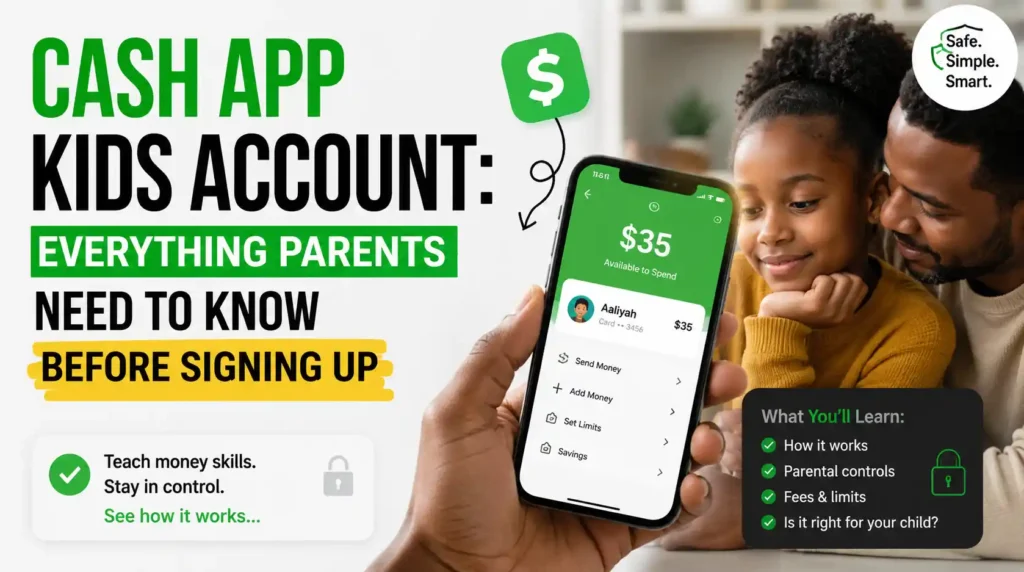
If you’ve searched for cash app kids account, you’re probably wondering whether children can use Cash App, what the age requirements are, and how parents can keep their kids safe while managing money digitally.
The answer is yes—but it depends on your child’s age.
Cash App now offers two different account types for minors:
- Managed accounts for children ages 6 to 12
- Sponsored accounts for teens ages 13 to 17
Both account types require the involvement of an eligible parent or legal guardian and include parental controls designed to help families manage spending and build healthy financial habits.
In this guide, you’ll learn everything you need to know about a cash app kids account, including eligibility, features, safety controls, setup instructions, benefits, limitations, and frequently asked questions.
Table of Contents
What Is A Cash App Kids Account?
A Cash App kids account is a parent-managed account designed for children under 18.
Instead of allowing young users unrestricted access to financial tools, Cash App provides different experiences based on age.
Children between 6 and 12 years old receive a managed account, while teenagers aged 13 to 17 can use a sponsored account with approval from an eligible parent or guardian.
This approach allows children to learn basic money management while parents maintain oversight.
Age Requirements For Cash App Kids Accounts
Cash App separates accounts into two age groups.
Kids Ages 6 To 12
Children in this age group receive a managed account.
Important features include:
- Parents manage everything through their own Cash App.
- Kids do not have access to the Cash App mobile application.
- Children use a Cash App debit card while parents control the account.
- Parents can monitor transactions, spending, and balances.
Teens Ages 13 To 17
Teenagers receive a sponsored account.
With parental approval, teens can:
- Access their own Cash App account
- Send and receive money
- Use a Cash App Card
- Build money management skills
Parents continue to supervise the account and can control many important settings.
How Does A Cash App Kids Account Work?
The system is designed to balance independence with parental supervision.
Parents create or sponsor the account, while Cash App provides tools that help monitor activity.
Depending on the child’s age, parents may be able to:
- View balances
- Review transaction history
- Receive transaction notifications
- Set spending limits
- Lock or unlock the debit card
- Manage approved contacts
These controls help reduce the risks associated with digital payments while giving children practical financial experience.
Can Kids Get A Cash App Card?
Yes.
Both eligible children and teens can receive a Cash App Card.
For younger children, parents order and manage the card.
The card allows children to make purchases while parents retain oversight and can instantly lock the card if needed.
What Can Kids Do With Their Account?
Depending on age and parental permissions, children may be able to:
- Receive allowance
- Spend using their debit card
- Save money
- Receive gifts from approved contacts
- Learn budgeting habits
- Build financial responsibility
Teen accounts include additional features compared with managed accounts for younger children.
How To Set Up A Cash App Kids Account
Getting started is relatively simple.
Step 1: Download Cash App
The parent or legal guardian needs an eligible Cash App account.
Step 2: Open The Family Section
Navigate to the Family option within the app.
Step 3: Add Your Child
Choose whether you’re adding:
- A child aged 6–12
- A teen aged 13–17
Step 4: Follow The Verification Process
Cash App will guide you through the required approval steps.
Step 5: Order A Cash App Card
If eligible, you can order a personalized Cash App Card for your child or teen.
Benefits Of A Cash App Kids Account
Parents appreciate several advantages.
Financial Education
Children learn how to:
- Budget
- Save
- Spend responsibly
Real-Time Oversight
Parents can monitor activity without needing to ask where money was spent.
Spending Controls
Parents can establish limits that fit their family’s needs.
Easy Allowance Payments
Instead of using cash, parents can send scheduled or one-time allowances digitally.
Built-In Security
Cash App includes fraud monitoring, transaction alerts, and card controls to help protect family accounts.
Are There Any Limitations?
Yes.
A Cash App kids account is intentionally more limited than a standard adult account.
For example:
- Younger children cannot access the app themselves.
- Parents remain the legal account managers.
- Certain age-restricted features are unavailable.
- Availability depends on eligibility and region.
These limitations are designed to improve safety rather than restrict learning.
What Happens When A Child Turns 13?
When a child reaches age 13, parents may have the option to transition the managed account into a sponsored teen account.
This allows the teenager to begin using the Cash App application while parents continue supervising the account.
Existing balances and account history can carry over during the transition.
What Happens At Age 18?
Once a sponsored user turns 18, they can verify their identity and convert the account into a standard individual Cash App account.
At that point, parental sponsorship is no longer required.
Safety Tips For Parents
Even with built-in protections, parents should teach good financial habits.
Consider these best practices.
Review Transactions Together
Discuss purchases with your child to build financial awareness.
Set Spending Limits
Adjust limits based on your child’s age and maturity.
Teach Scam Awareness
Explain why children should never send money to strangers.
Lock The Card When Necessary
If the card is lost, lock it immediately through the app.
Encourage Saving
Help children create savings goals instead of spending every dollar they receive.
Frequently Asked Questions About Cash App Kids Account
If you’re thinking about opening a cash app kids account, you probably have a few questions about eligibility, safety, parental controls, and how the service works. Here are detailed answers to the questions parents ask most often.
Can A 10-Year-Old Have A Cash App Account?
Yes. Children between the ages of 6 and 12 can have a managed Cash App account when it is created and supervised by an eligible parent or legal guardian. Unlike teen accounts, younger children do not use the Cash App mobile app themselves. Instead, parents manage the account, monitor spending, and control the Cash App Card through their own Cash App account, making it a safer introduction to digital money management.
Can A 13-Year-Old Use Cash App?
Yes. Teenagers between the ages of 13 and 17 can use a sponsored Cash App account after receiving approval from an eligible parent or guardian. Teens get access to their own Cash App account, allowing them to send and receive money, use a Cash App Card, and learn financial responsibility. Parents continue to oversee the account and can review activity and manage important settings.
Does A Cash App Kids Account Cost Money?
Cash App does not charge a monthly subscription fee for managed or sponsored accounts. However, some optional services may include fees, such as instant transfers or certain financial features available within the app. Before signing up, it’s always a good idea to review Cash App’s current fee schedule so you understand any costs that may apply to your family’s account.
Can Parents Monitor Every Transaction?
Yes. One of the biggest advantages of a Cash App kids account is parental oversight. Parents can review transaction history, monitor account balances, receive notifications about account activity, and manage spending controls directly from their own Cash App account. These features make it easier to teach responsible spending while helping parents identify unusual or unauthorized activity quickly.
Can Kids Receive Money From Anyone?
Not necessarily. For younger children’s managed accounts, parents can control who is allowed to send money to the account. These restrictions help reduce unwanted payments and improve account security. Sponsored teen accounts may offer more flexibility, but parental supervision remains an important part of the overall experience.
Can Kids Send Money To Friends?
Yes, depending on the child’s age and the type of account. Sponsored teen accounts allow eligible users to send money to others using Cash App, while younger children’s managed accounts are more restricted and remain under direct parental control. Parents should discuss safe payment practices with their children before allowing them to send money to anyone.
Can Parents Set Spending Limits?
Yes. Parents have access to tools that help manage how their child uses the account. Depending on the available controls, they can supervise spending, review purchases, and manage the Cash App Card. These controls help families encourage responsible financial habits while reducing the risk of unnecessary or impulsive spending.
Is A Cash App Kids Account Safe?
Cash App includes several security features designed to help protect young users, including encryption, fraud monitoring, transaction notifications, and the ability for parents to lock or unlock their child’s Cash App Card. While these protections are helpful, parents should also teach children never to share passwords, verification codes, or personal information with anyone online.
What Happens If My Child Loses Their Cash App Card?
If your child loses their Cash App Card, you should lock the card immediately through your Cash App account to prevent unauthorized purchases. If the card cannot be found, you can request a replacement. Acting quickly helps protect your child’s account and reduces the chances of fraudulent transactions.
Can My Child Use Their Cash App Card In Stores?
Yes. Eligible children and teens with a Cash App Card can use it to make purchases anywhere the card’s payment network is accepted. Parents can monitor these purchases through the app, making it easier to review spending and teach budgeting skills as children gain experience managing money.
What Happens When My Child Turns 13?
When a child with a managed account reaches age 13, they may become eligible for a sponsored teen account. This transition allows them to access the Cash App mobile app while continuing to receive parental supervision. Parents remain involved in managing the account until the teen becomes eligible for a standard adult account.
What Happens When My Child Turns 18?
Once a sponsored user turns 18, they can verify their identity and convert the account into a standard individual Cash App account. After the conversion, parental sponsorship is no longer required, and the account holder assumes full responsibility for managing their finances and account settings.
Can A Cash App Kids Account Receive Direct Deposit?
Depending on the account type and available features, eligible teen accounts may be able to receive direct deposits. This can be useful for teenagers with part-time jobs or those receiving regular payments. Availability may vary, so it’s best to review the current features offered for sponsored accounts before relying on direct deposit.
Is A Cash App Kids Account Worth It?
For many families, the answer is yes. A Cash App kids account provides children and teenagers with hands-on experience managing money while giving parents valuable oversight and control. Features such as transaction monitoring, spending supervision, and debit card management make it a practical tool for teaching financial responsibility in today’s increasingly cashless world.
Final Thoughts
A cash app kids account offers families a practical way to introduce children and teenagers to digital money management in a controlled environment. With managed accounts for children ages 6 to 12 and sponsored accounts for teens ages 13 to 17, Cash App combines convenience with parental oversight, helping young users build healthy financial habits while giving parents the tools to supervise spending and account activity.
Before creating an account, review the available features, understand the parental controls, and talk with your child about responsible spending. Starting with good financial habits today can help prepare them for greater financial independence in the future.

